214733 183 Revision A
4.5 Checking Header Settings
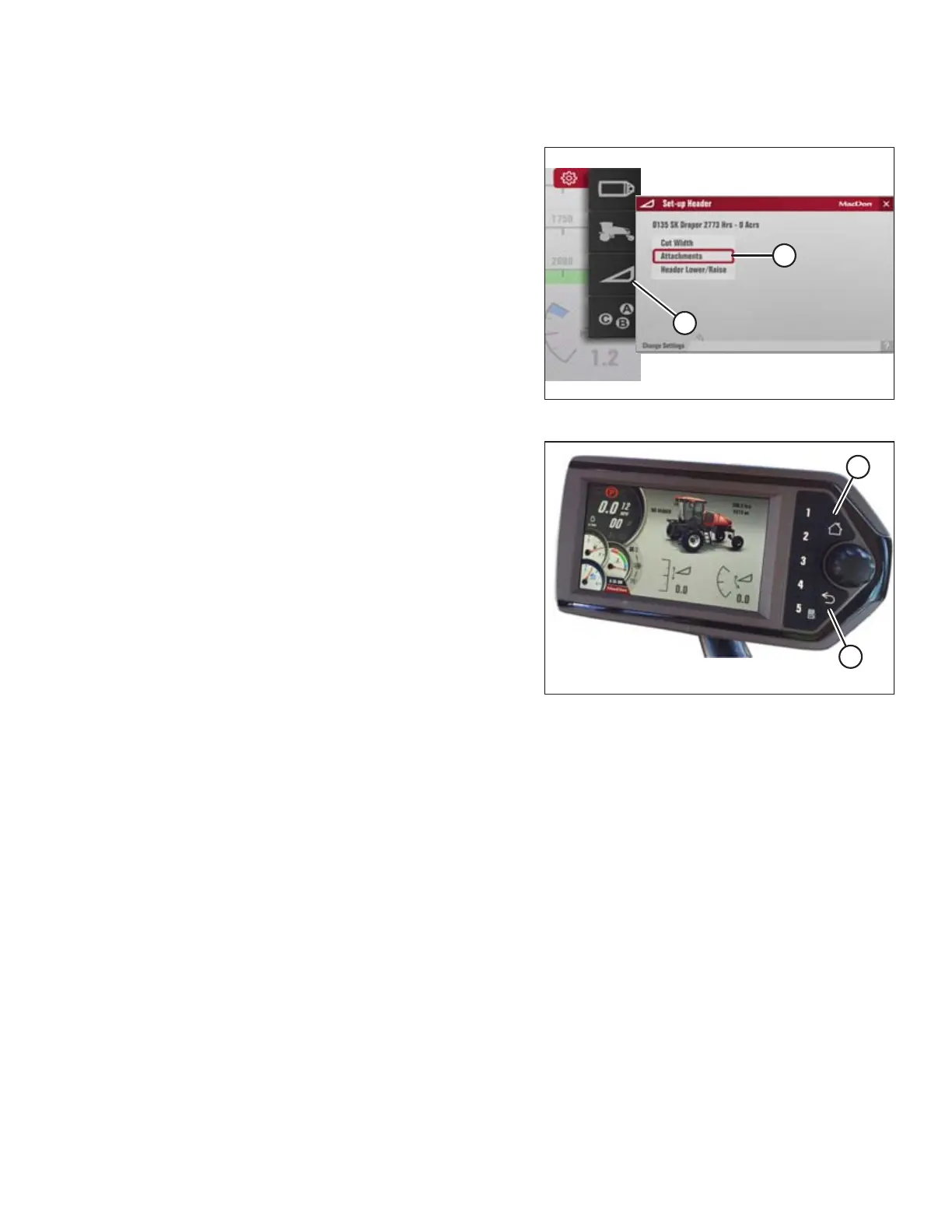
Figure 4.160: Header Settings
1. Navigate to SETTINGS menu with soft key 5 and Harvest
Performance Tracker (HPT) scroll knob. Refer to 3.17.2
Navigating the Harvest Performance Tracker (HPT) Display,
page 81 if required.
2. Scroll to SET-UP HEADER option (A) and select it.
3. Scroll to highlight appropriate item and select it.
4. Scroll to highlight appropriate option and select it.
• Example: If a draper header is attached, and
ATTACHMENTS (B) is selected, the available choice is
DOUBLE DRAPER DRIVE.
5. Scroll to highlight appropriate item and select it.
Figure 4.161: HPT Display
6. Press BACK button (A) on the HPT to return to the previous
level within the menu structure.
7. Press HOME button (B) on the HPT to return to the last
selected run screen (or header disengaged screen).
OPERATION



 To Next Page