214733 125 Revision A
Adjusting Ground Speed Limit
The windrower has the following selectable ground speed limits depending on seat position:
Direction of Travel Selectable Ground Speed Limits
Cab-forward
16, 19, 23, 29 km/h (10, 12, 14, 16, 18 mph)
Engine-forward
16, 29, 43 km/h (10, 18, 27 mph)
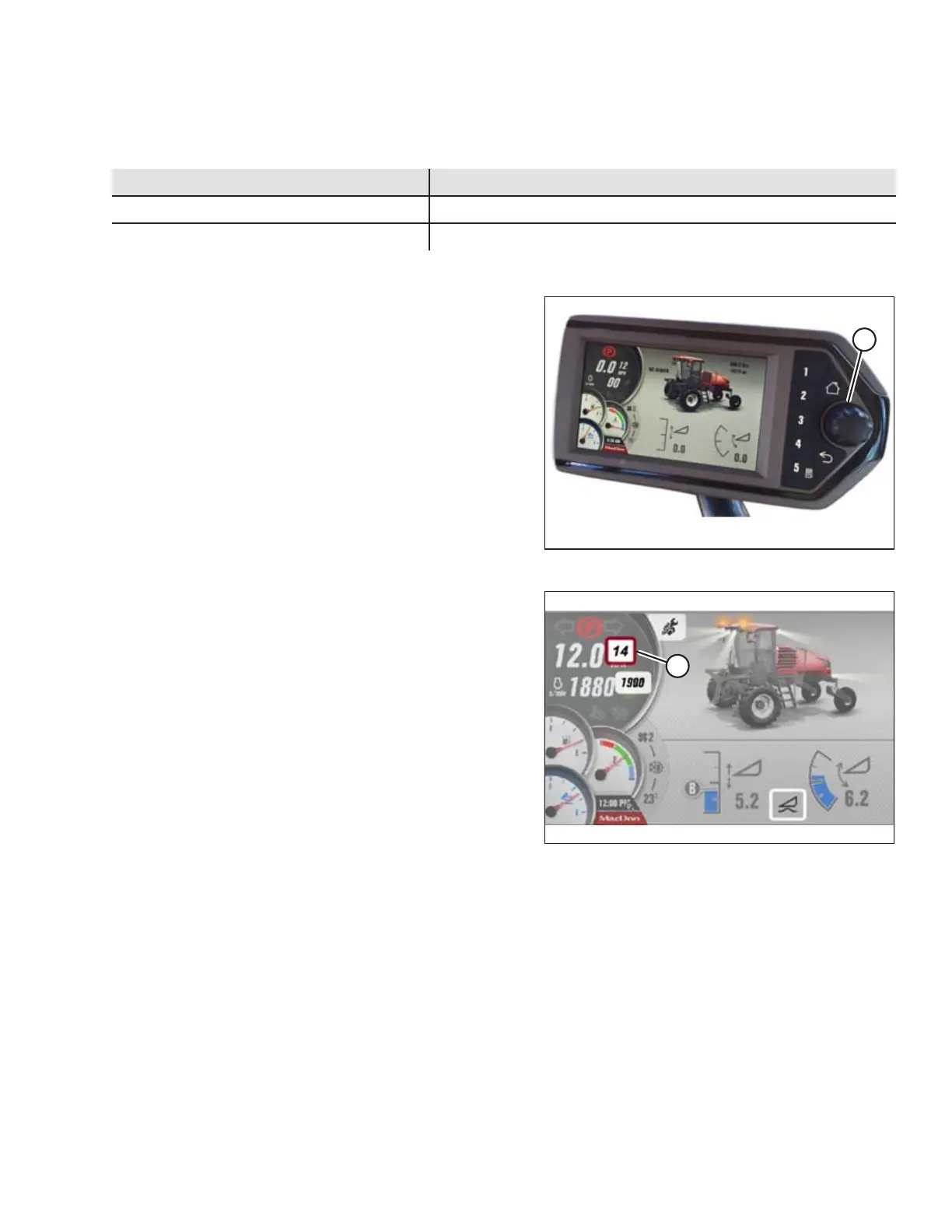
To adjust the ground speed limit, follow these steps:
Figure 4.27: HPT Scroll Knob / Select Button
1. Press the scroll knob (A) on the Harvest Performance
Tracker (HPT) while in any run screen to open the
QuickMenu system.
Figure 4.28: HPT Display
2. To scroll to the GROUND SPEED LIMIT selectable area (A),
use the HPT scroll knob to move the red cursor.
3. Press the HPT scroll knob to select, and scroll to adjust the
ground speed limit values.
NOTE:
Ground speed limit is also changed by simultaneously
pressing the GSL shift button on back of GSL and scrolling.
OPERATION



 To Next Page