214733 315 Revision A
Installing Engine Primary Air Filter
NOTE:
For primary air filter replacement part number, refer to 5.1.4 Filter Part Numbers, page 251.
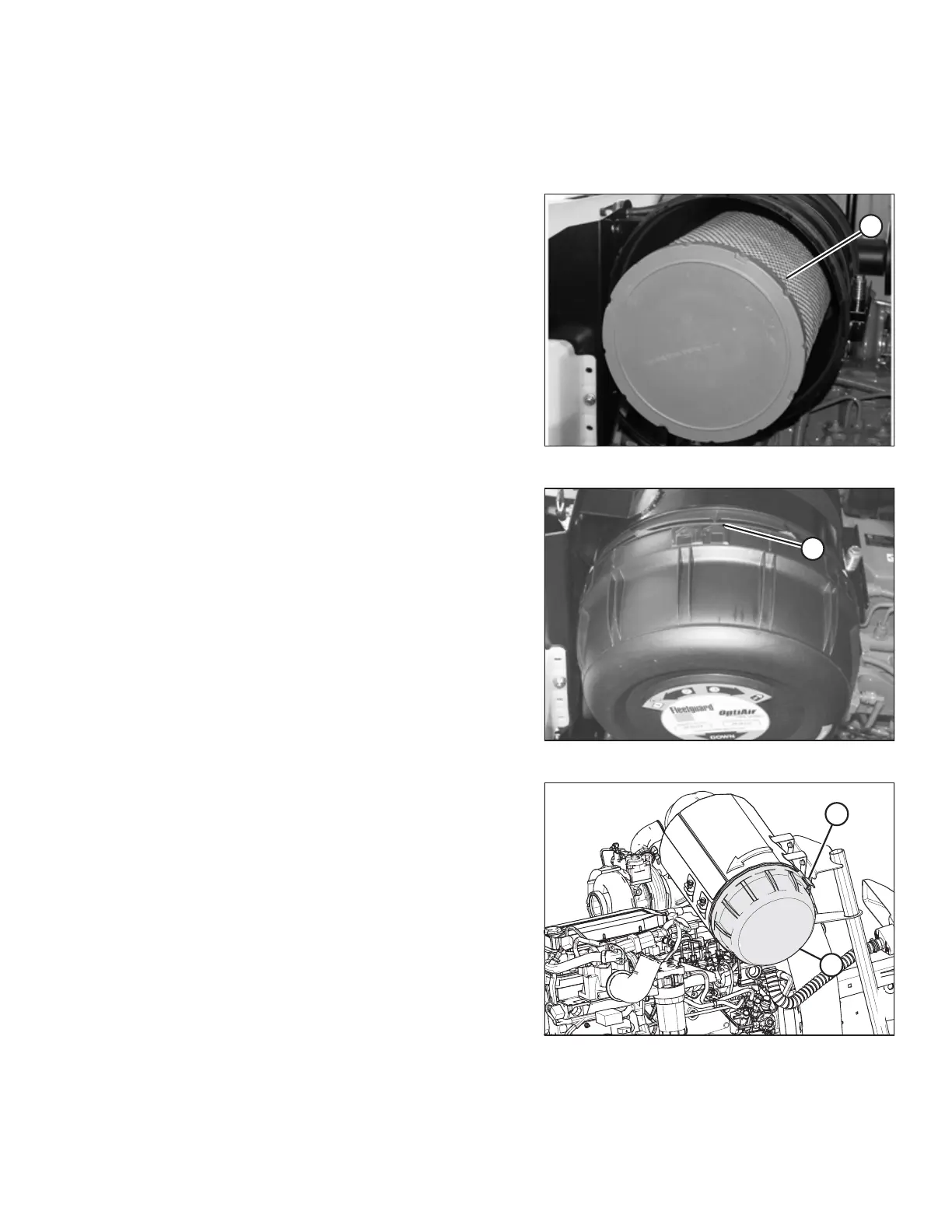
Figure 5.93: Air Filter
1. Insert new primary filter (A) into canister and push into
place, ensuring that element is firmly seated in canister.
Figure 5.94: Air Filter
2. Align arrow (A) to UNLOCK position on end cap, and push
end cap fully onto housing.
3. Rotate end cap clockwise until catch (A) engages housing to
prevent end cap from turning.
Figure 5.95: Air Filter
4. Position end cap (B) onto filter housing with aspirator
pointing approximately down.
5. Secure end cap onto filter housing by closing latch (A).
6. Close the hood. Refer to 5.3.2 Closing Hood, page 257.
7. Close the maintenance platform. Refer to 5.4.1 Opening
Platform, page 258.
MAINTENANCE AND SERVICING



 To Next Page