214733 119 Revision A
Programming the Eco Engine Control (EEC)
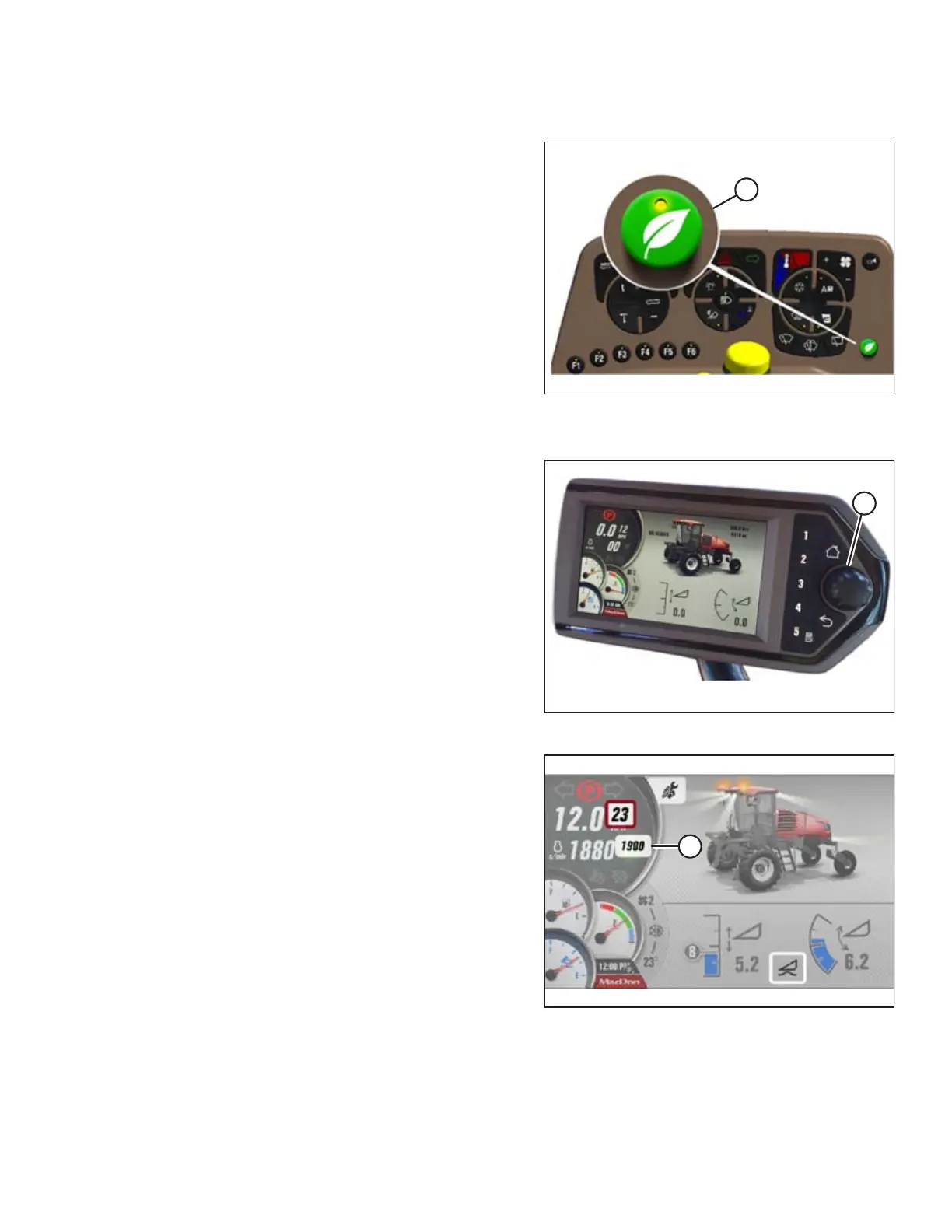
Figure 4.17: Eco Engine Control (EEC) Button
Engine speed can be programmed to operate at reduced rpm to
lower fuel and diesel exhaust fluid (DEF) consumption, and
reduce in-cab noise levels. The set-point for engine speed can
be adjusted in increments of 100 rpm from 1800–2400 rpm in
the Harvest Performance Tracker (HPT) QuickMenu. While the
header is engaged, the system can easily be activated and
deactivated (depending on field conditions) using the EEC
button (A) on the console. When the engine is running at less
than full speed, you will notice a small reduction in the
maximum reel, draper, and ground speeds.
The EEC feature is turned ON or OFF by pressing the EEC
button (A) on the operator’s console. EEC will only be available
when the header is engaged. The GREEN LEAF symbol on the
HPT display indicates that the EEC is active. If EEC is turned OFF,
or the header is disengaged, the LEAF symbol will appear grayed
out. The EEC throttle limit can be adjusted at any time.
Figure 4.18: HPT Scroll Knob/Select Button
1. To open the QuickMenu system while in any run screen,
press the scroll knob (A) on the HPT.
Figure 4.19: HPT Display
2. Use the HPT scroll knob to move the red cursor to the ECO
THROTTLE LIMIT (A) value.
3. Press the HPT scroll knob to select the ECO THROTTLE
LIMIT (A) adjustment function.
4. Adjust the ENGINE rpm value using the HPT scroll knob.
5. Press the HPT scroll knob to program the adjusted value.
OPERATION



 To Next Page