214733 82 Revision A
Home, Back, and Select Buttons
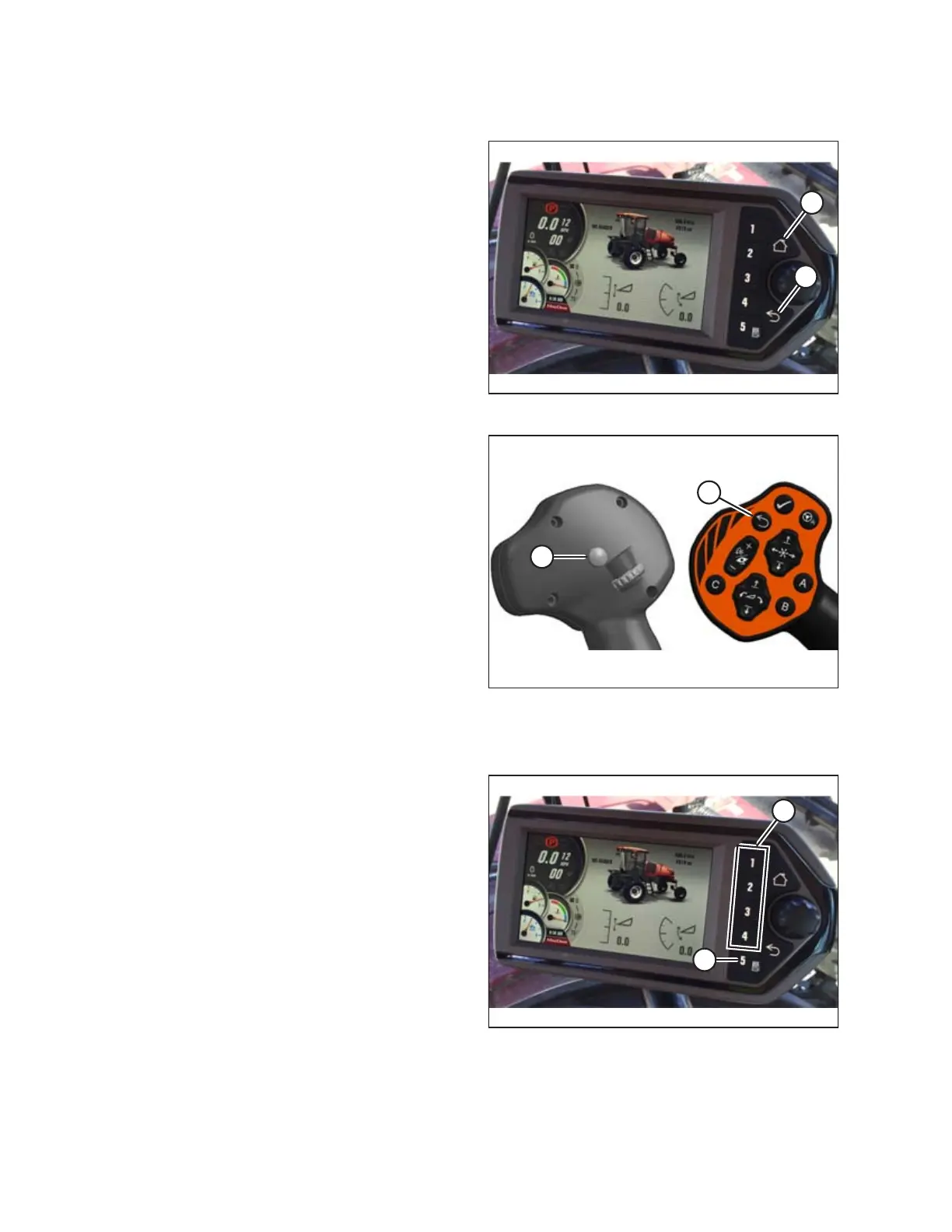
Figure 3.77: HPT Home and Back Buttons
• Press the BACK button (A) on the Harvest Performance
Tracker (HPT) to return to the previous level within the menu
structure.
• Press the HOME button (B) on the HPT to return to the last
selected run screen (or header disengaged screen).
Figure 3.78: GSL Select and Back Buttons
• Press the BACK button (A) on the ground speed lever (GSL) to
return to the previous level within the menu structure.
• Press the SHIFT button (B) on the back of the GSL, and then
press the GSL BACK button (A) to return to the last selected
run screen (or header disengaged screen). Pressing the
SHIFT (B) and BACK (A) buttons on the GSL at the same time
produces the same result as pushing the HOME key on the
HPT display.
Soft Keys
Figure 3.79: HPT Soft Keys
• Soft keys 1–4 (A) on the Harvest Performance Tracker (HPT)
display run screens 1–4 respectively
• Soft key 5 (B) displays the main menu
• After a menu is open, soft keys 1–5 also function as buttons
within menus
OPERATOR’S STATION



 To Next Page