214733 83 Revision A
QuickMenu System
The QuickMenu system allows you to change certain windrower and header functions directly on the screen.
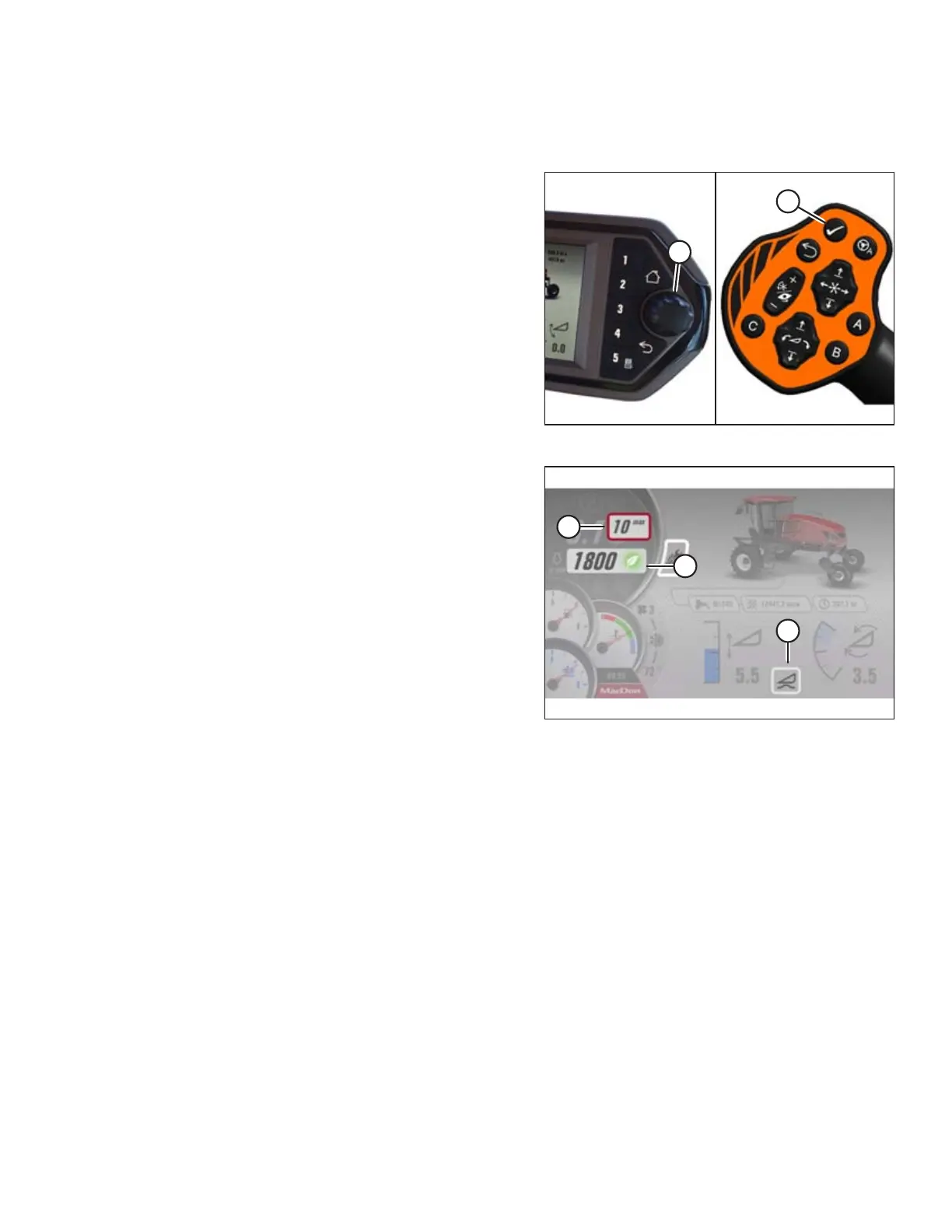
Figure 3.80: HPT Scroll Knob and GSL Select Button
1. Press the scroll knob (A) on the Harvest Performance
Tracker (HPT) or the SELECT button (B) on the ground speed
lever (GSL) while in any run screen to open the QuickMenu
system.
Figure 3.81: QuickMenu System
2. Use the HPT scroll knob or the GSL scroll wheel to move the
red cursor (A) around the screen. The following selectable
areas are highlighted in white and can be changed while in
motion using the QuickMenu system:
• Ground speed limit (A) – Refer to Adjusting Ground
Speed Limit, page 125.
• EEC throttle limit (B) – Refer to Programming the Eco
Engine Control (EEC), page 119.
• Header float (C) – Refer to Setting the Float, page 187.
• Header adjustments (when header is running [not
shown]) – Refer to 4.6 Operating with a Header, page
184.
• Knife speed – Refer to 4.7.7 Knife Speed, page 216,or
4.8.2 Knife Speed, page 233.
• Access maintenance information – Refer to 3.17.7
Machine Information Pages, page 100.
• Adjust auto speed settings – Refer to 4.7 Operating with
D1X or D1XL Series Draper Header, page 201,or4.8
Operating with an A40DX Auger Header, page 228.
• Define header alarm speeds – Refer to 4.7 Operating
with D1X or D1XL Series Draper Header, page 201,or
4.8 Operating with an A40DX Auger Header, page 228.
• Header Alarm pressure – Refer to 4.7 Operating with
D1X or D1XL Series Draper Header, page 201,or4.8
Operating with an A40DX Auger Header, page 228.
• Manage telltales – Refer to Faults and Telltales, page
89.
• Turn auto speeds ON/OFF – Refer to 4.7 Operating with
D1X or D1XL Series Draper Header, page 201,or4.8
Operating with an A40DX Auger Header, page 228.
OPERATOR’S STATION



 To Next Page