214733 360 Revision A
5.15.4 Belts
Tensioning Engine Fan Drive Belt
The engine fan drive belt is automatically tightened. Manual adjustment is NOT required.
Replacing Engine Fan Drive Belt
WARNING
To avoid bodily injury or death from unexpected startup of the machine, always stop the engine and remove the key
from the ignition before leaving the operator’s seat for any reason.
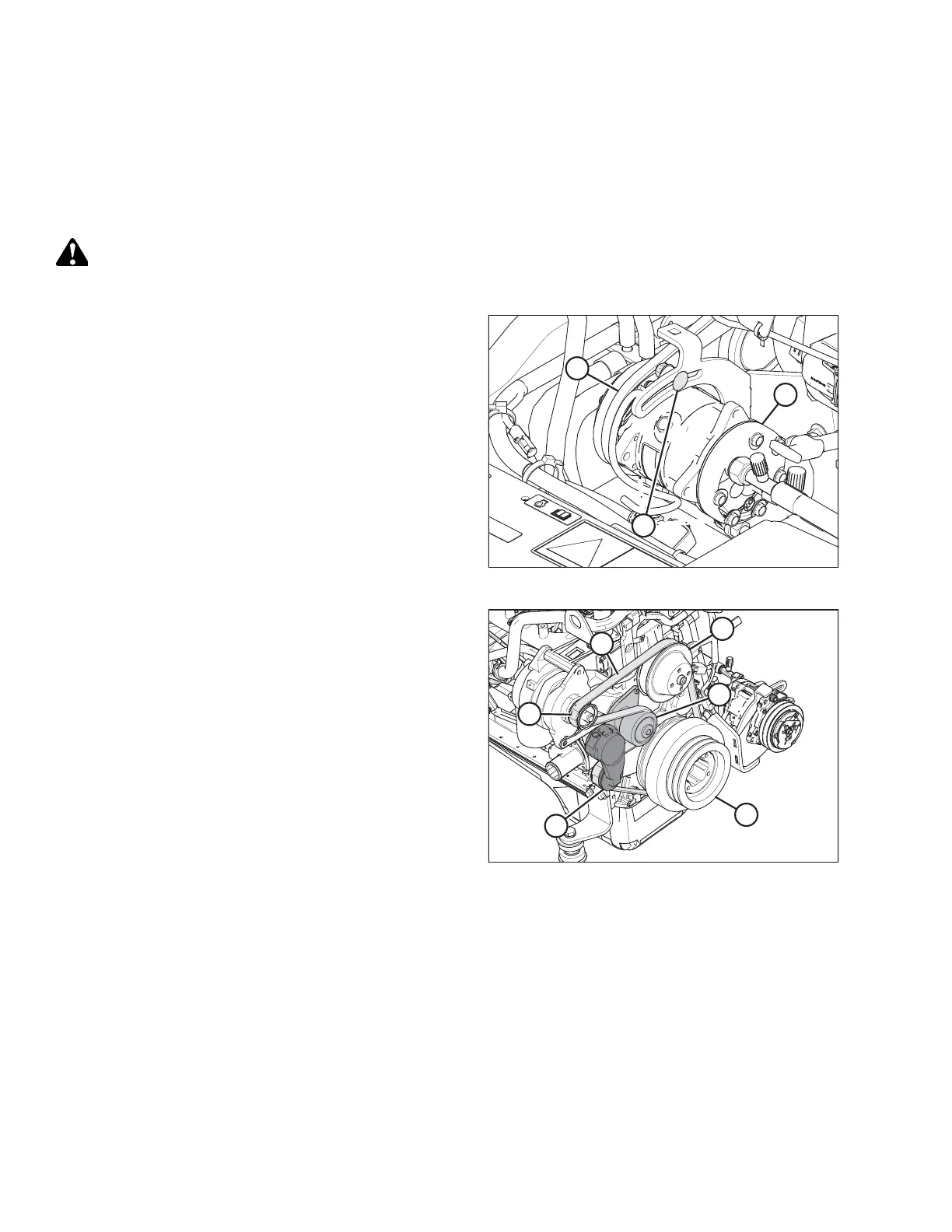
Figure 5.160: A/C Compressor
1. Stop the engine and remove the key.
2. Open the hood. Refer to 5.3.1 Opening Hood, page 256.
3. Loosen compressor mounting hardware (A) and rotate the
compressor (B) towards the engine to release tension
on belts.
4. Remove belts (C) from compressor (B).
Figure 5.161: Engine Belt
5. Insert the drive end of a 1/2 in. drive ratchet wrench into
the belt tensioner (A).
6. Rotate tensioner counterclockwise until fan belt (B) can be
slipped off pulley (C). Release tensioner and remove
wrench.
7. Remove belt in order 1, 2, 3, as shown in Figure 5.161, page
360.
8. Insert the drive end of a 1/2 in. drive ratchet wrench into
the belt tensioner (A).
9. Rotate tensioner counterclockwise until belt (B) can be
slipped onto pulley (C). Release tensioner and remove
wrench.
10. Check that belt is properly seated in all pulley grooves.
MAINTENANCE AND SERVICING



 To Next Page