214733 374 Revision A
Replacing Red Tail Lights
WARNING
To avoid bodily injury or death from unexpected startup of the machine, always stop the engine and remove the key
from the ignition before leaving the operator’s seat for any reason.
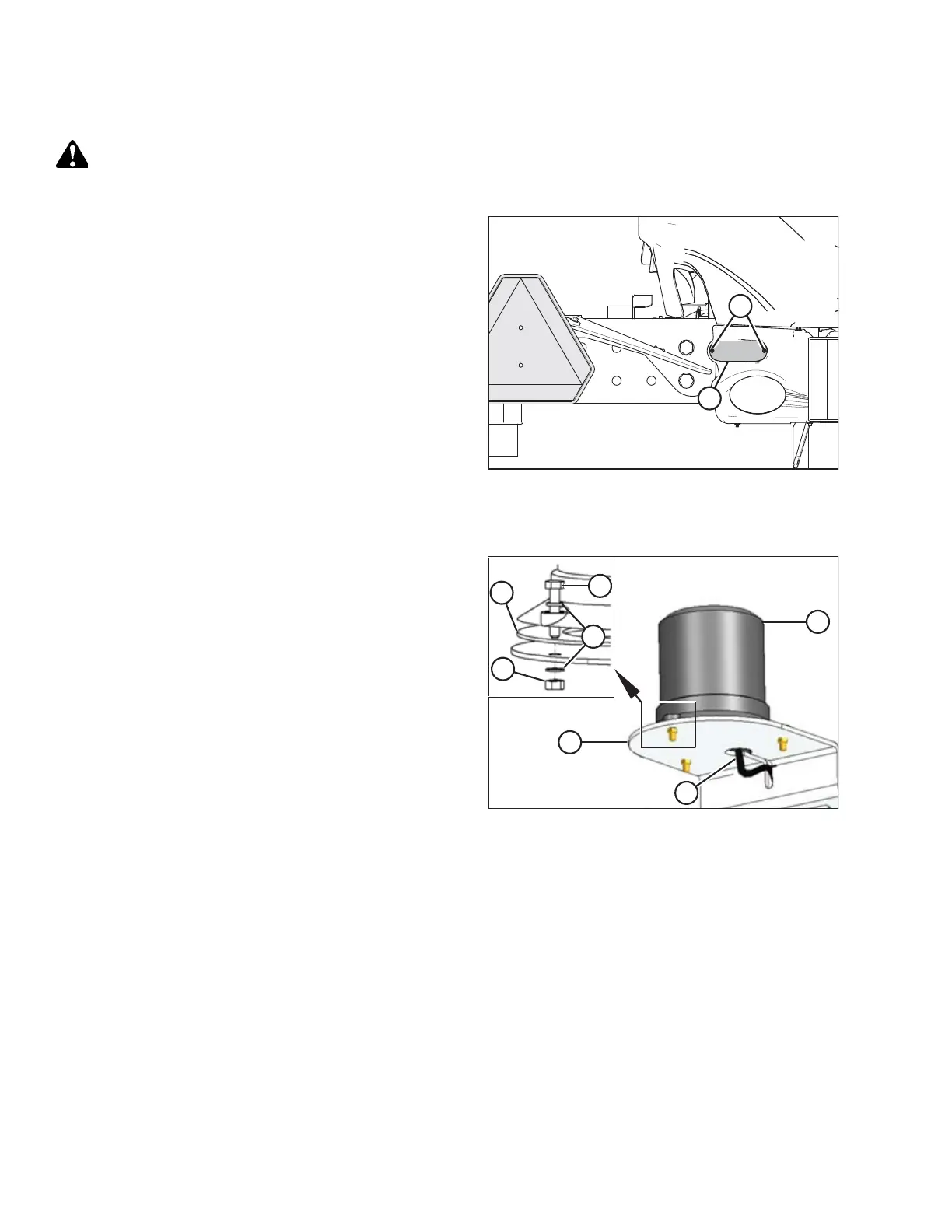
Figure 5.186: Red Tail Lights
1. Shut down engine and remove key. Turn lights OFF.
2. Remove two hex flange bolts (A) from light (B), and remove
light from bezel.
3. Remove electrical connector from light (B).
4. Connect wiring harness to new light (B), and secure light to
bezel using two hex flange bolts (A).
Replacing Beacon Lights
Figure 5.187: Beacon Light Assembly
1. Disconnect wiring (A) from harness.
2. Remove nuts (B) and remove beacon (C). Discard defective
beacon and hardware.
3. Clean residue from support (D) mounting surface.
4. Install new beacon (C) with gasket (E) onto support. Secure
with bolts (F), washers (G), and nuts (B).
5. Torque nuts to 0.65 Nm (0.48 lbf·ft).
MAINTENANCE AND SERVICING



 To Next Page