214733 265 Revision A
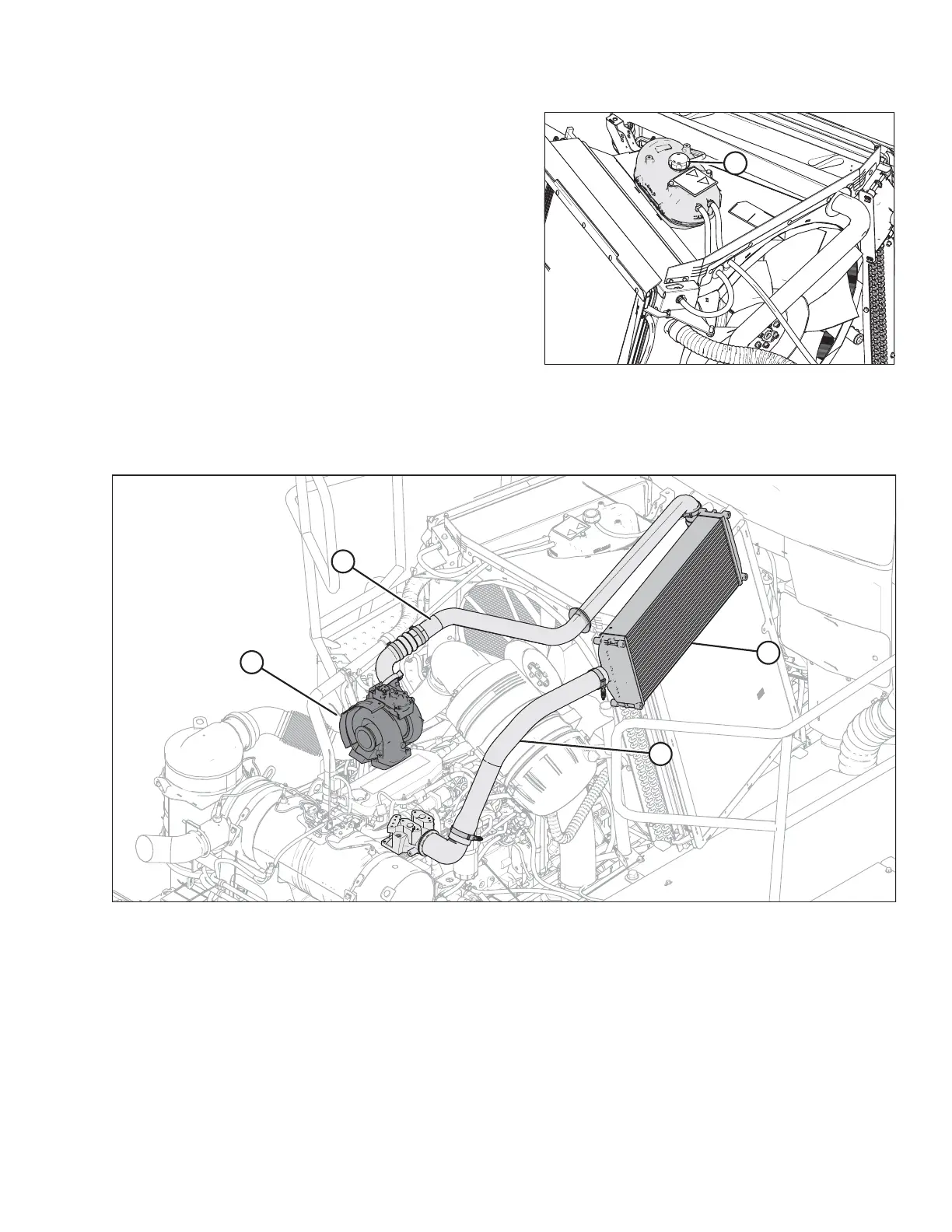
Figure 5.19: Coolant Tank
3. Turn the cap (A) counterclockwise to the first notch to
relieve pressure before removing cap completely.
4. Turn the cap (A) again and remove.
5. Check the gasket for cracks or deterioration, and replace
the cap if necessary.
6. Check that the spring in the cap moves freely.
7. Replace the cap if spring is stuck.
8. Close the hood. Refer to 5.3.2 Closing Hood, page 257.
Charge Air Cooler (CAC)
Figure 5.20: Charge Air Cooler (CAC)
A - Turbocharger B - Charge Air Inlet Duct
C - Charge Air Cooler D - Charge Air Outlet Duct
MAINTENANCE AND SERVICING



 To Next Page