214733 224 Revision A
Setting Float Options with Deck Shift
Header float should be set for each deck position. To program a float setting for each of the deck shift positions, follow
these steps:
CAUTION
Check to be sure all bystanders have cleared the area.
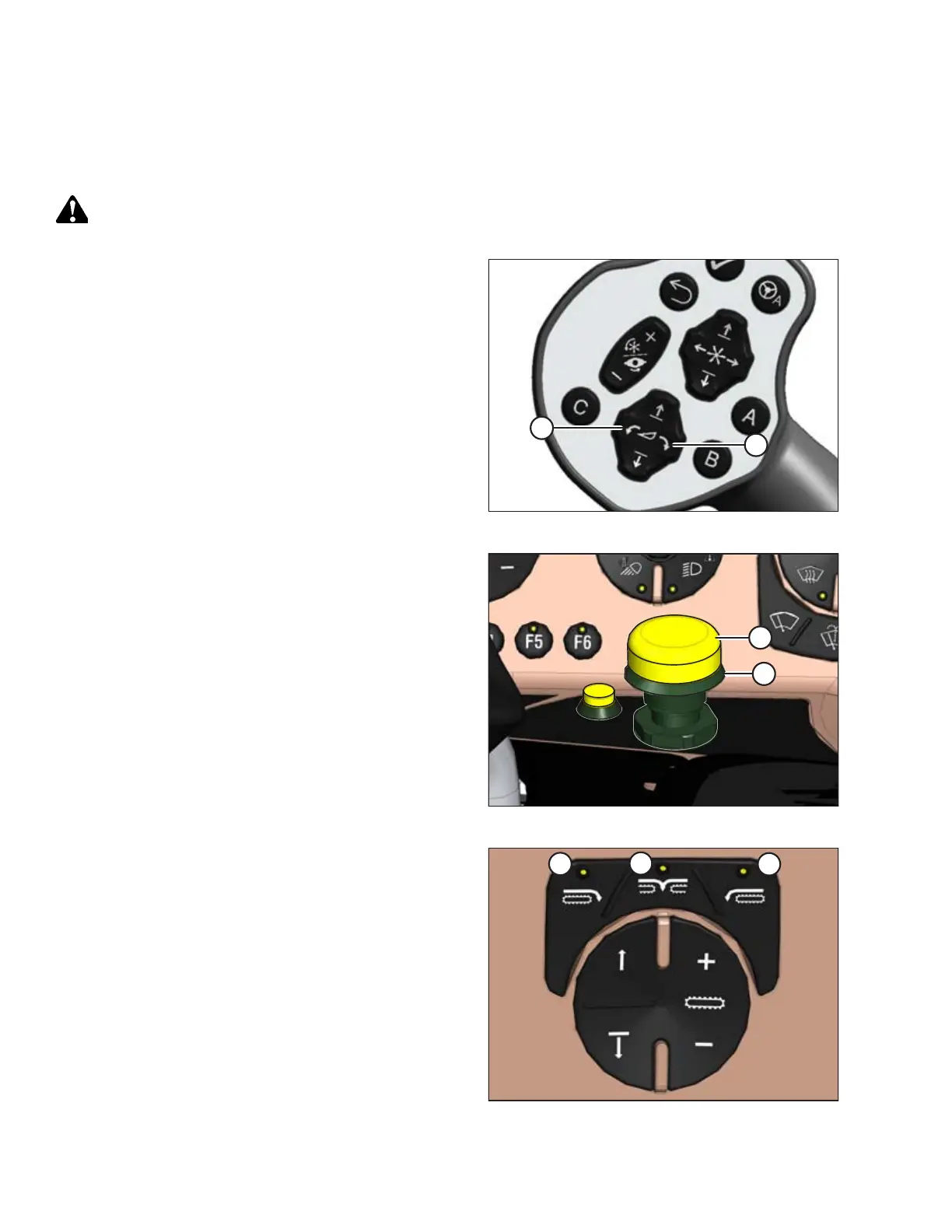
Figure 4.246: GSL
1. Start the engine, and use the HEADER TILT switches (A)
and (B) on the ground speed lever (GSL) to set header tilt to
the MID-RANGE position.
Figure 4.247: Header Engage Switch
2. Engage header by pushing and holding the HEADER
ENGAGE switch (A) down, and pulling up on the collar (B).
Figure 4.248: Header Deck Shift Switches
3. Select one of the following deck positions using the DECK
SHIFT switches on the operator’s console:
• Right-side delivery (A)
• Center delivery (B)
• Left-side delivery (C)
OPERATION



 To Next Page