214733 120 Revision A
Shutting down the Engine
CAUTION
Park on a flat, level surface with the header on the ground, the ground speed lever in PARK position, and the steering
wheel in locked position (centered). Wait for the HPT to beep and display a red P symbol to confirm the park brakes
have engaged.
IMPORTANT:
Before stopping engine, run at low idle for approximately five minutes to cool hot engine parts (and allow turbocharger to
slow down while engine oil pressure is available).
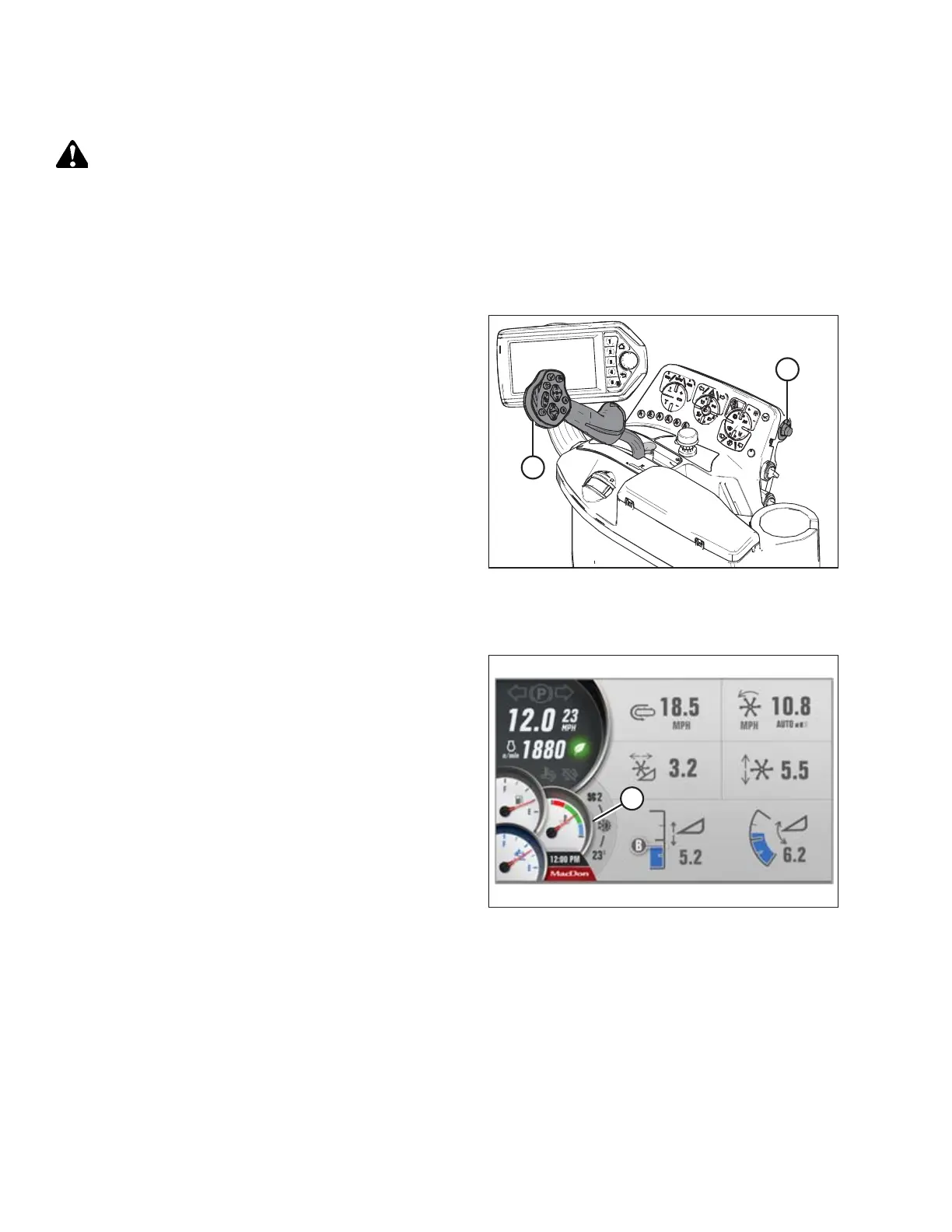
Figure 4.20: Operator Console
1. Lower header.
2. Place ground speed lever (GSL) (B) into PARK.
3. Lock steering wheel.
4. Turn ignition key (A) counterclockwise to the OFF position.
Engine Temperature
Figure 4.21: HPT Display – Engine Temperature Gauge
The engine temperature gauge (A) is displayed in the lower left
corner of the Harvest Performance Tracker (HPT) display.
Normal engine operating temperature is indicated when the
needle is in the green range of the gauge.
If the engine temperature exceeds 105°C (221°F), the needle
will move to the red range of the gauge. Depending on the
temperature, the engine will trigger a fault code and an amber
caution or red stop light will illuminate on the HPT display.
When the engine temperature is below 5°C (40°F), the engine
will cycle through a period where it appears to labor until the
engine warms up. Do NOT operate engine above 1500 rpm until
the HPT engine temperature gauge is above the blue range.
OPERATION



 To Next Page