214733 240 Revision A
4.9 Operating with an R1 Series Self-Propelled Rotary Disc Header
Figure 4.280: Kit MD #B6621
An R1 Series SP header is shipped without the motor and hoses
installed.
If necessary, obtain kit MD #B6621 from your MacDon Dealer.
Install the kit in accordance with the instructions supplied.
4.9.1 Disc Speed
The ideal disc speed should achieve a clean cut. Crop types and conditions affect disc and ground speeds.
Refer to the header operator’s manual for the suggested disc speed for a variety of crops and conditions.
Setting Disc Speed
Default disc speed is 2000 rpm. Follow these steps to adjust the disc speed.
CAUTION
Check to be sure all bystanders have cleared the area.
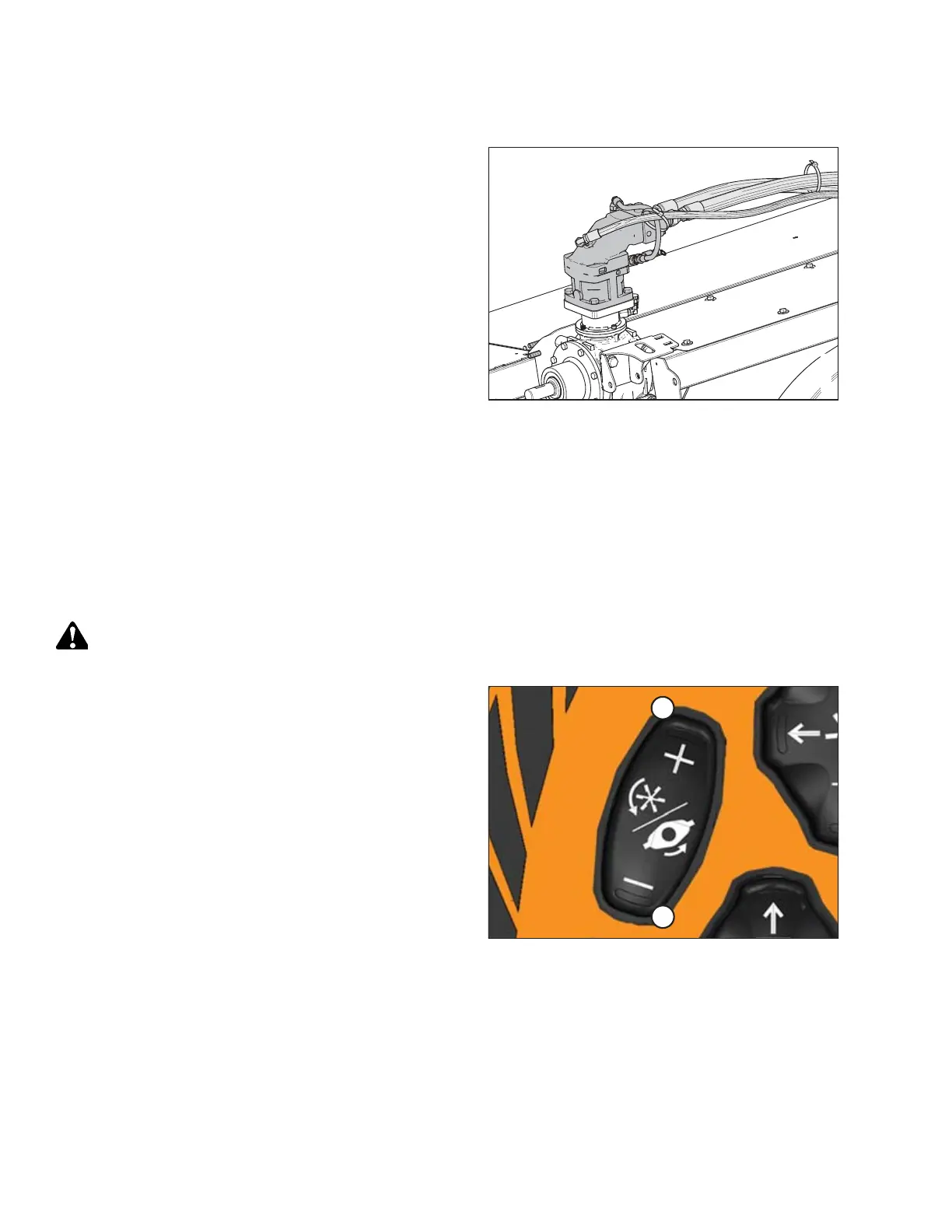
Figure 4.281: GSL
1. Engage the header. Refer to Engaging and Disengaging the
Header, page 190.
2. Adjust the disc speed with the DISC SPEED INCREASE (A) or
DISC SPEED DECREASE (B) buttons on the ground speed
lever (GSL).
NOTE:
Disc speed increases 50 rpm per momentary button push,
or at a rate of 100 rpm/sec if the button is pushed
and held.
OPERATION



 To Next Page