214733 260 Revision A
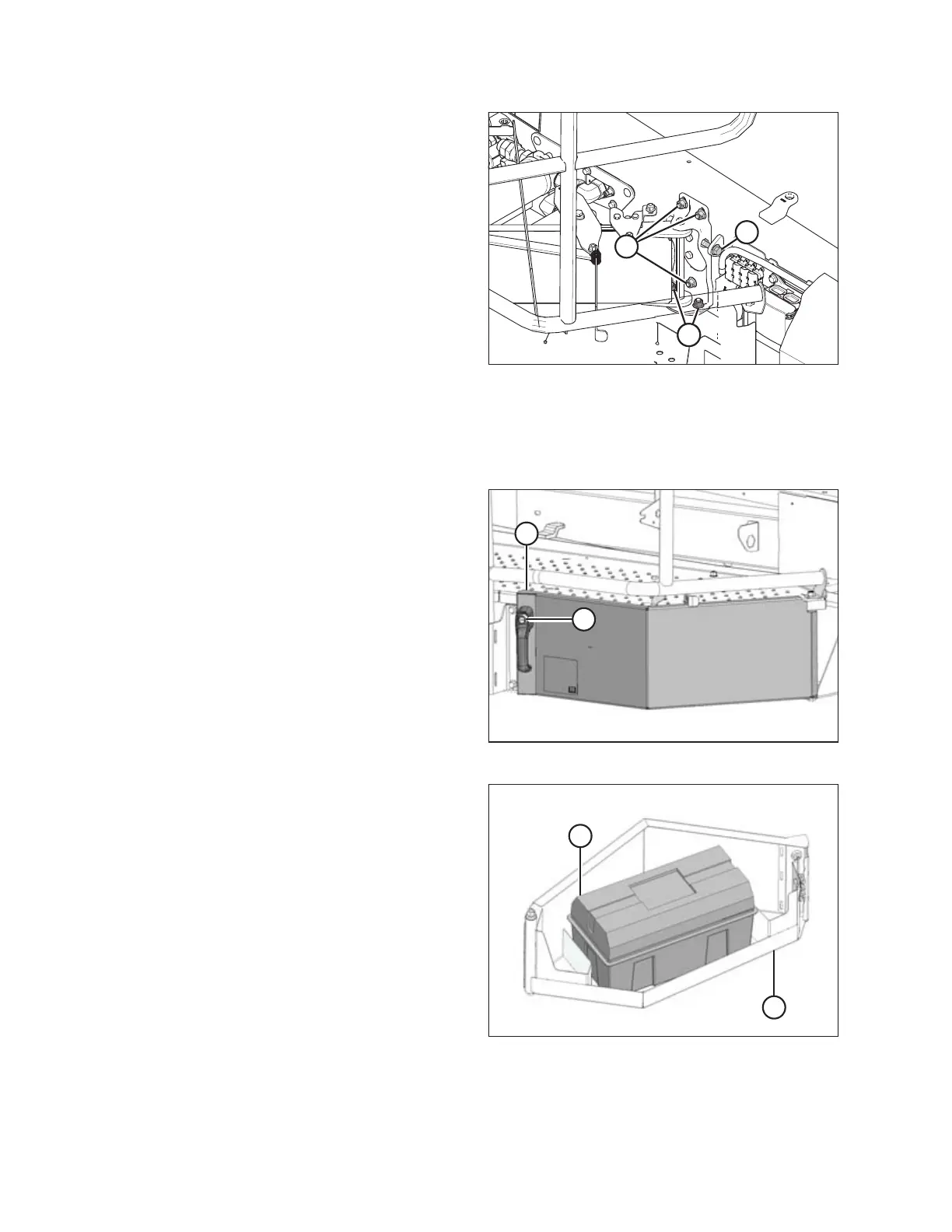
Figure 5.11: Left Platform
7. To adjust the horizontal position of the platform, loosen
bolts (A) and adjust bolt (B).
8. Tighten bolts (A) to 68.5 Nm (50.5 lbf·ft).
9. Use bolts (C) to adjust the platform angle. Tighten bolts (C)
to 68.5 Nm (50.5 lbf·ft) after adjustment is complete.
5.4.4 Accessing Tool Box
A tool box is located inside a storage compartment under the left cab-forward platform.
Figure 5.12: Tool Box
1. Grasp handle on storage compartment (A) and press
latch (B). Pull the unlatched handle to open the
compartment.
Figure 5.13: Tool Box
2. The tool box (A) is located inside storage compartment (B).
3. Swing compartment (B) under platform to close it and push
on handle to secure latch.
NOTE:
The ignition key also locks the storage compartment.
MAINTENANCE AND SERVICING



 To Next Page