214733 299 Revision A
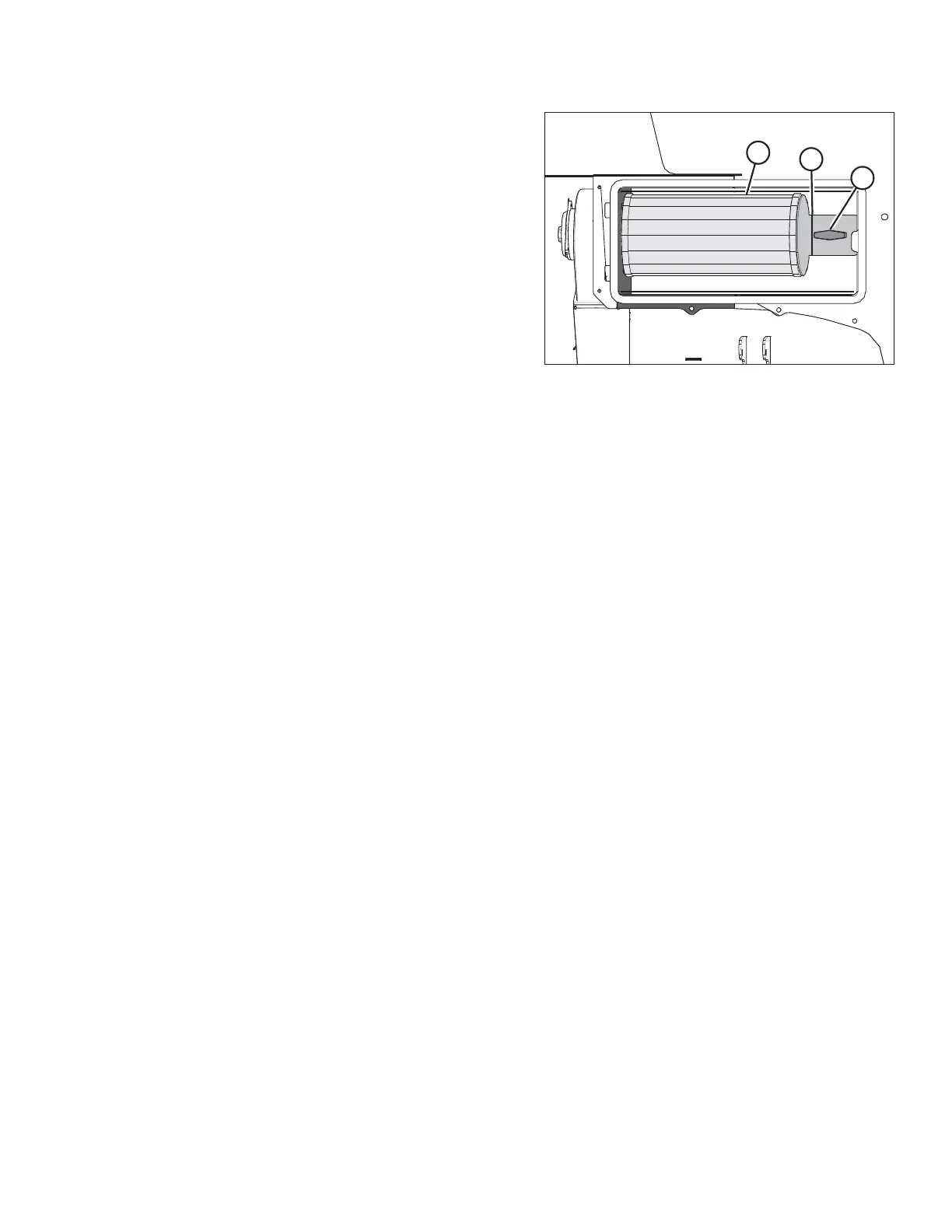
Figure 5.63: Fresh Air Intake Filter
4. Turn knob (A) counterclockwise, and remove it.
5. Remove air filter retainer (B).
6. Remove air filter (C).
Inspecting and Cleaning Fresh Air Intake Filter Element
1. Tap the sides of the filter element gently to loosen dirt. Do NOT tap element against a hard surface.
2. Using a dry element cleaner gun, clean element with compressed air.
IMPORTANT:
Air pressure must NOT exceed 414 kPa (60 psi). Do NOT direct air against outside of element, as dirt might be forced
through to the inside.
3. Hold the air nozzle next to the filter element’s inner surface and move up and down the pleats.
4. Repeat previous steps to remove additional dirt as required.
5. Hold a bright light inside the element and check carefully for holes. Discard any element that shows the slightest hole.
6. Check outer screen for dents. Vibration would quickly wear a hole in the filter.
7. Check filter gasket for cracks, tears, or other signs of damage. If gasket is damaged or missing, replace element.
MAINTENANCE AND SERVICING



 To Next Page