214733 377 Revision A
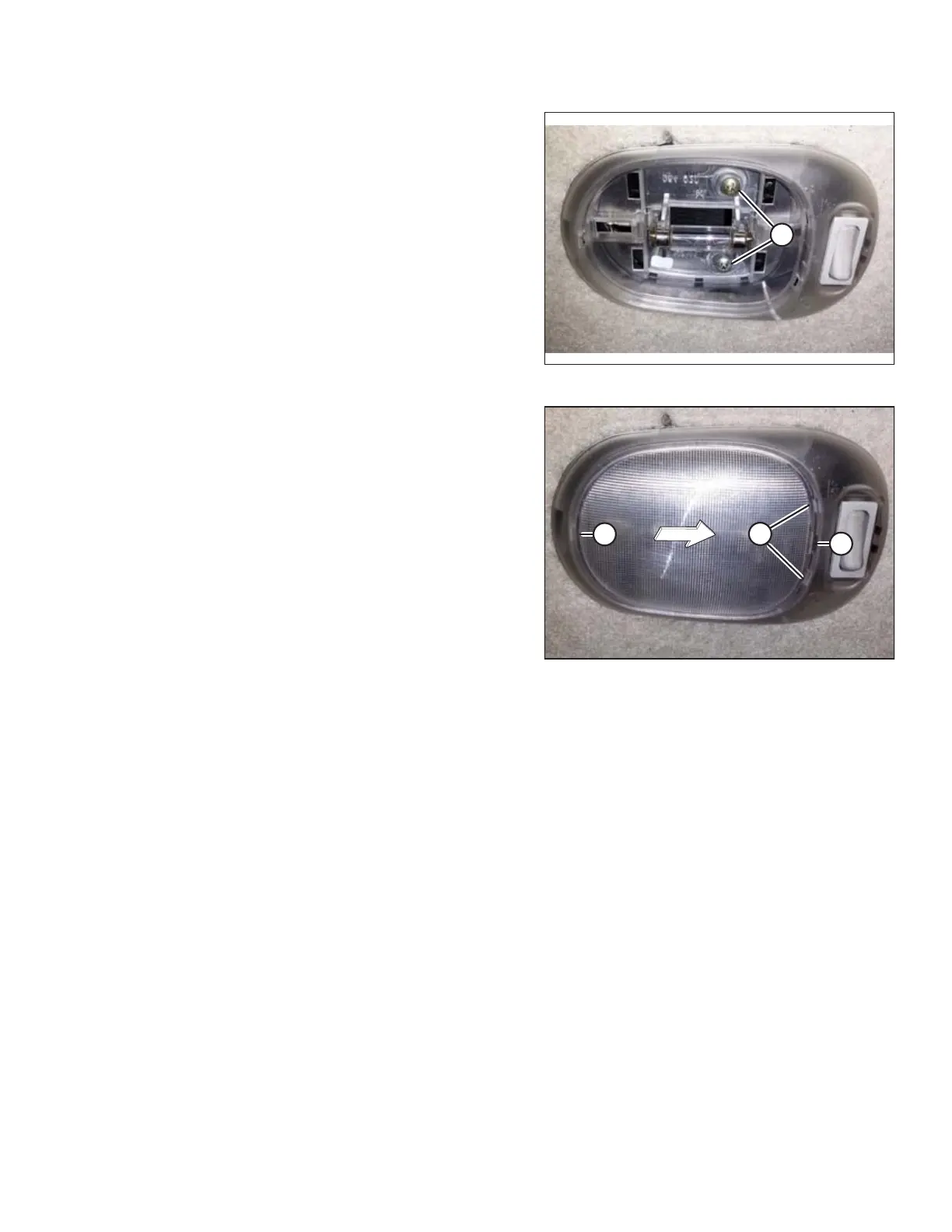
Figure 5.194: Cabin Dome Light with Cover Removed
10. Secure dome light assembly with two screws (A).
Figure 5.195: Cabin Dome Light
11. Insert single retaining tab (A) into dome light bezel.
12. Insert a slotted screwdriver (or similar prying tool) into
slot (B), and gently pry lens cover until retaining tabs (C)
engage into dome light bezel.
Turn Signal Indicators
If the turn signal indicators on the operator console do not function, contact your MacDon Dealer.
MAINTENANCE AND SERVICING



 To Next Page