214733 98 Revision A
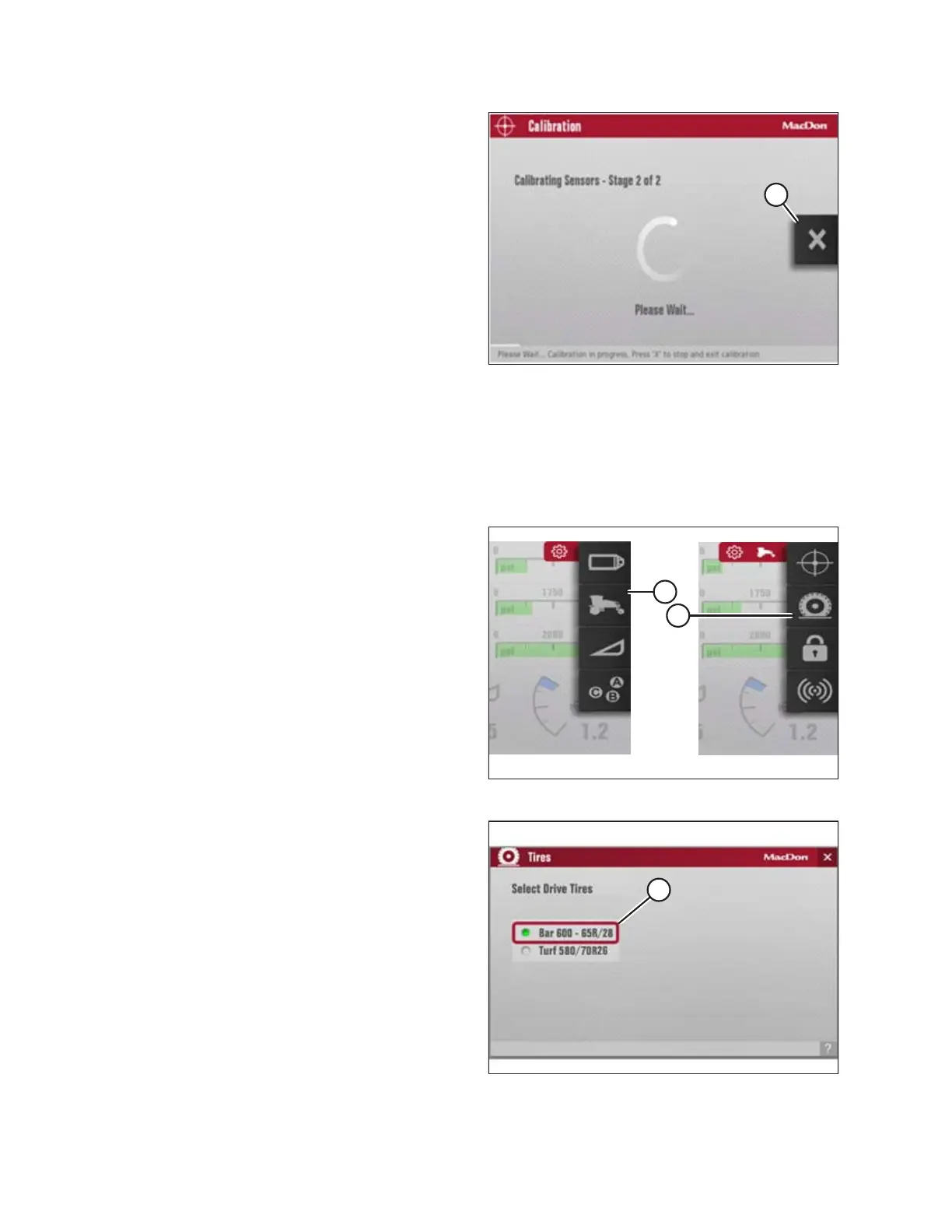
Figure 3.112: Calibration Page
NOTE:
Press the X button (A) on the screen (or press the HOME,
BACK, or any GSL button [buttons not shown]) at any time
during the calibration process to EXIT calibration without
saving. The engine speed will return to the original rpm
prior to starting the calibration process.
NOTE:
If a sensor goes out of its normal operating range during the
calibration process, calibration will stop, and a message will
appear on the screen indicating that the sensor is out of
range. A flashing amber question mark will appear on the
calibration icon in the menu system. If a sensor is out of
range, adjust the sensor and restart the calibration process.
3.17.5 Setting Windrower Tire Size
The Harvest Performance Tracker (HPT) is factory-set for 600/65R28 bar tires. If the windrower has a different tire type,
you need to change this setting. Setting the proper tire size is important for accurate tracking of ground speed, acres, and
productivity data.
Figure 3.113: Tire Size
1. Navigate to the SETTINGS menu with soft key 5 and the
HPT scroll knob. Refer to 3.17.2 Navigating the Harvest
Performance Tracker (HPT) Display, page 81 if required.
2. Scroll to the WINDROWER SETTINGS icon (A) and select it.
3. Scroll to the TIRES icon (B), and select it to display the
adjustment window.
NOTE:
The F3 shortcut button on the operator’s console will also
display the WINDROWER SETTINGS menu.
Figure 3.114: Tire Selection
4. Scroll to highlight the appropriate tire size (A) and select it.
The new selection will be displayed with a shaded green
radio button.
OPERATOR’S STATION



 To Next Page