214733 205 Revision A
Setting Reel Speed in Auto Mode
This adjustment requires the header to be in operation.
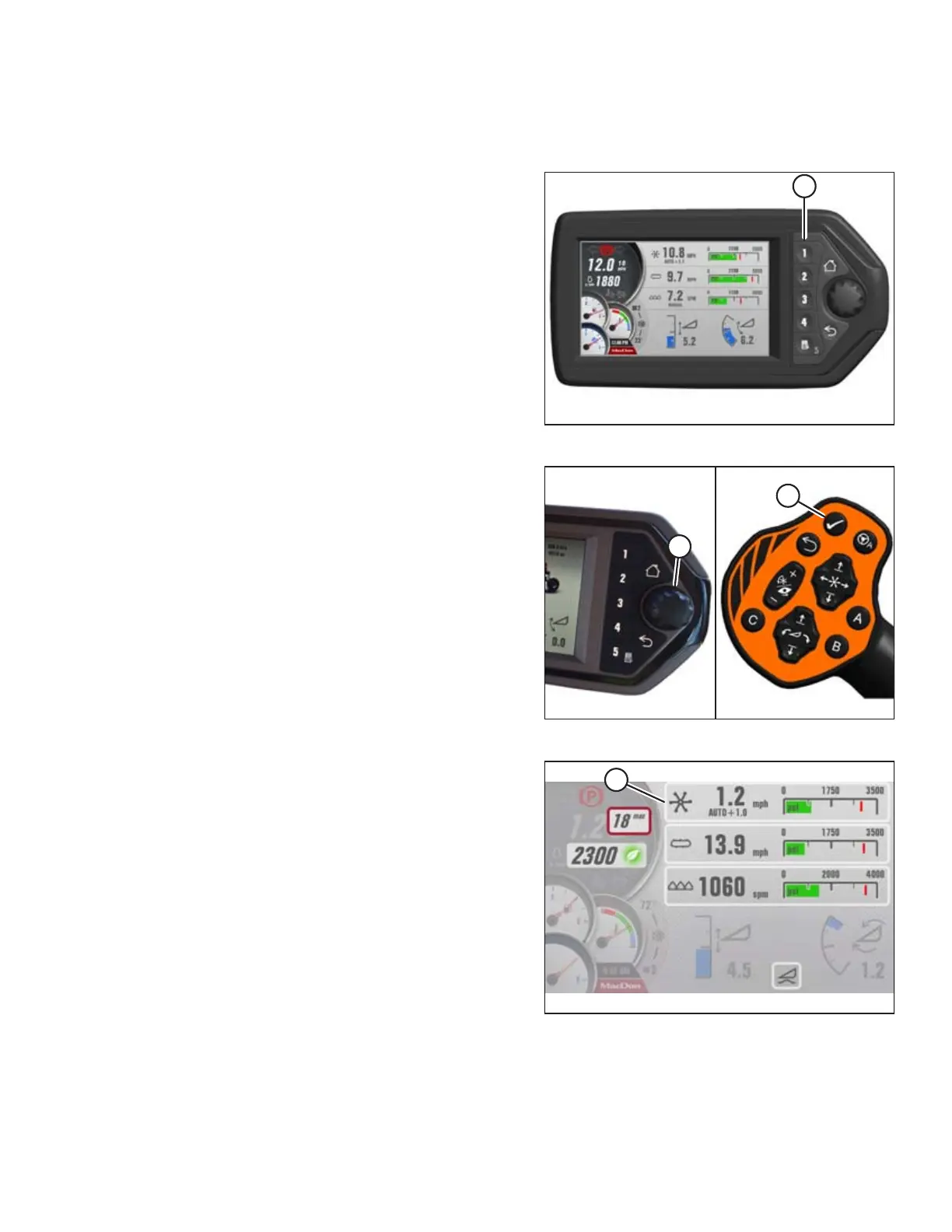
Figure 4.203: Header Run Screen 1
1. If RUN SCREEN 1 is not already displayed, press soft key
1 (A) on the Harvest Performance Tracker (HPT) to display
draper RUN SCREEN 1.
Figure 4.204: HPT Scroll Knob and GSL Select Button
2. Press the scroll knob (A) on the Harvest Performance
Tracker (HPT) or the SELECT button (B) on the ground speed
lever (GSL) to display the QuickMenu system.
Figure 4.205: Header QuickMenu
3. Turn knob to scroll to REEL setting (A) on the QuickMenu,
and press knob to select it. The next page opens.
OPERATION



 To Next Page