214733 185 Revision A
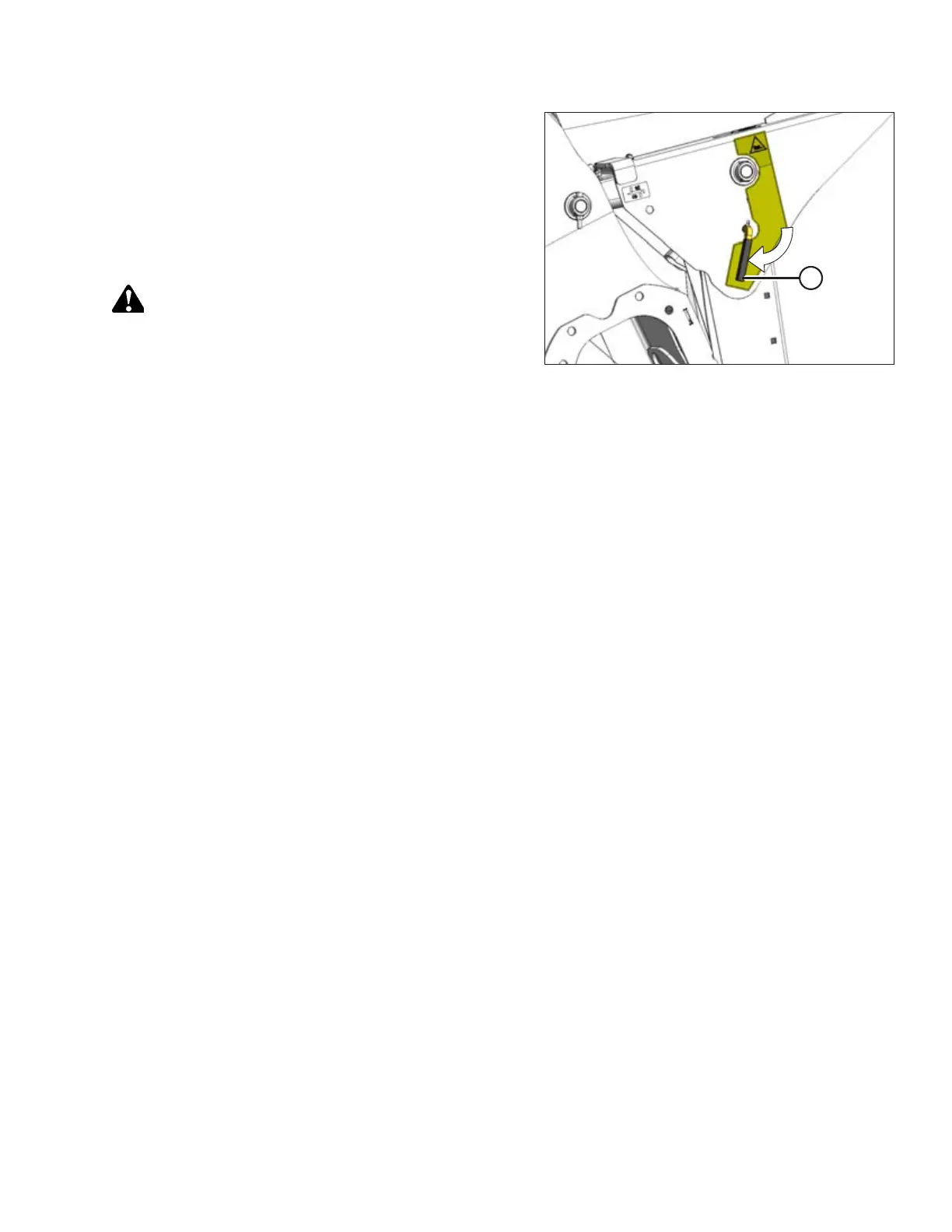
Figure 4.164: Safety Prop
4. Disengage safety props by turning lever (A) away from
header to raise safety prop until lever locks into vertical
position.
NOTE:
If safety prop will not disengage, raise header to release
the prop.
5. Repeat for opposite cylinder.
CAUTION
Check to be sure all bystanders have cleared the area.
6. Start engine, choose a level area, and lower header to the
ground. Stop the engine, and remove the key.
4.6.2 Using Header Float
The windrower is equipped with float springs that are fully adjustable with hydraulic cylinders. Spring tension is adjustable
from 0 to maximum tension through the Harvest Performance Tracker (HPT). The header float feature allows the header to
closely follow ground contours and to respond quickly to sudden changes or obstacles. The float setting is ideal when the
cutterbar is on the ground with minimal bouncing, or scooping, or pushing soil.
IMPORTANT:
• Set header float as light as possible—without excessive bouncing—to avoid frequent breakage of knife components,
scooping soil, or soil build-up at the cutterbar in wet conditions.
• Avoid excessive bouncing (resulting in a ragged cut) by operating at a slower ground speed when the float setting
is light.
• Before setting header float, install header options (upper cross auger, skid shoes, transport kit, etc.). If the Slow Speed
Transport (SST) tow bar will be stored on the header during operation, set float with tow bar in place.
• Adjust the float when adding or removing optional attachments that affect the weight of the header.
OPERATION



 To Next Page