214733 74 Revision A
Auger Header
• On an A40DX auger header, the reel and auger speeds are hydraulically linked. When the reel speed is changed, the
auger speed changes automatically.
IMPORTANT:
Reel speed on auger header MUST NOT EXCEED 85 rpm. Auger speed MUST NOT EXCEED 320 rpm.
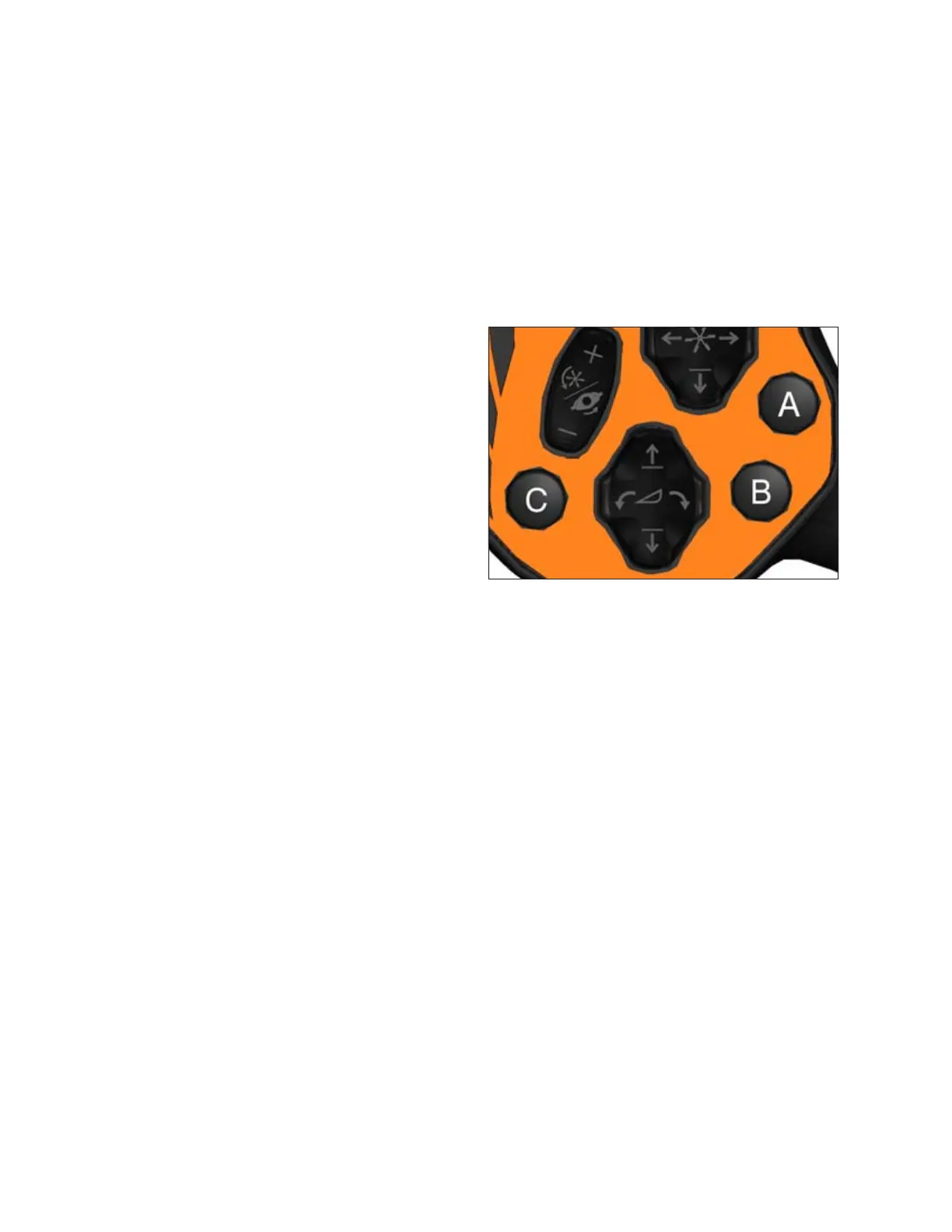
One-Touch-Return Buttons (A, B, C)
One-Touch-Return buttons save header configuration settings and serve as presets for quickly returning the header to
specific settings.
Figure 3.62: One-Touch-Return Buttons on GSL
The One-Touch-Return buttons A, B, and C always save header
height settings, but the following settings can also be saved
depending on the header type:
• Header tilt
• Deck position/header float selection
• Double windrow attachment (DWA) or swath compressor
raise/lower
• DWA speed
• Knife speed
• Draper speed
• Reel speed
• Reel height
• Reel fore-aft
• Disc speed
To program the One-Touch-Return buttons, press and hold button A, B, or C on the GSL handle for 3 seconds until an
audible tone is heard, indicating the current header settings are saved to that button.
To return header to a preset condition, tap the A, B, or C button quickly. Holding the One-Touch-Return button too long
can inadvertently reprogram the current header settings.
OPERATOR’S STATION



 To Next Page