214733 354 Revision A
5.14.3 Air Conditioning Evaporator
Check the air conditioning evaporator for cleanliness every year. If the air conditioning system produces insufficient cooling,
the evaporator fins may be clogged. Fins will clog up from the side opposite the blowers. The evaporator is located inside
the heating air conditioning unit under the cab. To access the evaporator, remove the cover from the air conditioning unit.
Removing Air Conditioning (A/C) Cover
WARNING
To avoid bodily injury or death from unexpected startup of the machine, always stop the engine and remove the key
from the ignition before leaving the operator’s seat for any reason.
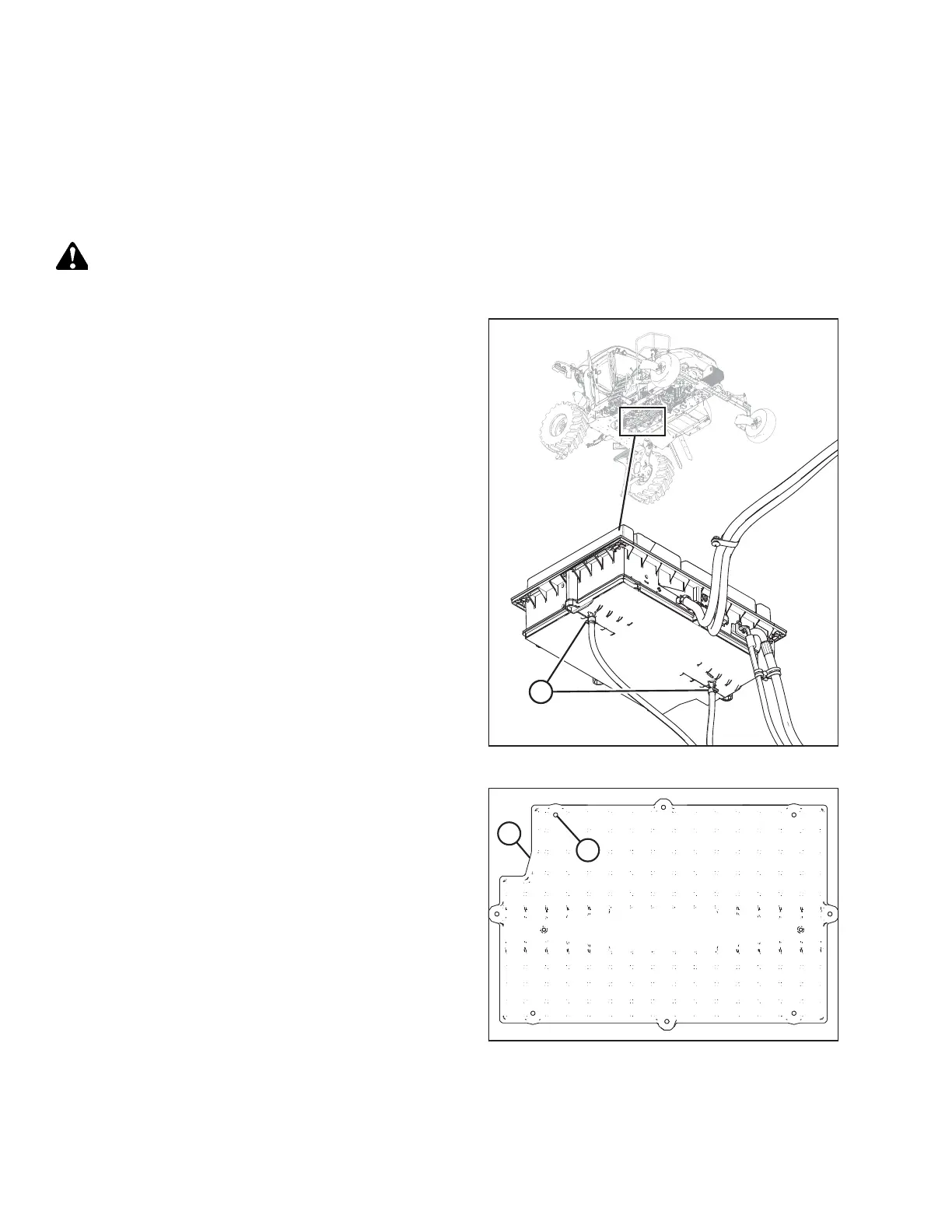
Figure 5.151: A/C Evaporator Box
1. Loosen the clamps (A) on the two drain hoses and pull the
hoses off the A/C drain tubes.
Figure 5.152: A/C Cover
2. Remove the eight fasteners (A) that attach the cover to the
housing. Remove the cover (B).
MAINTENANCE AND SERVICING



 To Next Page