214733 353 Revision A
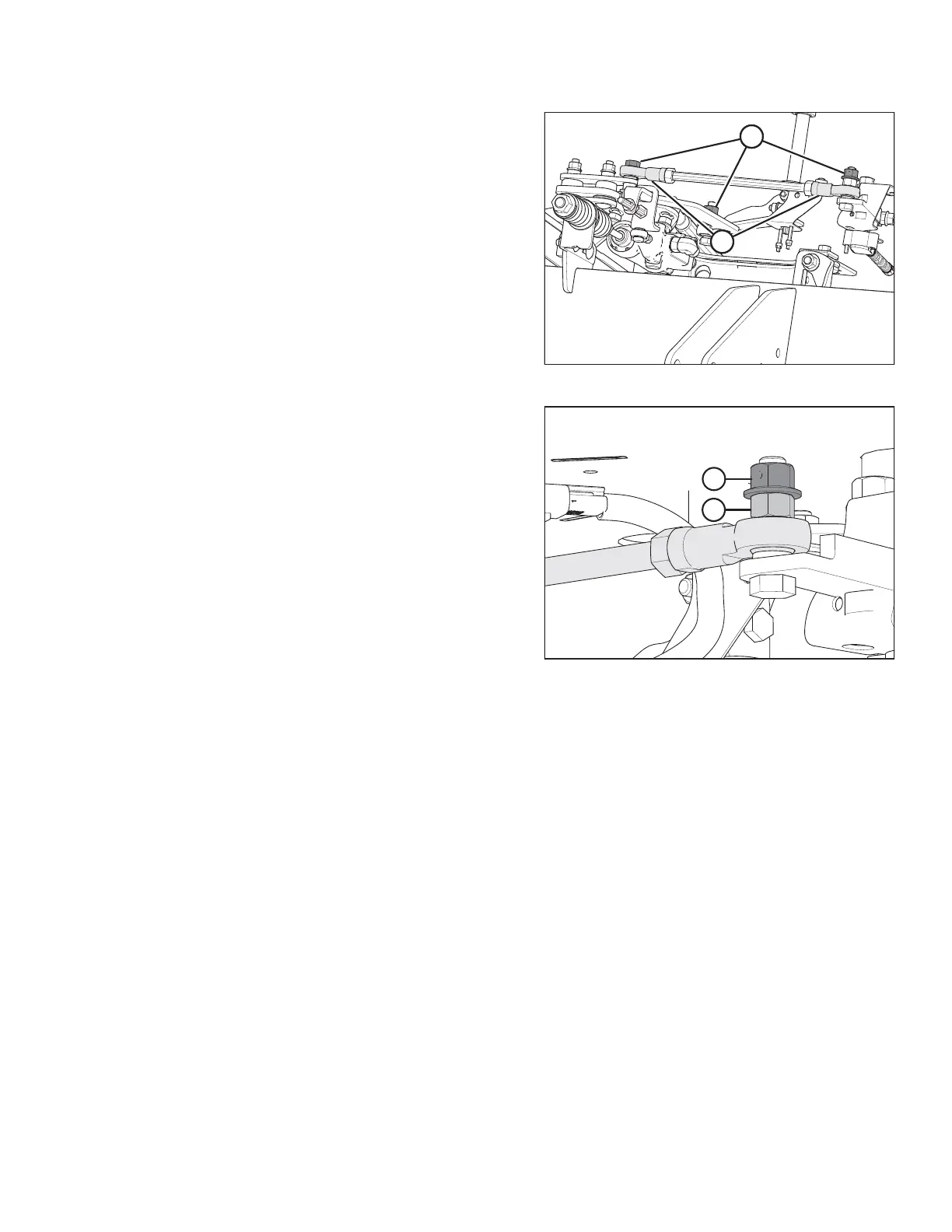
Figure 5.149: Steering Link
4. Check steering link bolts (A) for looseness.
5. Ensure ball joints (B) feel firm but can be moved by hand.
NOTE:
Ball joints that are excessively loose or too stiff to pivot by
hand, should be replaced.
Figure 5.150: Steering Link
6. If bolts are loose:
a. Back off jam nut (A).
b. Tighten inside nut (B) to 65–72 Nm (48–53 lbf·ft).
c. Hold inside nut (B) and tighten jam nut (A) to
65–72 Nm (48–53 lbf·ft).
7. See your MacDon Dealer to replace any loose steering link
ball joints or steering rod ball joints.
8. After replacing parts or making adjustments, perform
checks for neutral interlock and steering lock. Refer to
5.11.2 Safety Systems, page 325.
MAINTENANCE AND SERVICING



 To Next Page