214733 116 Revision A
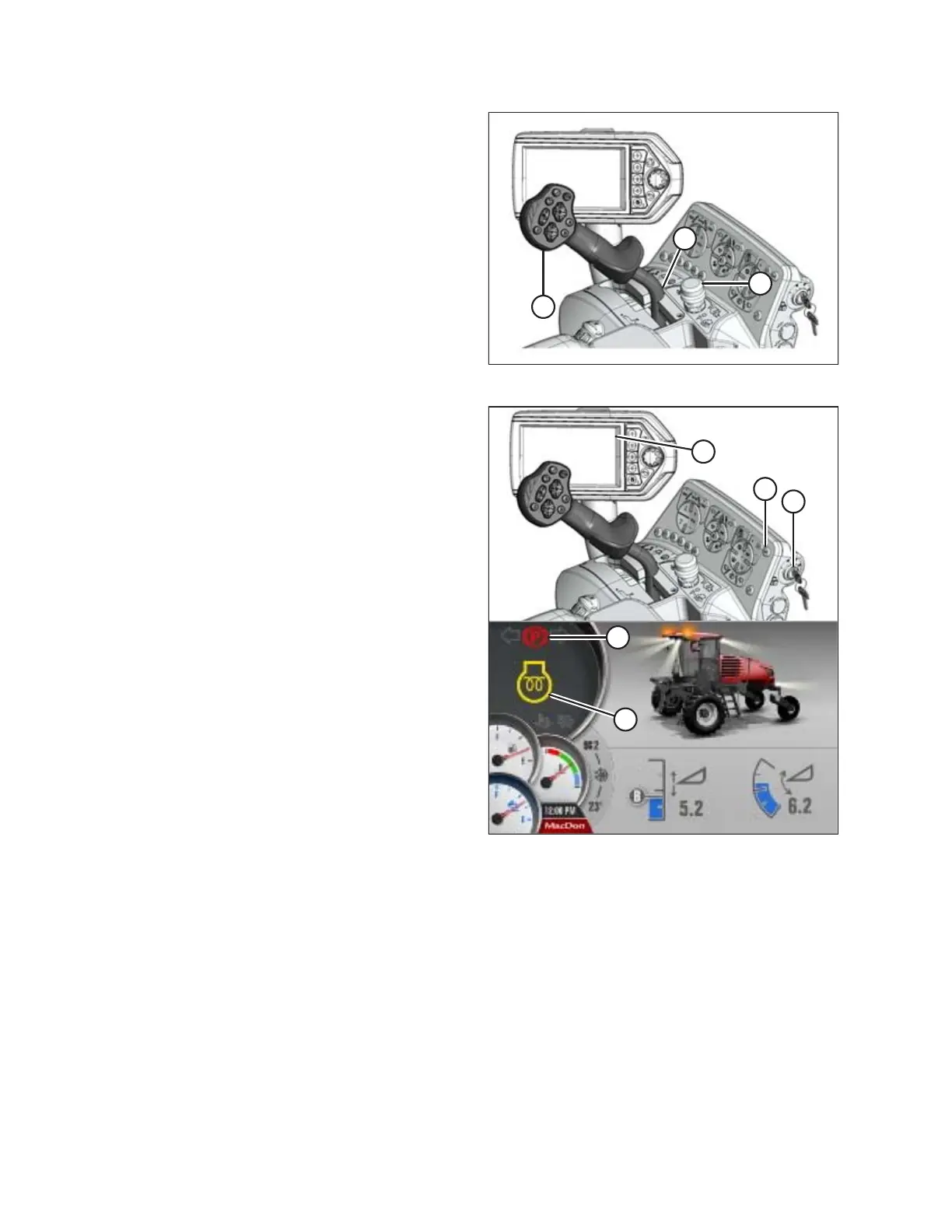
Figure 4.13: Operator Controls
2. Move ground speed lever (GSL) (A) into PARK (C).
3. Turn steering wheel until it locks. It may be possible to
move the steering wheel slightly in the locked position.
IMPORTANT:
Do NOT attempt to force the wheel out of the locked
position or damage to the steering system may occur.
4. Fasten seat belt.
5. Push HEADER ENGAGE switch (B) to ensure it is in the OFF
position.
Figure 4.14: Operator Console and HPT Run Screen
6. Turn IGNITION switch (A) to the ON position; the Harvest
Performance Tracker (HPT) (B) will illuminate. If HPT is still
booting up, wait for WAIT TO START (WTS) symbol (C) to
disappear before trying to start engine.
7. Check that red PARK symbol light (D) is ON and that there
are no error messages on screen.
8. Press HORN button (E) three times.
OPERATION



 To Next Page