214733 145 Revision A
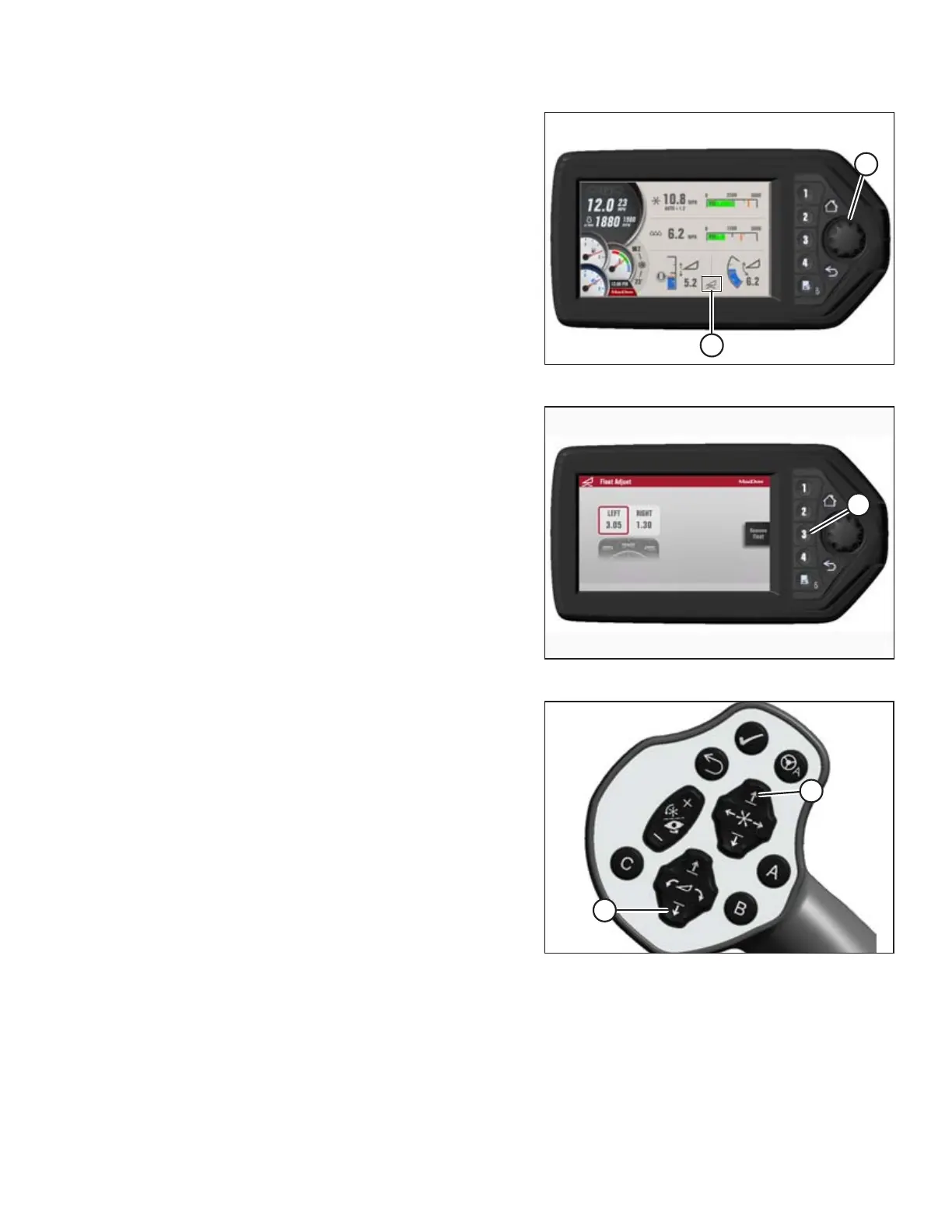
Figure 4.64: HPT Display
3. Press HPT scroll knob (A) to highlight QuickMenu options.
4. Rotate HPT scroll knob (A) to highlight the HEADER FLOAT
symbol (B) and press to select.
Figure 4.65: HPT Display
5. On FLOAT ADJUST PAGE, press soft key 3 (A) to
remove float.
Figure 4.66: GSL
6. Press the HEADER DOWN switch (A) on the ground speed
lever (GSL) to fully retract header lift cylinders.
7. For hydraulic center-link with self-alignment: Press the
REEL UP switch (B) on the GSL to raise the center-link until
the hook is above the attachment pin on the header.
IMPORTANT:
If the center-link is too low, it may contact the header as
the windrower approaches the header for hookup.
OPERATION



 To Next Page