214733 159 Revision A
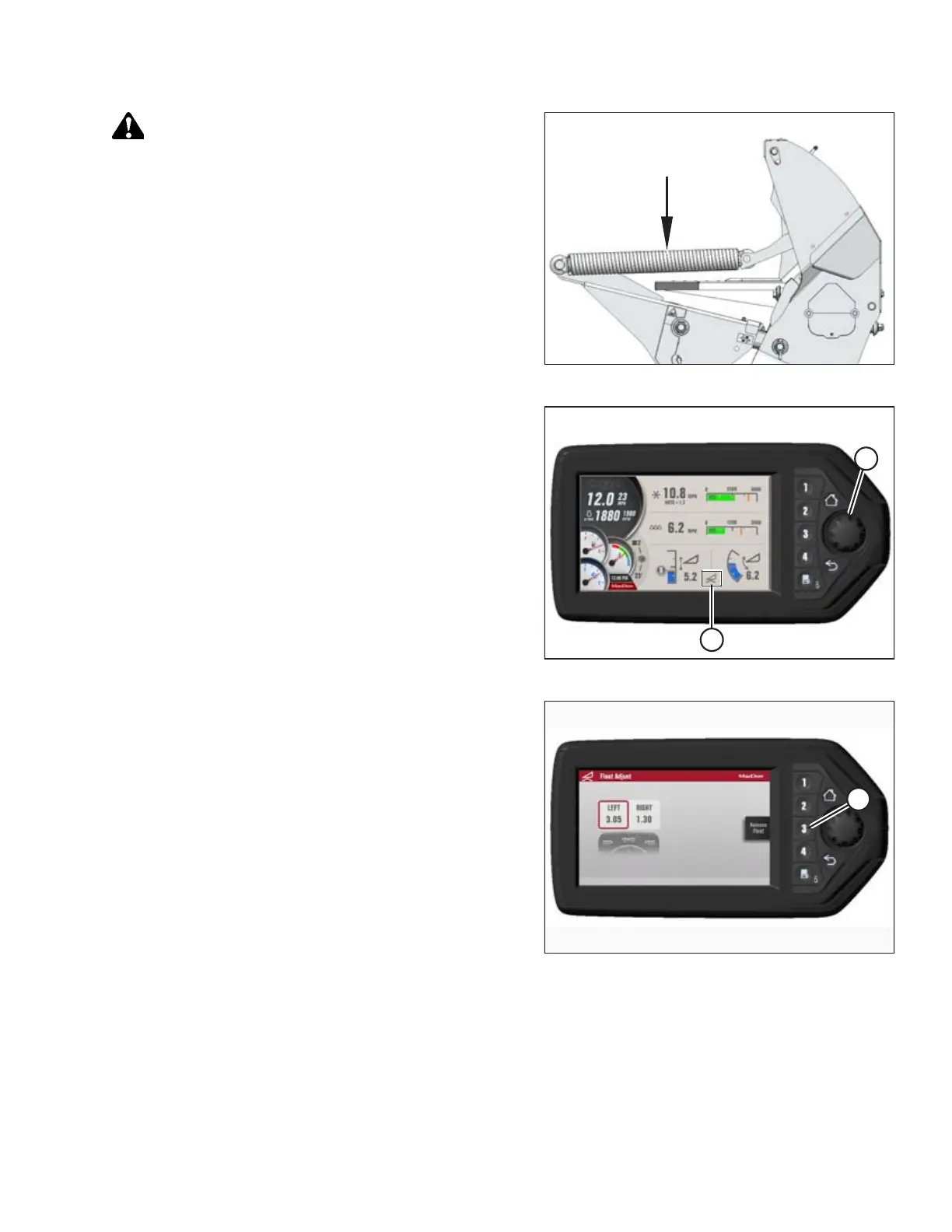
Figure 4.98: Header Float Springs
CAUTION
When lowering header lift legs without a header or weight box
attached to the windrower, ensure the float springs tension is
fully released to prevent damage to the header lift linkages.
NOTE:
If not prompted by the Harvest Performance Tracker (HPT)
display to remove float, remove float manually by doing the
following:
Figure 4.99: HPT Display
4. Press scroll knob (A) on HPT to display the QuickMenu
system.
5. Rotate scroll knob (A) to highlight the HEADER FLOAT
symbol (B), and press scroll knob to select.
Figure 4.100: HPT Display
6. On Float Adjust page, press soft key 3 (A) to remove float.
OPERATION



 To Next Page