214733 174 Revision A
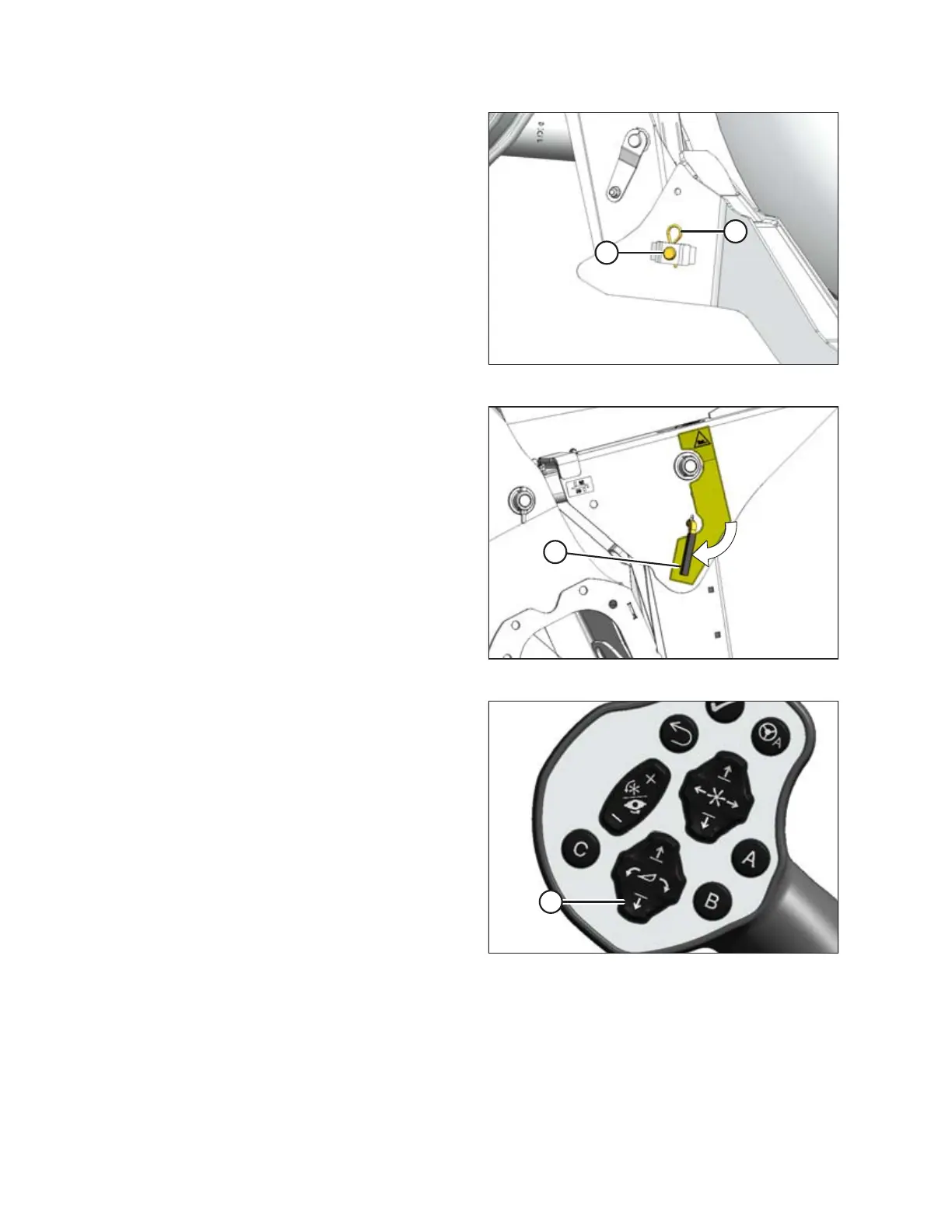
Figure 4.139: Header Support
16. Install clevis pin (A) through support and windrower lift arm
and secure with hairpin (B). Repeat for opposite side.
IMPORTANT:
Ensure clevis pin (A) is fully inserted, and hairpin is installed
behind bracket.
Figure 4.140: Safety Props
17. Disengage safety props by turning lever (A) away from the
header to raise the safety prop until the lever locks into
vertical position. Repeat for opposite cylinder.
Figure 4.141: GSL
18. Start the engine and press HEADER DOWN switch (A) on
GSL to fully lower header.
NOTE:
If not prompted by the HPT display to restore float, restore
float manually.
19. Stop the engine and remove the key.
OPERATION



 To Next Page