214733 309 Revision A
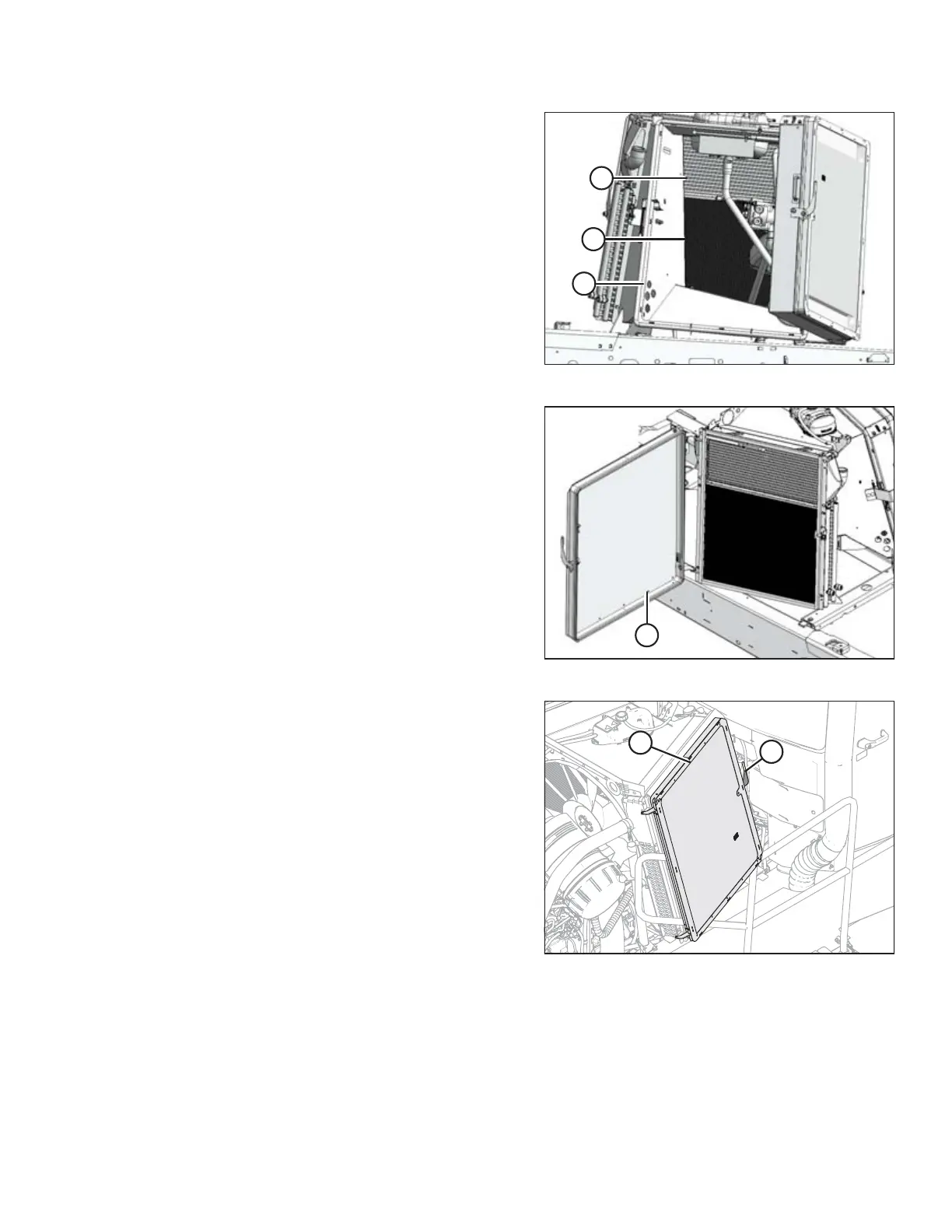
Figure 5.83: View Inside Module from Left Side
3. Use compressed air to clean debris from inside the cooler
box (A), charge air cooler (B), and hydraulic oil cooler (C).
Figure 5.84: Right Side Coolers
4. At right side cooler module, with screen door open, clean
debris from screen (A) with compressed air.
Figure 5.85: Right Cooler Module
5. Close screen door (B) and secure with latch (A).
MAINTENANCE AND SERVICING



 To Next Page