OPERATOR’S STATION
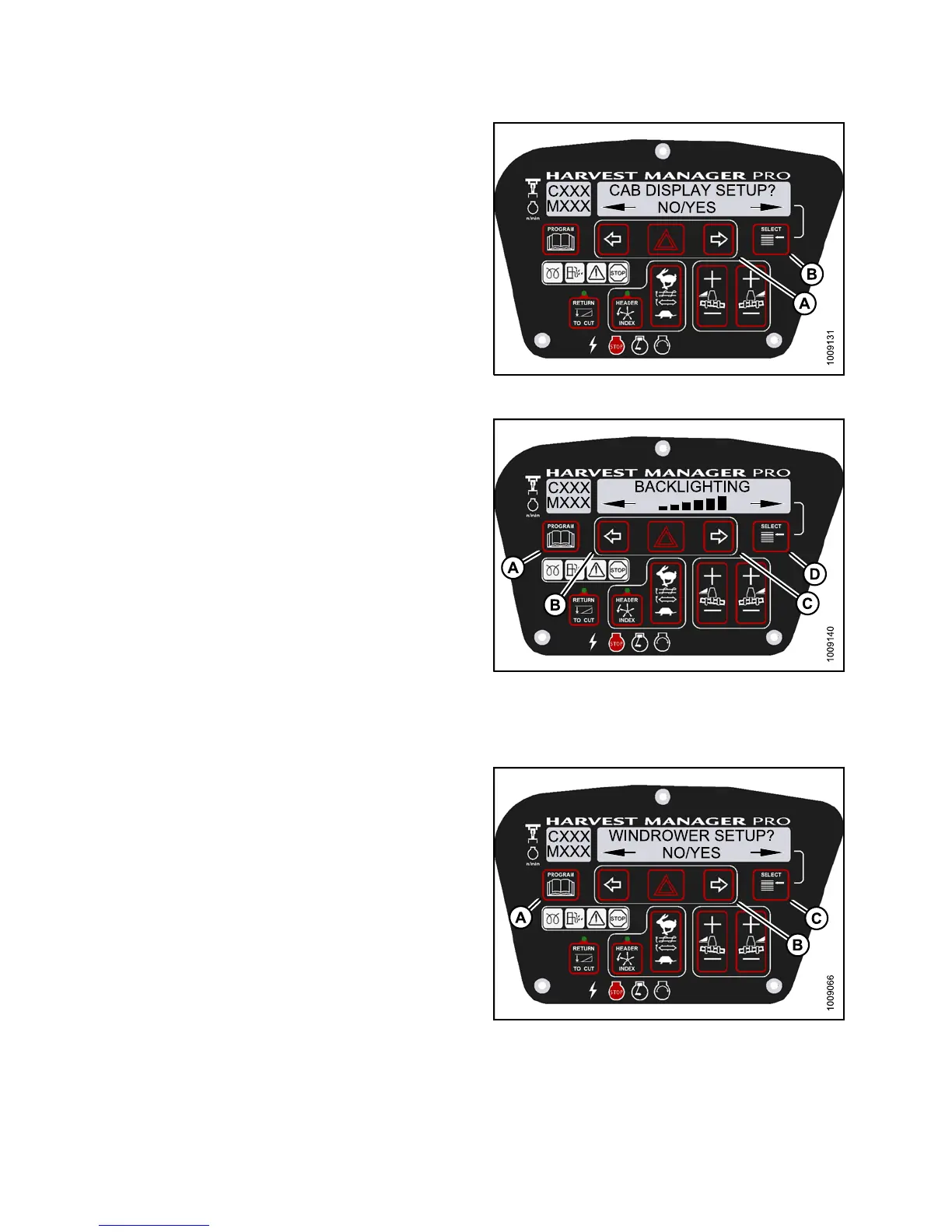
3. Press SELECT (B) until CAB DISPLAY SETUP? is
displayed on the upper line.
• NO/YES is displayed on the lower line.
4. Press right (A) arrow to select YES. Press SELECT (B).
• DISPLAY LANGUAGE? is displayed on the
upper line.
Figure 3.80
: M155 Cab Display Setup
5. Press SELECT (D) until BACKLIGHTING is displayed
on the upper line.
• Default setting is displayed on the lower line.
6. Press left (B) or right (C) arrows to adjust
display bac klighting.
7. Press PROGRAM (A) to exit Programming Mode or
press SELECT (D) to proceed to next CAB DISPLAY
SETUP? action.
Figure 3.81: M155 Backlighting
Adjusting the Cab Display Contrast
1. Turn ignition key to RUN, or start the engine.
2. Press PROGRAM (A) and SELECT (C) on cab display
module (CDM) to enter Programming Mode.
• WINDROWER SETUP? is displayed on the
upper line.
• NO/YES is displayed on the lower line.
Fig
ure 3.82: M155 CDM Programming Buttons
147649 94 Revision A



 To Next Page