OPERATION
4.5.5 A ttachi
ng an R-Series Header
R-Series Rotary Disc Headers (R80 and R85) can be attached to an M155 or M205 Self-Propelled Windrower. For
attachment procedure, refer to the section for your specific windrower model.
Refer to the following instructions based on the type of center-link installed on yo u r windrower:
• Attaching an R-Series Header: Hydraulic Center-Link with Optional Self-Alignment, page 25 7
• Attaching an R-Series Header: Hydraulic Center-Link without Self-Alignment, page 262
• Attaching an R-Series Header: Mechanical Center-Link, page 267
Attaching an R-Series Header: Hydraulic Center-Link with Optional Self-Alignment
DANGER
To avoid bodily injury or death from unexpected startup of the machine, always stop the engine and remove
the key from the ignition before leaving the operator ’s seat for any reason.
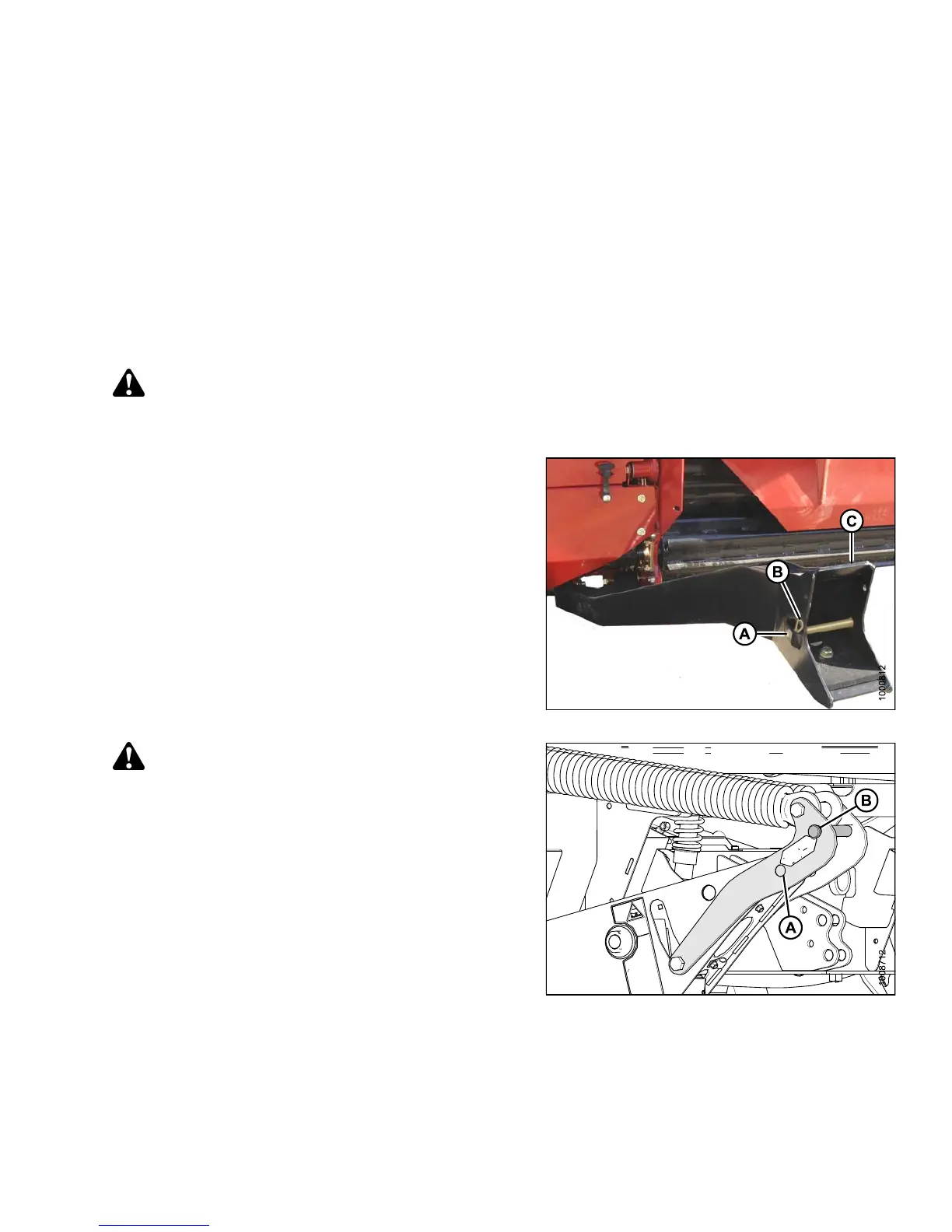
1. Remove hairpin (B) from clevis pin (A) and remove
clevis pin from the header boots (C) on both sides of
the header.
Figure 4.219: Header Boot
CAUTION
To prevent damage to the lift system when lowering
header lift linkages without a header or weight
box attached to the windrower, ensure the float
engagement pin is installed in storage position (B)
and NOT in engaged position (A).
Figure 4.220: Header Float Linkage
147649 257 Revision A



 To Next Page