OPERATION
Mechanical Link
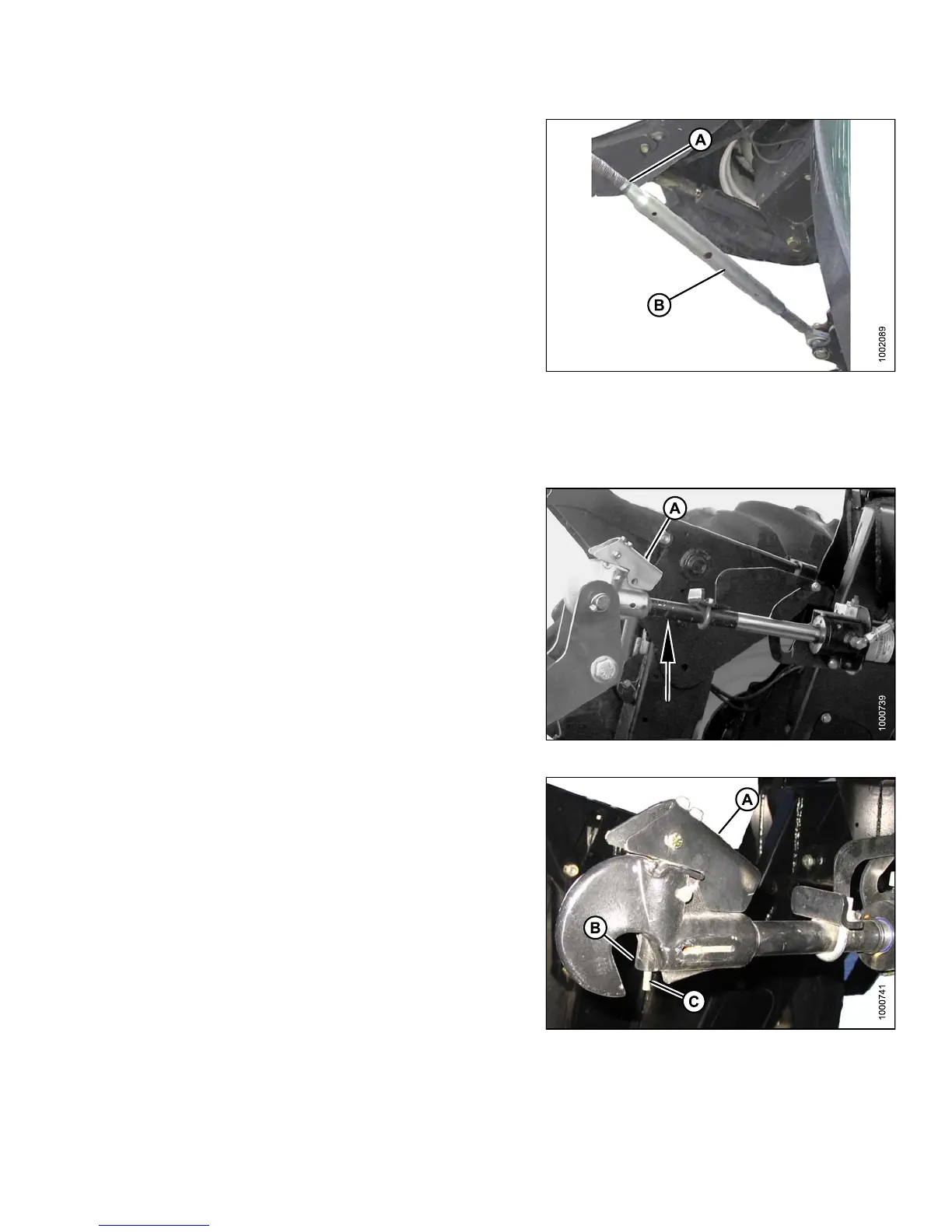
Adjust header angle as follows:
1. Lower header to ground, shut down windrower and
remove key from ignition.
2. Loosen nut (A) on center-link.
• To increase (steepen) angle, rotate barrel (B) to
lengthen center-link.
• To decrease (flatten) angle, rotate barrel (B) to
shorten center-link.
3. Tighten plate nut (A) with a slight tap of a hammer.
Figure 4.93
Checking Self-Locking Center-Link H ook
Periodically check the operation of the hook locking mechanism and ensure that it is working properly as follows:
1. If header is attached to w indrower, disconnect
center-link hoo k from header by pulling u p on
handle (A) to release the locking device and then lifting
the hook off the header pin.
Figure
4.94: Center-Link
2. Lower the handle (A) into the LOCK posit ion.
3. Push up on lock pin (B) only. H andle should catch on
casting and pin should NOT lift.
Fig
ure 4.95: Center-Link Hook
A - Handle B - Lock Pin
C-ActuatorRod
147649 205 Revision A



 To Next Page