OPERATOR’S STATION
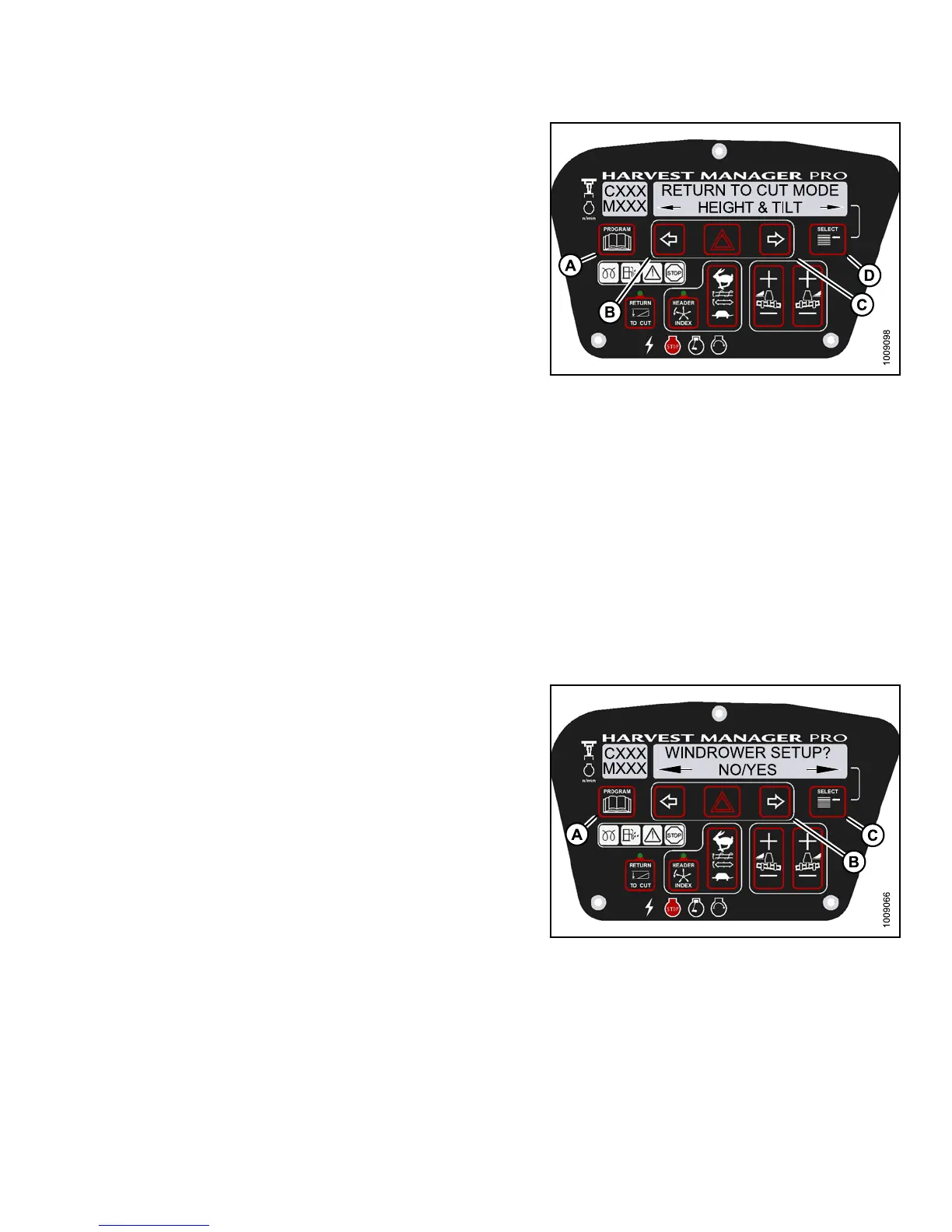
4. Press SELECT (D) until R ETURN TO CUT MOD E? is
displayed on the upper line.
• HEIGHT & TILT or HEIGHT ONLY will be displayed
on the lower line.
5. Press left (B) or right (C) arrows to select return to cut
mode. Press SELECT (D).
6. Press P ROGRAM (A ) to exit Prog r am ming Mode or
press SELECT (D) to proceed to next WINDROWER
SETUP action.
Figure 3.11
2: M155 Return to Cut Mode
Setting th
e Header Cut Width
NOTE:
• The header MUST be attached to the windrower to perform this procedure. The cab display module (CDM)
automatically adjusts its programming for each header. For more information, refer to 4.5 Attaching and
Detaching Headers, page 213.
• Header cut width is less than actual header width to accurately measure number of acres cut.
• Headers send electrical signals to the windrower to produce a header ID; however, the cut width w ill always
default to the smallest header size available for each header type. For example, A-Series Auger Headers comes
in 14-, 16-, and 18-foot sizes, but the cut width will automatically default to the smallest 14-foot size and will need
to be changed according to your specific header’s size.
1. Turn ignition key to RUN , or start the eng ine.
2. Press PROGRAM (A) and SELECT (C) on cab display
module (CDM) to enter Programming Mode.
• WINDROWER SETUP? is displayed on the
upper line.
• NO/YES is displayed on the lower line .
3. Press right (B) arrow to select YES. Press SELECT (C).
• SET KNIFE SPEED? is displayed.
Figu
re 3.113: M155 CDM Programming Buttons
147649 109 Revision A



 To Next Page