OPERATOR’S STATION
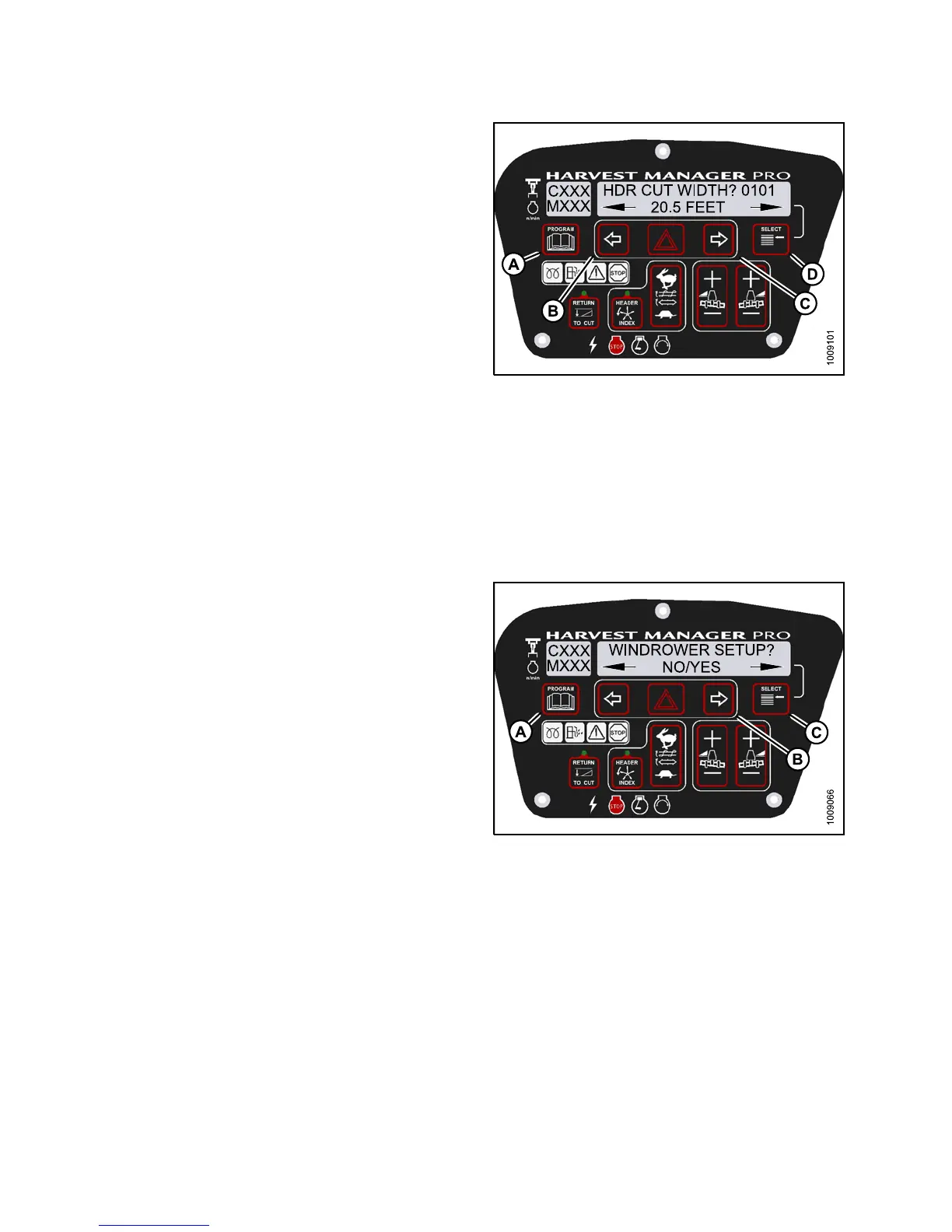
4. Press SELECT (D) until HDR CUT WIDTH? #### is
displayed on the upper line.
• Previous cutting width is displayed on the lower line.
5. Press left (B) or right (C) arrows to change the headers
cut width. Press SELECT (D).
6. Press PROGRAM (A) to exit Programming Mode or
press SELECT (D ) to proceed to next WINDROWER
SETUP action.
Figure 3.11
4: M155 Header Cut Width
Activatin
g th e Double Windrower Attachment (DWA)
NOTE:
• Follow this proced ure if installing the DWA; however, refer to the DWA manua l if you require ad dition al installation
instructions.
• Follow this procedure if ins ta lling a drive manifold (MD #139508).
1. Turn ignition key to RUN, or start the engine.
2. Press PROGRAM (A) and SELECT (C) on cab display
module (CDM) to enter Programming Mode.
• WINDROWER SETUP? is displayed on the
upper line.
• NO/YES is displayed on the lower line.
3. Press right (B) arrow to select YES. Press SELECT (C).
• SET KNIFE SPEED? is displayed on the upper line.
Figur
e 3.115: M155 CDM Programming Buttons
147649 110 Revision A



 To Next Page