OPERATION
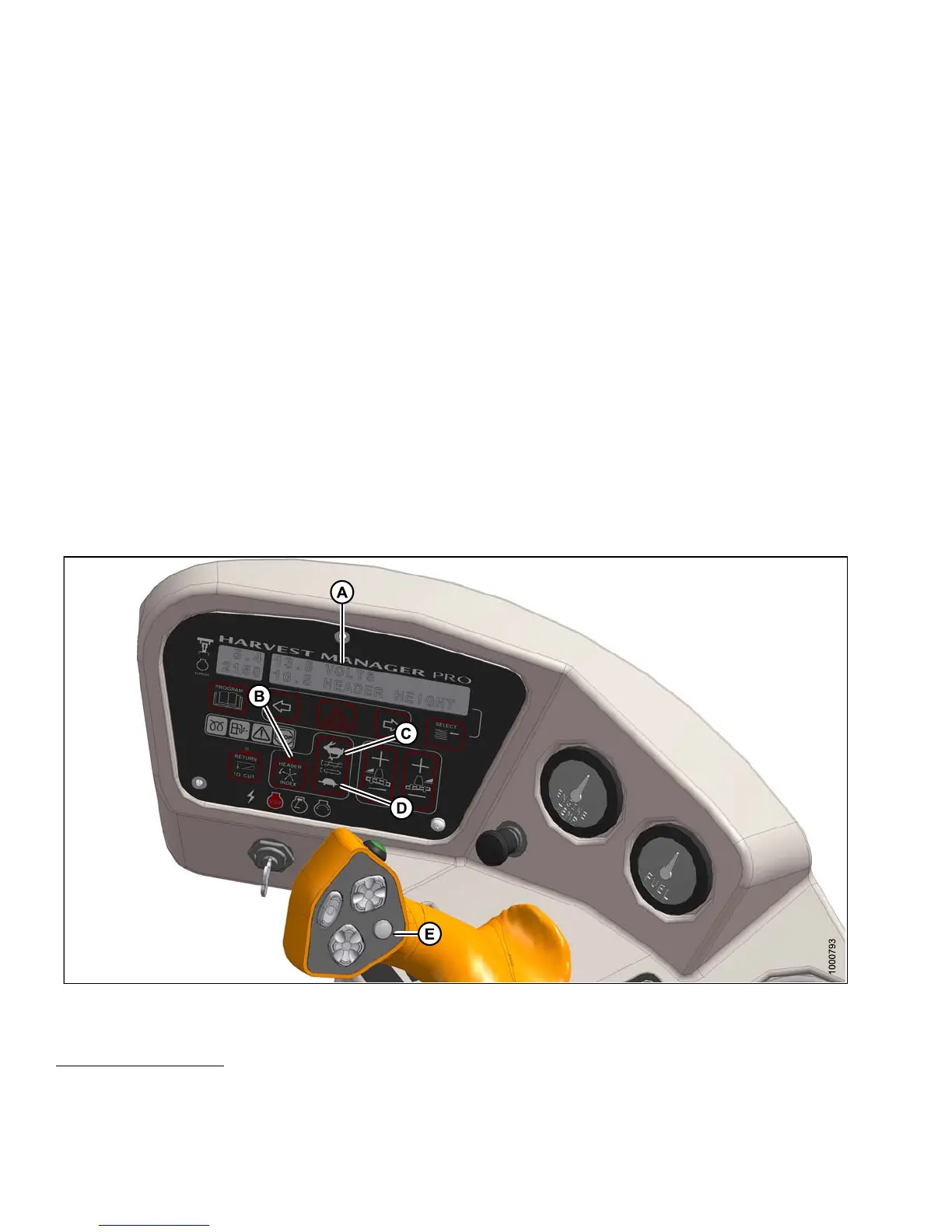
3. Press DISPLAY SELECTOR (E) on the ground speed lever (GSL) to display DRAPE R INDX
21
at (A) on the cab
display module (CDM).
4. Press DRAPER FAST (C) or SLOW (D) on the CDM until d isplay (A) show s ##.## ##.# DRAP IND with the
desired index value.
• The displayed value (##.## ) = draper speed (mph or km/h
22
)
• The displayed value (##.#) = the index value
Examples:
• Windrower is operating at 8 mph with header index O N and set at 1.5.
Display shows: 9.5 1 .5 DRAP INDX where 9.5 (8 + 1.5) is the draper speed in mph and 1.5 is the
header index setting.
• Windrower speed drops to 7.5 mph at same header index setting.
Display shows: 9.0 1.5 DRA P INDX where 9.0 (7.5 + 1.5) is the draper speed in mph and 1.5 is the
header index setting.
• Windrower is operating at 8 mph with header index O N and set at 0.9.
Display shows: 8.9 0 .9 DRAP INDX where 8.9 (8 + 0.9) is the draper speed in mph and 0.9 is the
header index setting.
Setting Draper Speed Independent of Ground Spe ed
Figure 4.289: Operator Console
Set the speed of the draper independent of ground speed as follows:
21. DRAPER INDX will only be displayed when operating at a ground speed faster than minimum draper speed plus
the header index value.
22. Depending on CDM programming.
147649 288 Revision A



 To Next Page