OPERATOR’S STATION
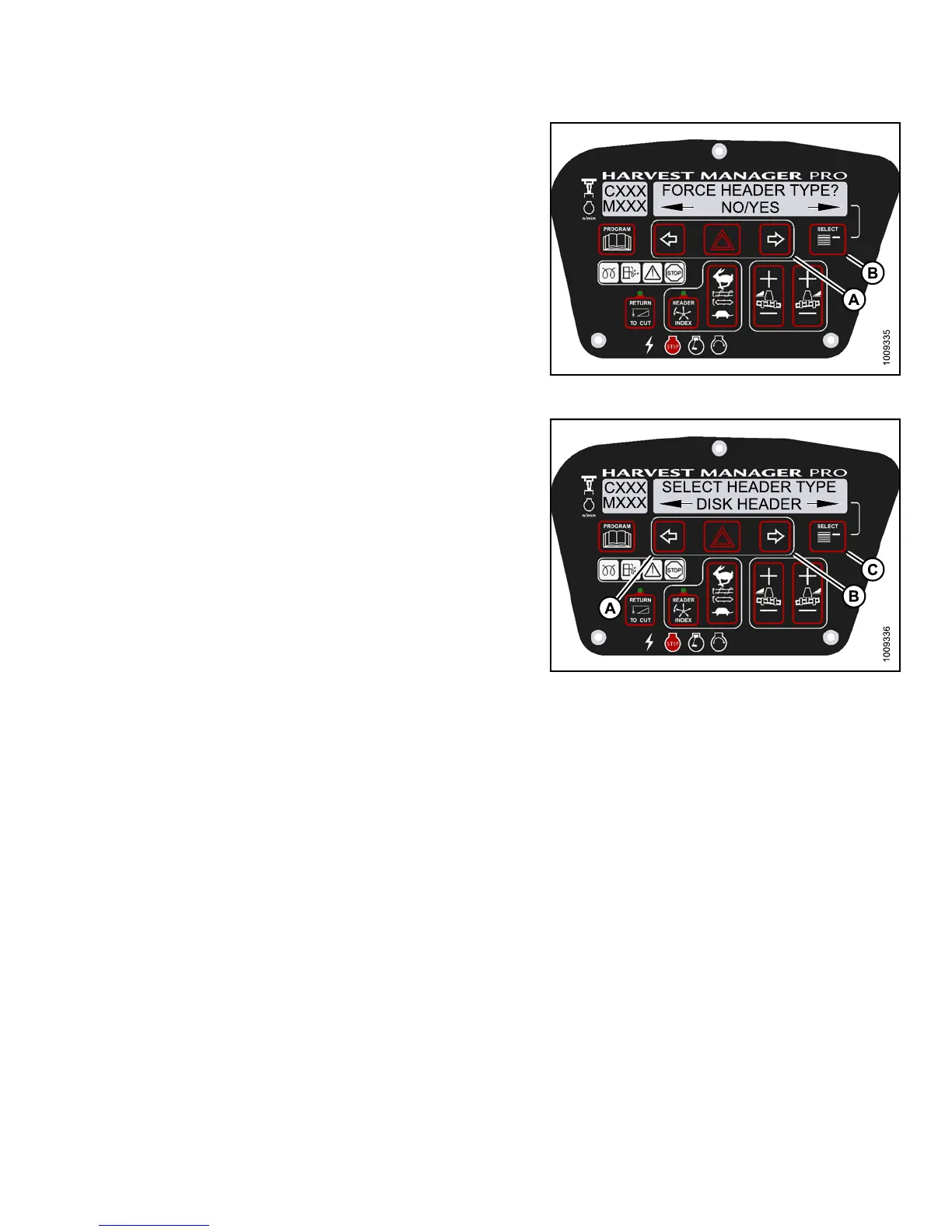
5. Press SELECT (B) until FORCE HEADER TYPE? is
displayed on the upper line.
• NO/YES is displayed on the lower line .
6. Press right (A) arrow to select YES. Press SELECT (B).
• SELECT HEADER TYPE is displayed on the
upper line.
• DISK HEADER is disp layed on the lower line.
Figure 3.17
0: M155 Header Type
7. Press left (A) or right (B) arrow to cycle th rough list of
header types.
8. When desired header type is displayed press
SELECT (C).
• EXIT FORCE HEADER? is displayed on the
upper line.
• NO/YES is displayed on the lower line .
9. Press right arrow (B) to select YES. Press SELECT (C).
Proceed to next DIAGNOSTIC M OD E or press
PROGRAM to exit programming mode.
Figure 3.171: M155 Header Type
3.19.12 Troubleshooting Header Problems
You can test individual parts of the header as part of a troubleshooting routine.
Testing the Header Up/Down Activate Function Using the Cab Display Module (CDM)
NOTE:
•Thehe
ader MUST be attached to the windrower to perform this procedure. The cab display module (CDM)
auto
matically adjusts its programming for each header. For more information, refer to 4.5 Attaching and
Deta
ching Headers, page 213.
•Thee
ngine MUST be running to perform this procedure.
147649 135 Revision A



 To Next Page