OPERATOR’S STATION
NOTE:
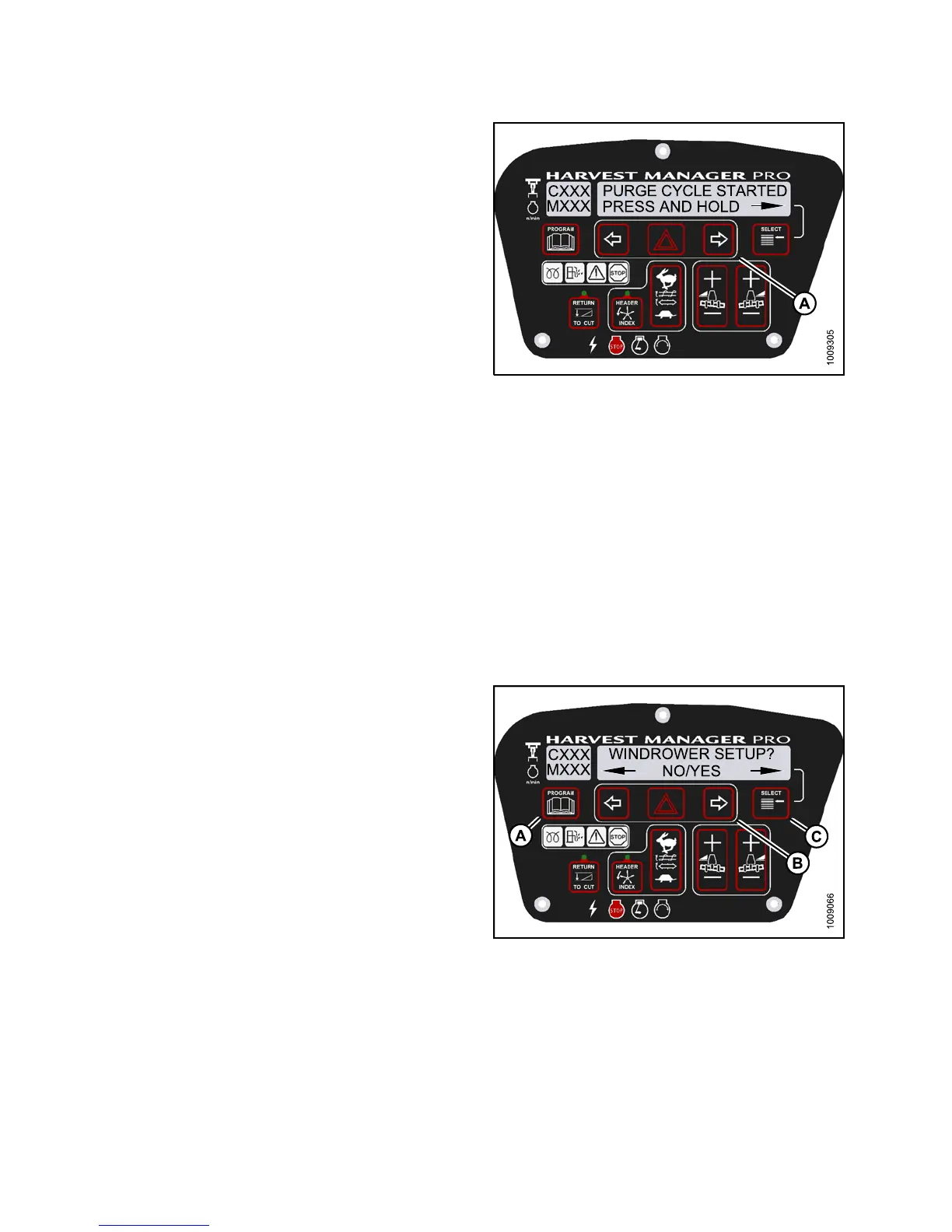
Holding the right arrow activates a timed purge cycle.
The CDM will jump to the exit men u if t he arrow is
released before the end of the timed cycle.
9. Press and hold
right (A) arrow to activate purge cycle.
• PURGE CYCLE ST
ARTED will display on the
upper line.
10. When PU R G E CY
CLE ENDED is displayed release
right (A) arr
ow.
• NO EXIT YES is
displayed on th e lo wer line.
11. Press right
arrow to select YES. Press SELECT.
12. Press PROGR
AM to exit Programming Mode or press
SELECT to pr
oceed to next AC TIVATE FU NCTION.
Figure 3.19
2: M155 Hydraulic Purge Cycle
TestingtheKnifeDriveCircuitUsing the Cab Display Module (CDM)
IMPORTANT:
Do not over-speed
a drive for a sign ificant length of time. Doing so can lead to vibration, belt failures, or
other over-speed
ing related problems.
NOTE:
• The header MUST be attached to windrower to follow this procedure. For more information, refer to 4.5 Att aching
and Detaching Headers, page 213.
• The engine MUST be running to perform this procedure.
1. Turn ignition k
ey to RUN, or start the engine.
2. Press PROGRAM
(A) a nd SELECT (C) on cab display
module (CDM) t
o enter Programming Mode. Press
SELECT (C).
• WINDROWER SET
UP? is displayed on the
upper line.
Figure 3.193: M155 CDM Programming Buttons
147649
1
44
Revision A



 To Next Page