OPERATOR’S STATION
1. Turn ignition key to RUN, or start the engine.
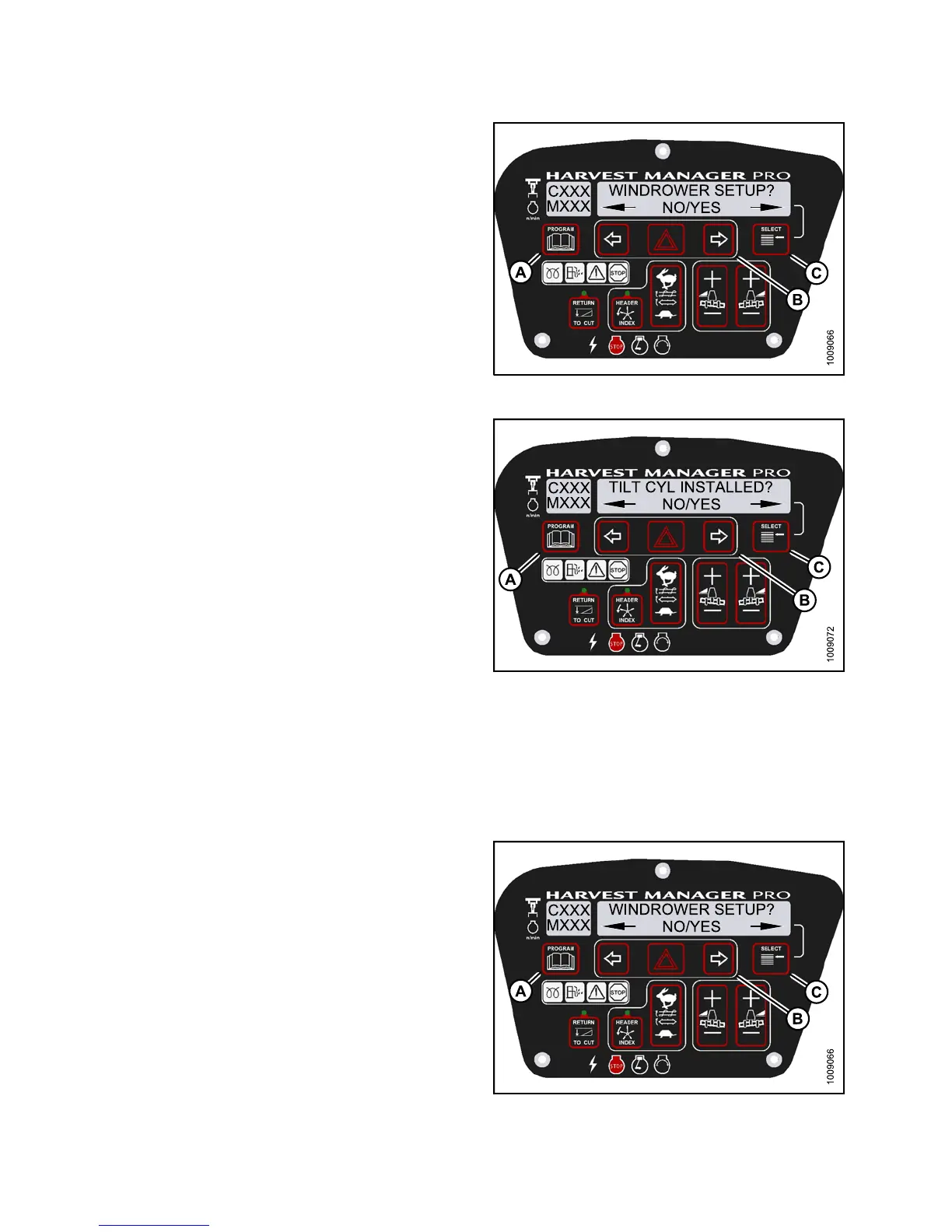
2. Press PROGRAM (A) and SELECT (C) on cab display
module (CDM) to enter Programming Mode.
• WINDROWER SETUP? is displayed on the
upper line.
• NO/YES is displayed on the lower line.
3. Press right (B) arrow to select YES. Press SELECT (C).
• SET KNIFE SPEED? is displayed on the upper line.
Figure 3.97: M155 CDM Programming Buttons
4. Press SELECT (C ) until TILT CYL INSTALLED? is
displayed on the upper line.
• NO/YES is displayed on the lower line.
5. Press right (B) arrow to select YES. Press SELECT (C).
6. Press PROGRAM (A) to exit Programming Mode or
press SELECT (C ) to proceed to next WINDROWER
SETUP action.
Figure 3
.98: M155 Hydraulic Center-Link
Activa
ting the Rotary Header Drive Hydraulics on an M155
NOTE:
This procedure requires installation of the optional Rotary Header Drive Hydraulics (MD #B5510). For more
information, refe r t o 7.1.17 Rotary Header Drive Hydraulics (13-foot), page 450.
1. Turn ignition key to RUN, or start the engine.
2. Press PROGRAM (A) and SELECT (C) on cab display
module (CDM) to enter Programming Mode.
• WINDROWER SETUP? is displayed on the
upper line.
• NO/YES is displayed on the lower line.
3. Press right (B) arrow to select YES. Press SELECT (C).
• SET KNIFE SPEED? is displayed on the upper line.
Fi
gure 3.99: CDM Programming Buttons
147649 102 Revision A



 To Next Page