OPERATION
Reversing the Header
NOTE:
The optional h
ydraulic reversing kit must be installed.
IMPORTAN T:
Hose plumbing to the reverser block is specific to the header type. To prevent damage to the reel on D-Series
headers, refer to the reverser kit installation instruction MD# 169213 when switching from an auger header to a
draper header on the same windrower.
• Reverses knife and conditioner on D-Series draper headers.
• Reverses reel, auger, knife and conditioner on A-Series auger headers.
Reverse the
header as follows:
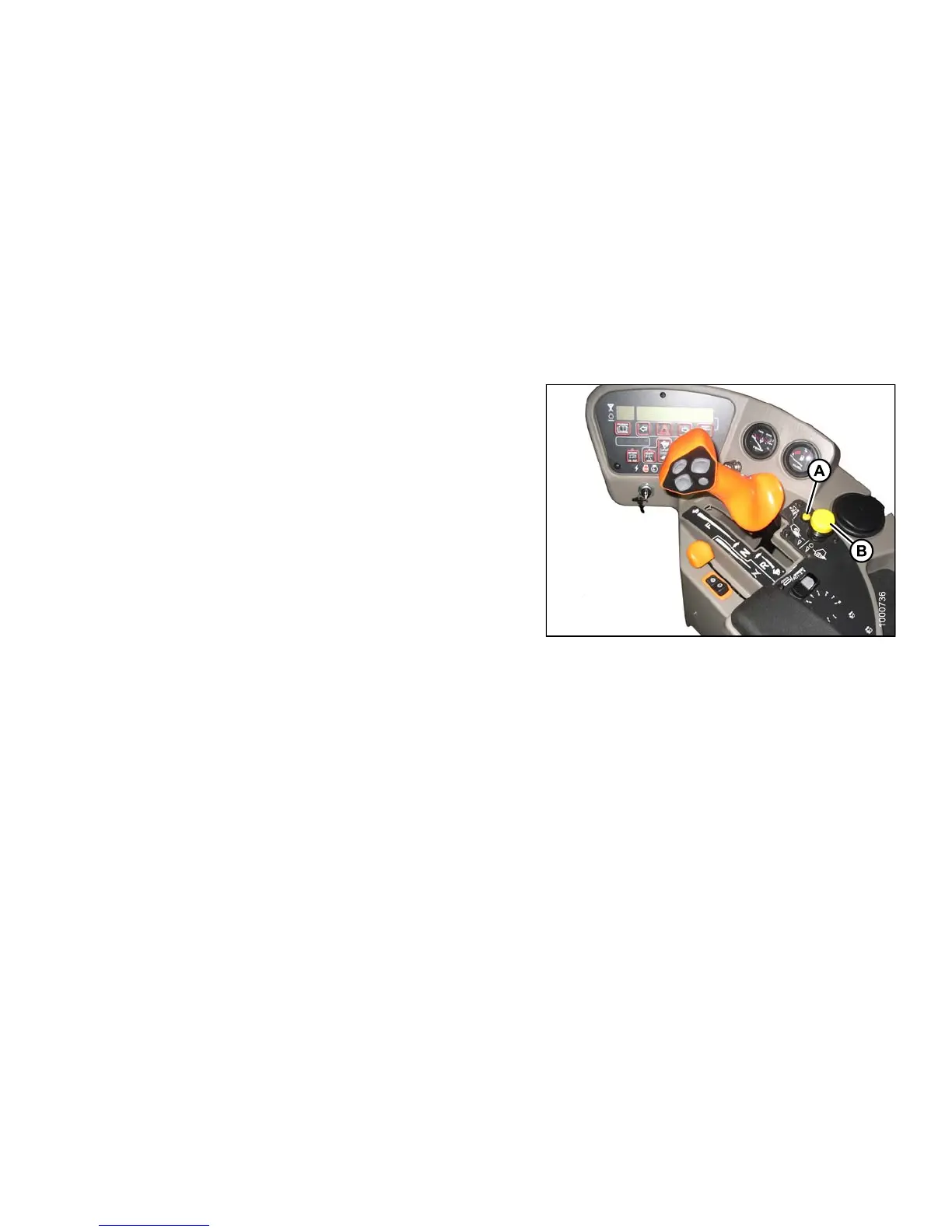
1. Push down an
d hold H EADER D RIV E REVER SE
button (A) a
nd pull up the HEADER DRIVE switch (B).
2. CDM will di
splay HEADER REVERSE.
3. RELEA SE R E
VERSE BUTTON (A) TO
STOP HEADE
R.
4. Push down
the HEADE R DRIVE switch (B) to OFF, so
that it ca
nberestarted.
NOTE:
To engage header drive, push down, and pull up
HEADER DRIVE knob.
Figure 4.91: Operator Console
4.4.5 A djusting Header Angle
Header angle is defined as the angle between the ground and the drapers/cutterbar. It is adjustable to
accommodate crop conditions and/or soil type.
Refer to the appropriate header operator ’s manual for the range of adjustment and recommended settings for your
particular header.
The header angle can be hydraulically adjusted from the cab without shutting down the windrower when the
windrower is equipped with the hydraulic center-link. A readout on the cab display module (CDM) allows you to
establish settings for each crop condition.
IMPO
RTAN T:
• Changing header angle will affect float slightly because it has the effect of making the header lighter or heavier.
• To prevent excessive guard breakage when conditions are not suited to heavier float (e.g., rocky or wet), do NOT
use the TILT CONTROL “on the go”. Instead, use the HEADER HEIGHT switch.
147649 203 Revision A



 To Next Page