OPERATION
Setting Disc Speed
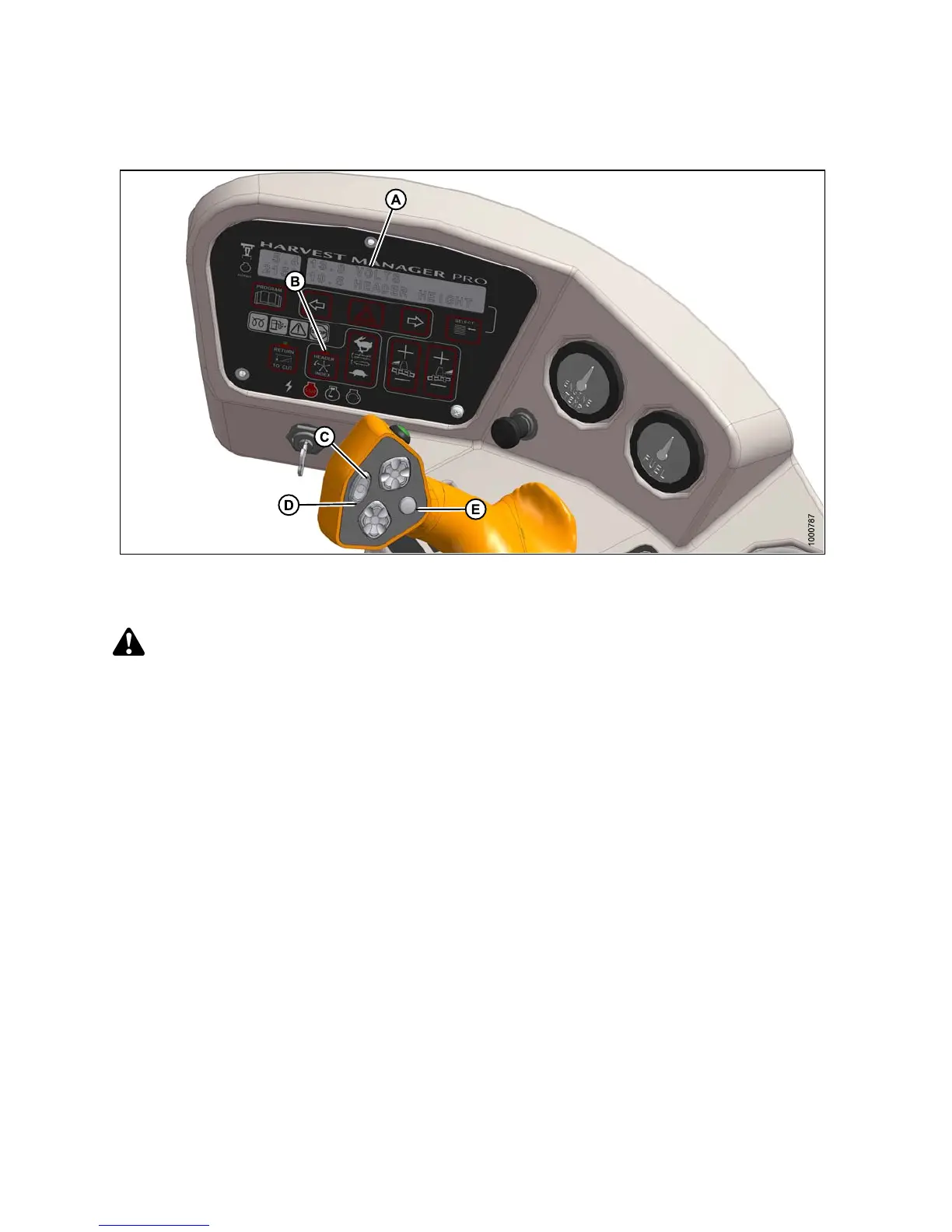
Figure 4 .303: Operator Console
A-Displa
y
B - Header
Index
C-Fast
D - Slow E - Display Selector
CAUTION
Check to be sure all by stan d e rs have cleared the area.
Follow these steps to set the disc speed:
1. Engage header.
2. Set HEADER INDEX switch (B) to OFF.
3. Press FAST (C) or SLOW (D) on ground speed lever (GSL) until display (A) shows #### DISC R PM with desired
disc speed.
Displayed value (####) = disc speed (rpm).
147649 303 Revision A



 To Next Page