MAINTENANCE AND S ERVICING
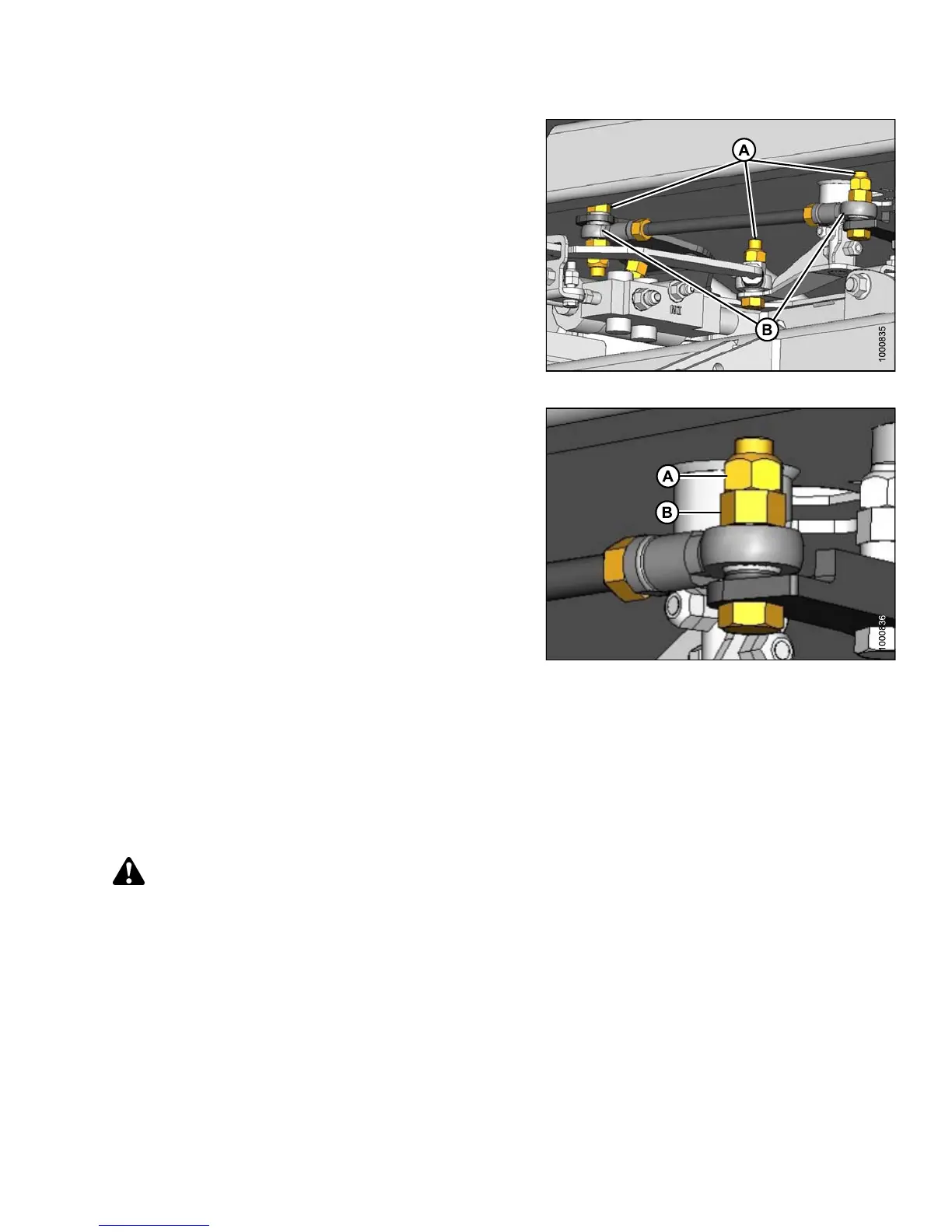
3. Check steering link bolts (A) for looseness and ball
joints (B) for any perceptible movement.
Figure 5.24: Steering Link
4. If bo lts are lo ose:
a. Back off jam nut (A).
b. Tighten inside nut (B) to 70–80 ft·lbf (95–108 N·m).
c. Hold inside nut (B) and tighten jam nut (A) to
60–70 ft·lbf (81–95 N·m).
Figure 5.25: Steering Link
5. See your MacDon Dealer to replaced any loose
steering link ball joints or s te ering rod b all jo ints.
6. After replaci
ng parts or making adjustments, perform
checks for Neu
tral Interlock and steering lock. Refer to
5.5.2 Safety S
ystems, page 316.
Checking Steering Chain Tension
DANGER
To avoid bodily injury or death from unexpected startup of the machine, always stop the engine and remove
the key from the ignition before leaving the operator ’s seat for any reason.
1. Check steering for binding or excessive play which may be the result of the steering chain being too tight or too
loose. If the steering chain does NOT require adjustment, skip the following steps.
2. If the chain tension requires adjustment, swivel the operator’s station to position steering column close to
the door.
147649 321 Revision A



 To Next Page