OPERATOR’S STATION
Testing the Draper Drive Circuit Activate Function Using the Cab Display Module (CDM)
IMPORTANT:
Do not over-speed a drive for a significant length of time. Doing so can lead to vibration, belt failures. or
other over-speeding related problems.
NOTE:
• A draper header MUST be attached to windrower to follow this procedure. For more information, refer to 4.5
Attaching and Detaching Headers, page 213
• The engine MUST be running to perform this procedure.
1. Turn ignition key to RUN, or start the engine.
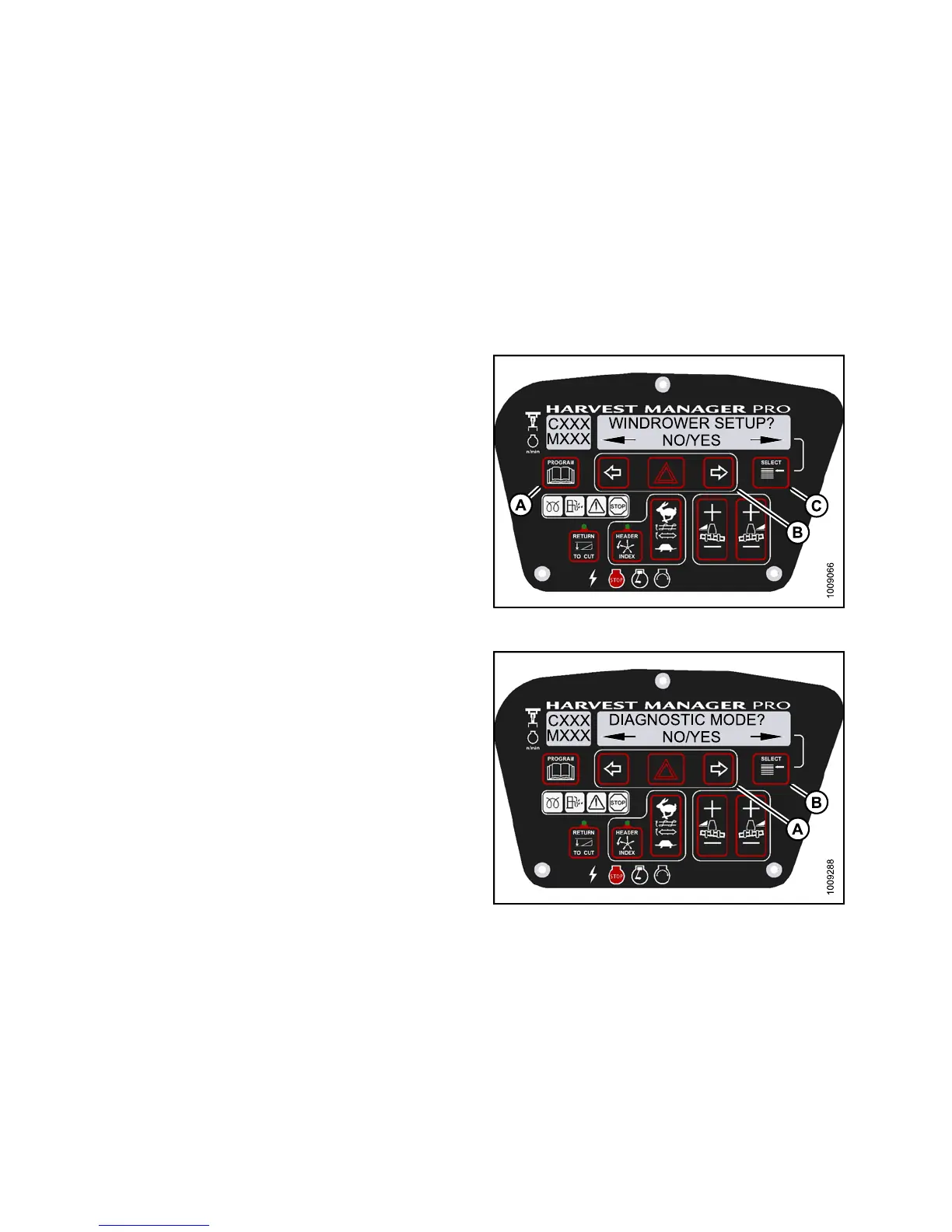
2. Press PROGRAM (A) and SELECT (C) on cab display
module (CDM) to enter Programming Mode.
• WINDROWER SETUP? is displayed on the
upper line.
Figure 3
.197: M155 CDM Programming Buttons
3. Press SELECT (B) until DIAGNOSTIC MODE? is
displayed in upper line.
• NO/YES is displayed on the lower line.
4. Press right (A) arrow to select Yes. Press SELECT (B).
Figure 3.198: M155 Diagnostic Functions
147649 146 Revision A



 To Next Page