OPERATION
IMPORTAN T:
Set the minimum draper speed while stationary with the ground speed lever (GSL) in the N-DETENT position.
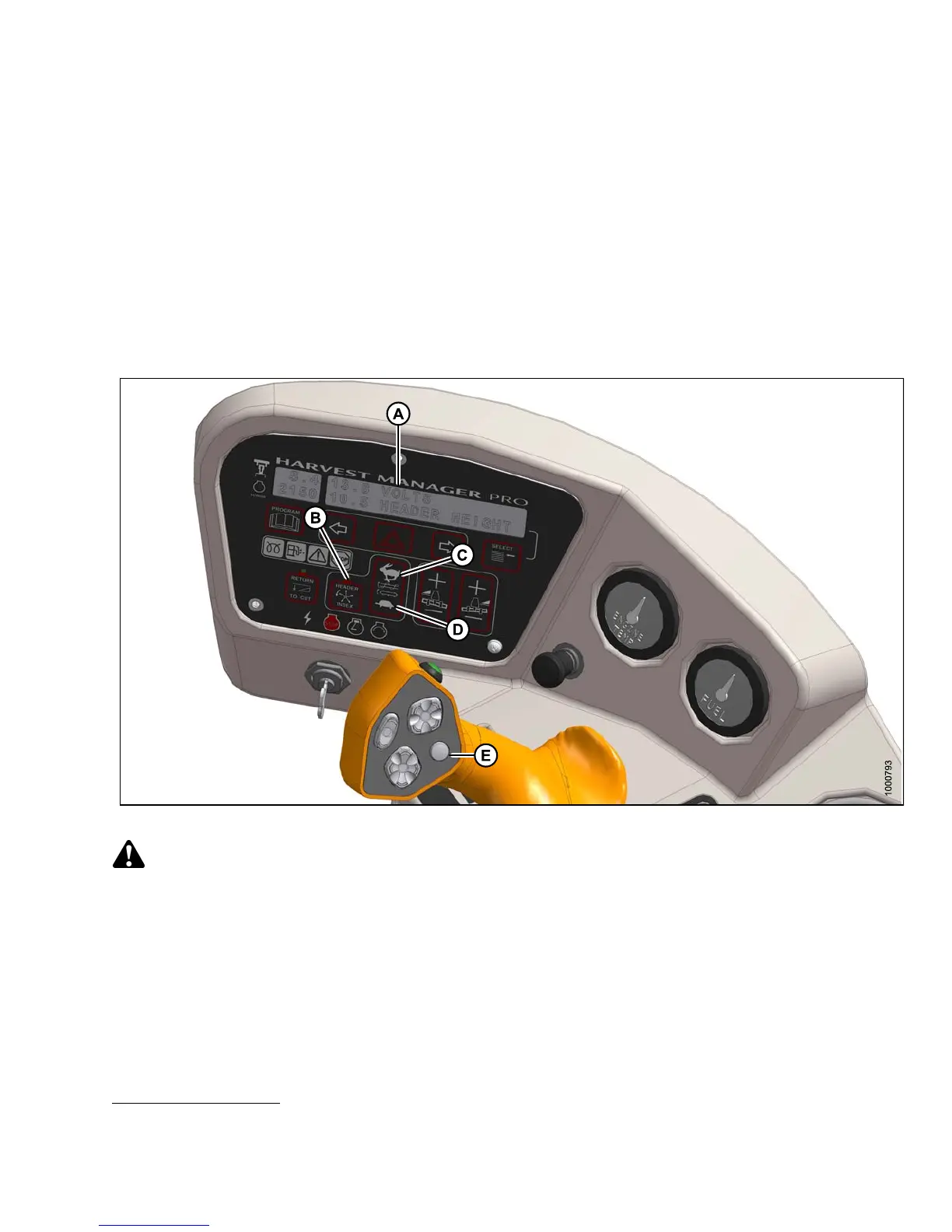
1. Engage header.
2. Set HEADER INDEX (B) switch to ON.
3. Press DISPLAY SELECTOR button (E) until display (A) shows ##.## DRAPER MIN.
The displayed value (##.##) = draper speed (mph or km/h
20
).
4. Use the FAST (C) and SLOW (D) buttons to set the desired minimum draper speed.
Setting Draper Index
Figure 4 .288: Operator Console
CAUTION
Check to be sure all by stan d e rs have cleared the area.
Set draper index as follows:
IMPORTAN T:
Draper Index can only be adjusted while operating at a ground speed faster than minimum draper speed plus
header index value.
1. Engage header.
2. Set HEADER INDEX switch (B) to ON.
20. Depending on cab display module (CDM) programming.
147649 287 Revision A



 To Next Page