OPERATOR’S STATION
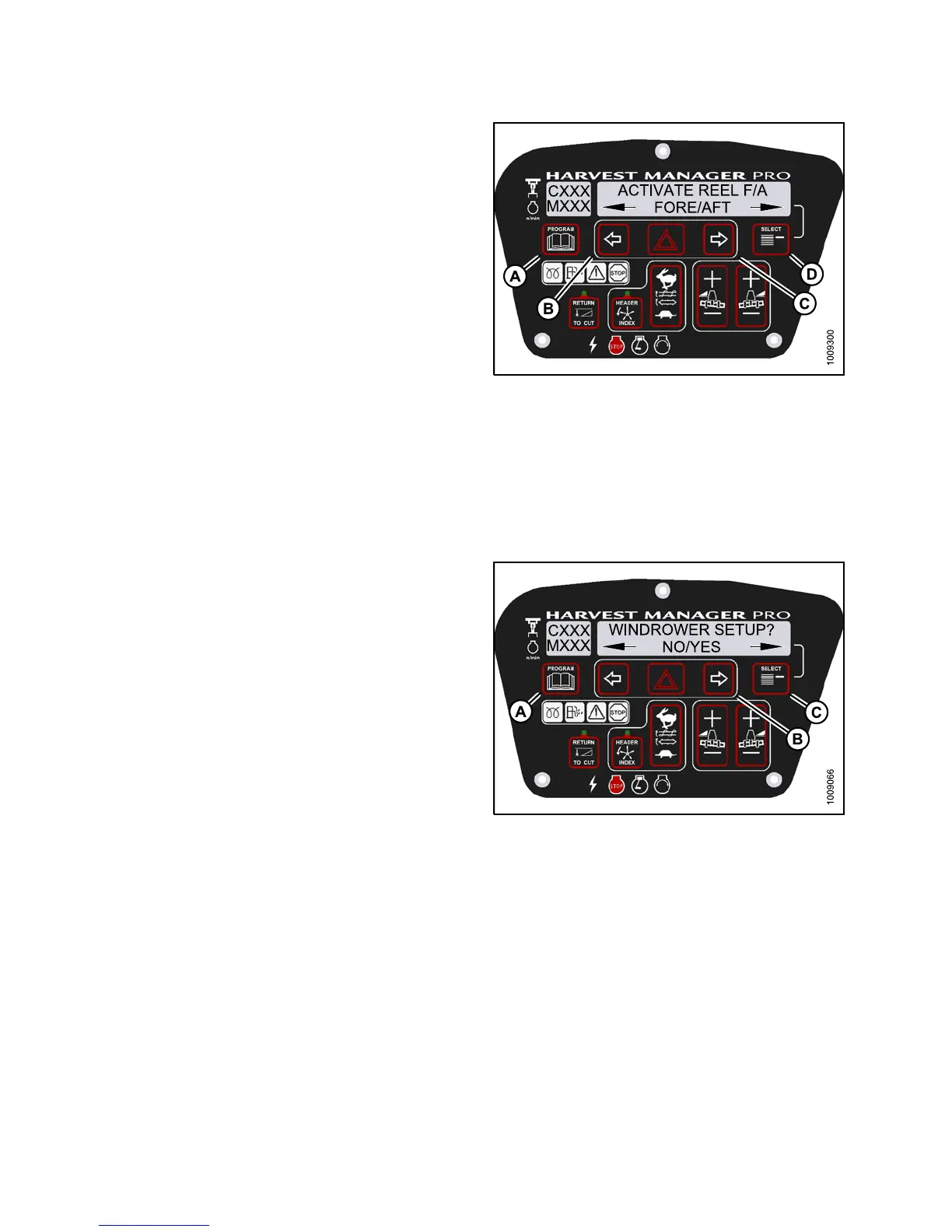
7. Press SELECT (D) until ACTIVATE REEL F/A is
displayed on the upper line.
• FORE/AFT is displayed on the lower line.
8. Press and hold left (B) arrow to move reel forward.
Press and hold right (C) arrow to move reel backward.
Verify reel fore-aft is functioning properly.
9. Press PROGRAM (A) to exit Programming
Mode or press SELECT (D) to proceed to next
ACTIVATE FUNCTION.
Figure 3.18
7: M155 Reel Fore-Aft
Activatin
g the Hydraulic Purg e Using the Cab Display Module (CDM)
The hydraulic purge removes air from the hydraulic pump system after it has been repaired or changed.
NOTE:
Engine MUST be running to perform this procedure.
1. Turn igni
tion key to RUN, or start the engine.
2. Press PR
OGRAM (A) and SELECT (C) on cab display
module (
CDM) to enter Programming Mode.
• WINDROW
ER SETU P? is displayed on the
upper li
ne.
Figure 3.188: M155 CDM Programming Buttons
147649
1
42
Revision A



 To Next Page