OPERATOR’S STATION
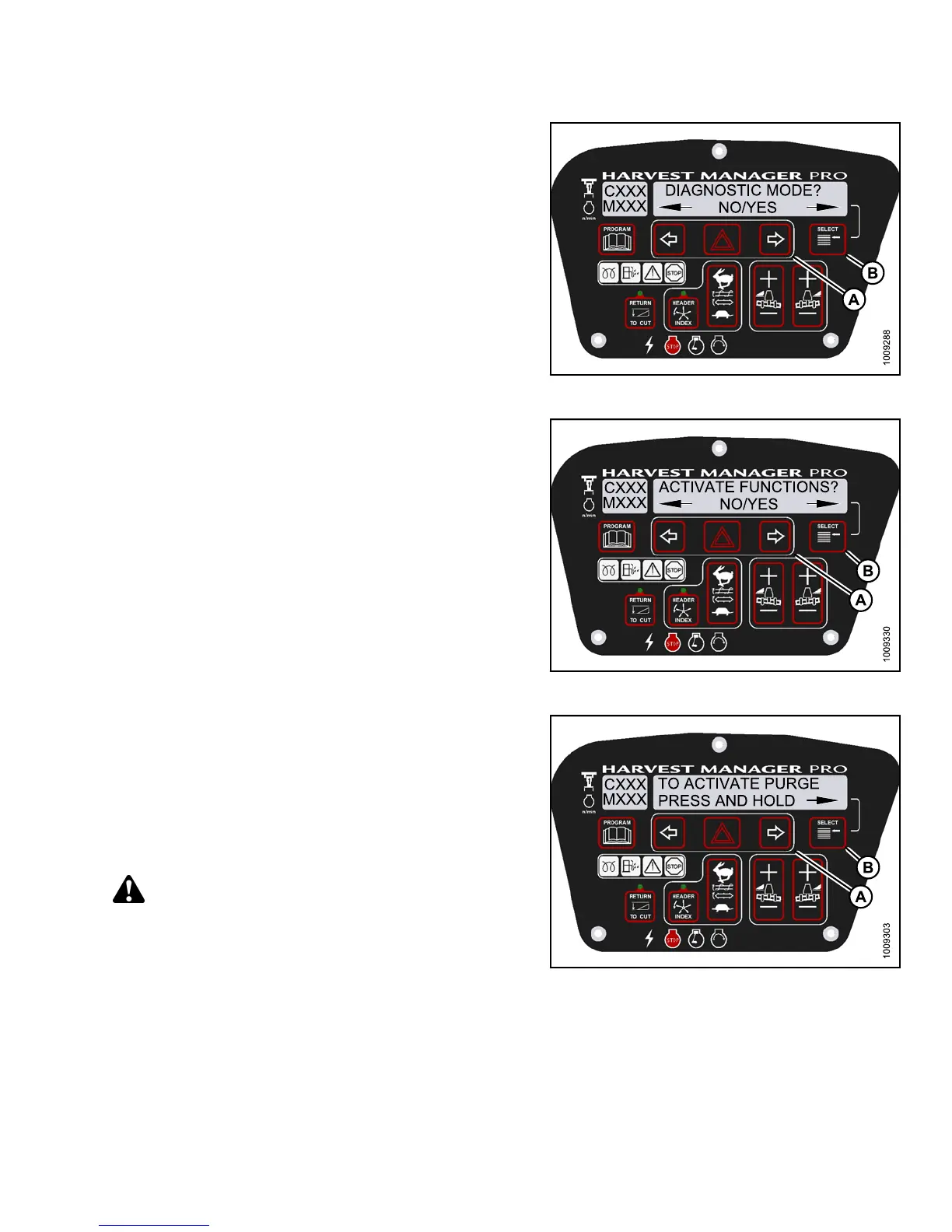
3. Press SELECT (B) until DIAGNOSTIC MODE? is
displayed in upper line.
• NO/YES is displayed on the lower line .
4. Press right (A) arrow to select Yes. Press SELECT (B).
Figure 3.18
9: M155 Diagnostic Functions
5. Press SELECT (B) until ACTIVATE FUNCTIONS? is
displayed on the upper line.
• NO/YES is displayed on the lower line .
6. Press right (A) arrow to select YES. Press SELECT (B).
• ACTIVATE HEADER HT is displayed on the
upper line.
• DOWN/U P is displayed on the lower line.
Figure 3.190: M155 Functions
7. Press S
ELECT (B) until ACTIVATE HYD PURGE? is
displa
yed on the upper line.
• NO/YES
is displaye d on the lower line.
8. Press r
ight (A) arrow to select YES. Press SELECT (B).
•TOACT
IVAT E PURG E is displayed on the
upper
line.
• PRESS
AND HOLD is displayed on the lower line.
CAUTION
Check to be sure all bystanders have cleared the area.
Figure 3.191: M155 Hydraulic Purge
147649 143 Revision A



 To Next Page