OPERATOR’S STATION
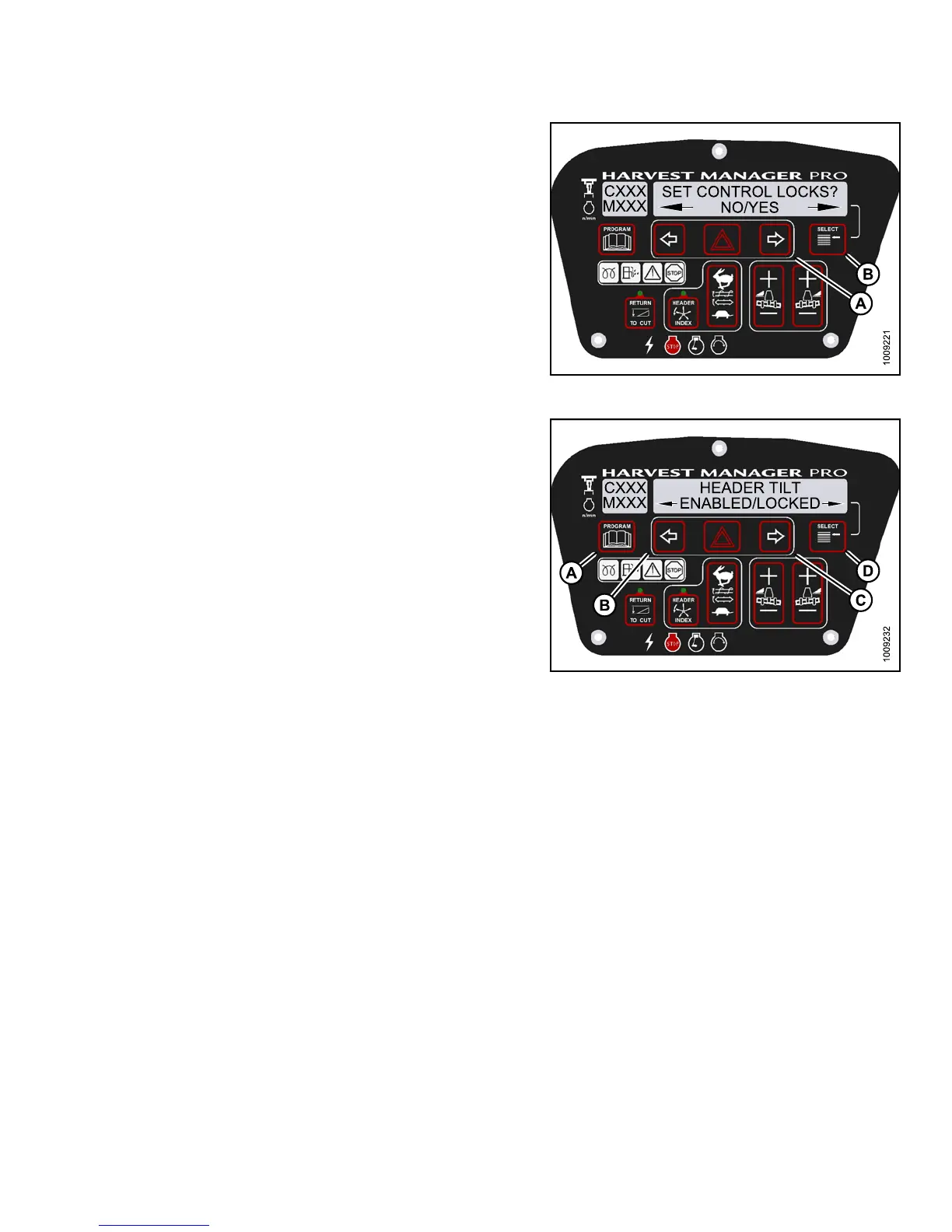
4. Press SELECT (B) until SET CONTROL LOCK S? is
displayed on the upper line.
• NO/YES is displayed on the lower line .
5. Press right (A) arrow to select YES. Press SELECT (B).
Figure 3.15
3: M155 Control Locks
6. Press SELEC T (D) until HEADER TILT is displayed on
the upper line.
• ENABLED/LOC KED is displayed on the lower line.
7. Press left (B) arrow to enable HEADER TILT
control switch.
Press right (C) arrow to lock HEADER TILT
control switch.
8. Press PROGRAM (A) to exit Programming Mode, or
press SELECT (D) to proceed to next WINDROWER
SETUP action.
Figure 3.154: M155 Header Tilt Control Lock
3.19.10 Displaying Activated Cab Display Lock Outs
Displaying the activated control locks allows you to quickly determine which controls are locked on the cab
display m odule (CDM).
NOTE:
•Displ
aying header tilt control lock requires installation of the optional Hydraulic Center-Link (MD #B4650).
147649
1
27
Revision A



 To Next Page