OPERATOR’S STATION
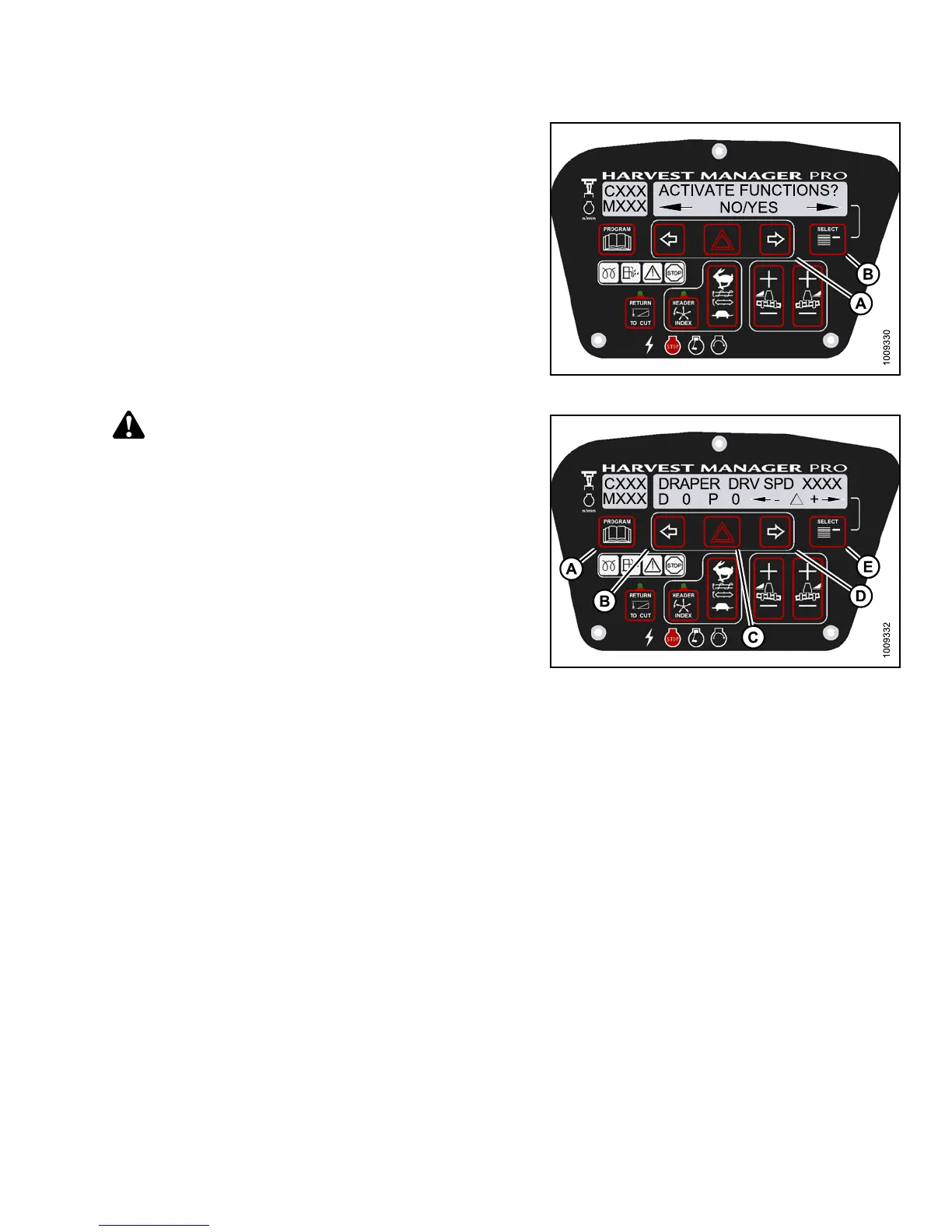
5. Press SELECT (B) until ACTIVATE FUNCTIONS? is
displayed on the upper line.
• NO/YES is displayed on the lower line .
6. Press right (A) arrow to select YES. Press SELECT (B).
• ACTIVATE HEADER HT is displayed on the
upper line.
Figure 3.19
9: M155 Functions
CAUTION
Check to be sure all bystanders have cleared the area.
7. Press SELECT (B) until DRAPER DRV SPD XXXX is
displayed on the upper line.
IMPORTAN T:
Do NOT over speed the drapers.
8. Press and hold HAZARD (C) button.
• Press left (B) arrow to decrease draper speed.
• Press right (D) arrow to increase draper speed.
Verify the draper drive is functioning properly.
9. Release the HAZARD (C) button. The drapers
will stop.
Figure
3.200: M155 Draper Drive
10. Press PROGRAM (A) to exit Programming
Mode or press SELECT (E) to proceed to next
ACTIVATE FUNCTION.
Testing the Reel Drive Circuit Activate Function Using the Cab Display Module (CDM)
IMPORTAN T:
Do not over-speed a drive for a significant length of time. Doing so can lead to vibration, belt failures, or
other over-speeding related problems.
NOTE:
• The header MUST be attached to windrower to follow this procedure. For more information, refer to 4.5 Attaching
and Detaching Headers, page 213.
• This procedure does not apply to rotary disc headers.
• The engine MUST be running to perform this procedure.
147649
1
47
Revision A



 To Next Page