OPERATION
NOTE:
The knife speed can be adjusted without shutting down the machine, though it is recommended that the
windrower be stopped before adjusting CDM settings.
Setting Knife Speed “On the Go”
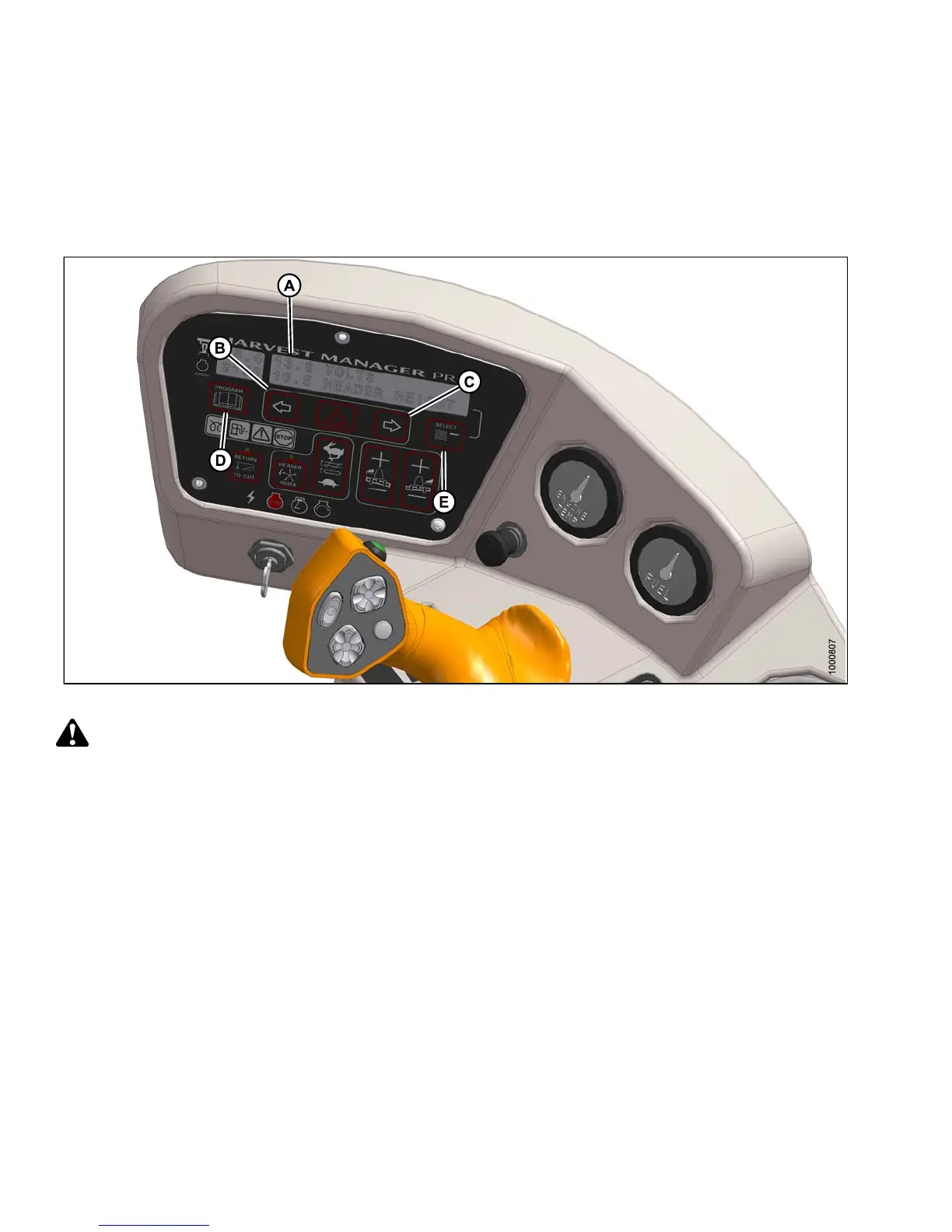
Figure 4.290: Operator Console
CAUTION
Check to be sure all bystanders have cleared the area.
Display and set knife speed “on the go” as follows:
1. Engage header.
2. Press PROGRAM (D) and SELECT (E) on cab display module (CDM) to show #### KNIFE SPM at (A).
Displayed value (####) = strokes per minute.
3. Press SLOWER (B) or FASTER (C) until desired knife speed is displayed a t (A).
147649 290 Revision A



 To Next Page