OPERATOR’S STATION
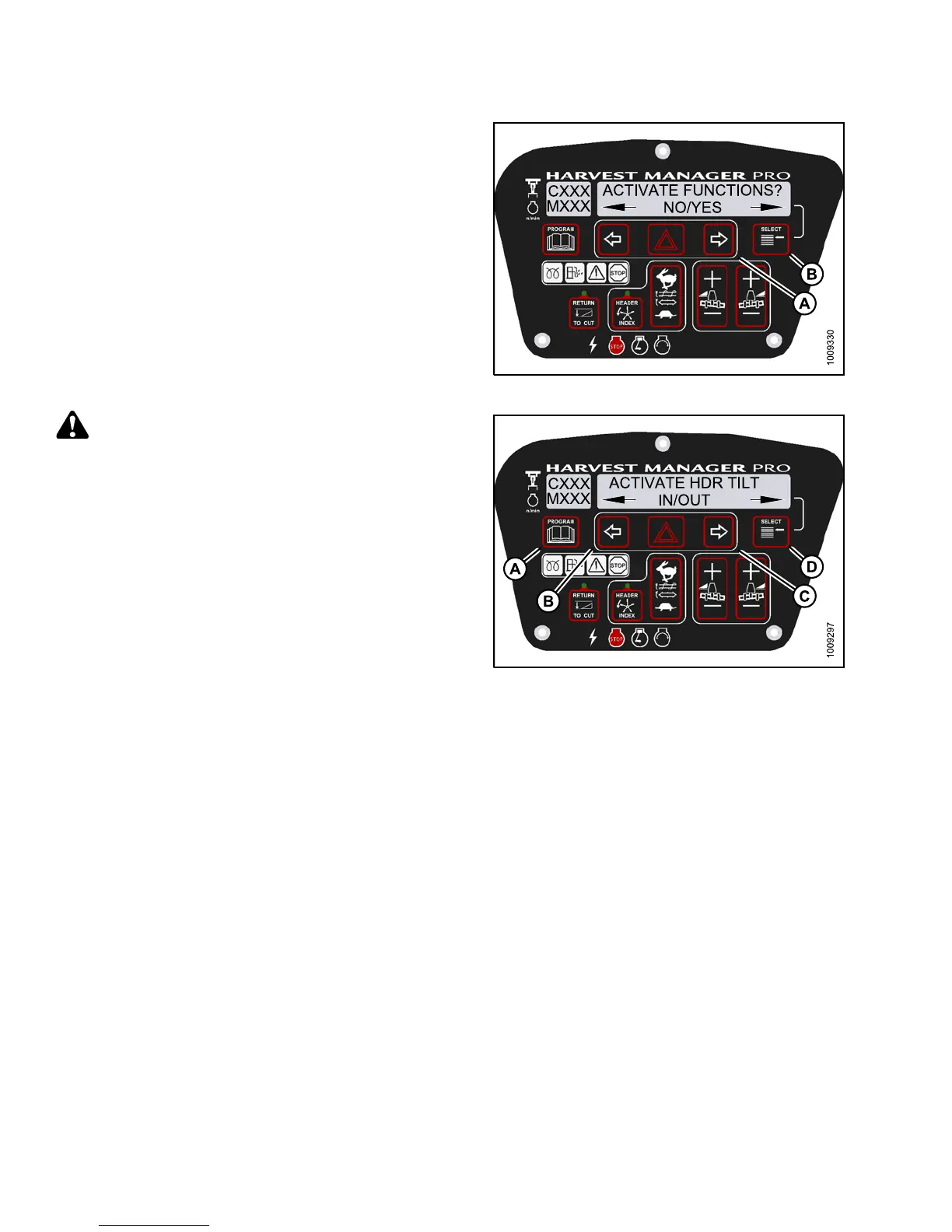
5. Press S ELECT (D) until ACTIVATE FUNCTIONS? is
displayed on the upper line.
• NO/YES is displayed on the lower line.
6. Press right (C) arrow to select YES. Press
SELECT (D).
Figure 3.18
2: M155 Functions
CAUTION
Check to be sure a ll bystanders have cleared the area.
7. Press SELECT (D) until ACTIVATE HDR TILT is
displayed on the upper line.
• IN/OUT is displa y ed on the lower line.
8. Press and hold left (B) arrow to decrease header tilt.
Press and hold right (C) arrow to increase header tilt.
Verify header is functioning properly.
9. Press PROGRAM (A) to exit Programming
Mode or press SELECT (D) to proceed to next
ACTIVATE FUNCTION.
Figure
3.183: M155 Header Tilt Angle
Testin
g the Re el Fore-Aft Activate Function Using the Cab Display Module (CDM)
NOTE:
• The header MUST be attached to windrower to perform this procedure. For more information, refer to 4.5
Attaching and Detaching Headers, page 213.
• The engine MUST be running to perform this procedure.
147649 140 Revision A



 To Next Page