OPERATOR’S STATION
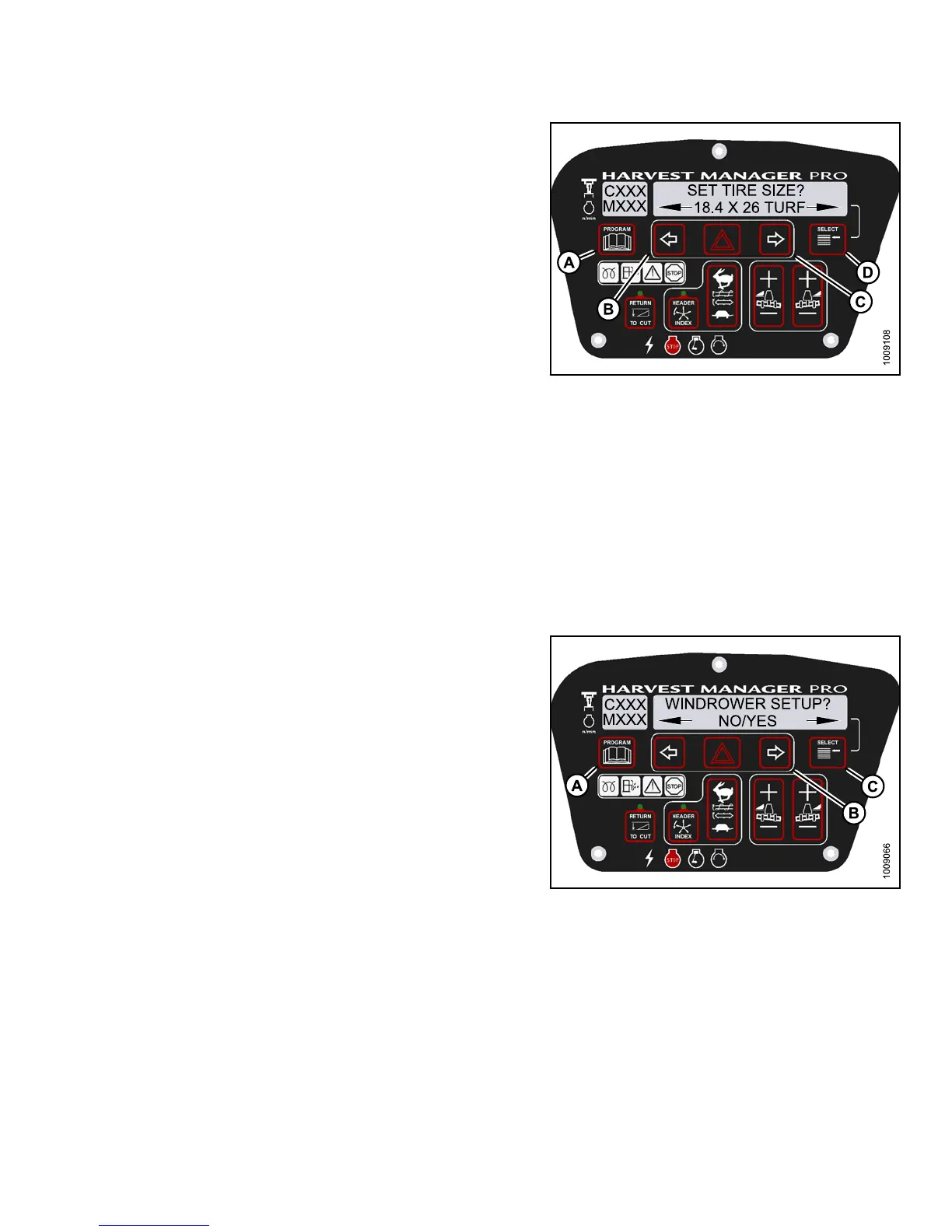
4. Press SELECT (D) until SET TIRE SIZE? is displayed
on the upper line.
• Currently installed tire size is displayed on the
lower lin e.
NOTE:
The following tire sizes are available:
• 18.4 x 26 TURF
• 18.4 x 26 BAR
• 23.1 x 26 TUR
F
• 600–65R28
5. Press left
(B) or right (C) arrow and select tire size.
Press SELE
CT (D).
6. Press PROG
RAM (A) to exit Prog ramming Mo de or
press SELE
CT (D) to proceed to next WINDROWE R
SETUP act
ion.
Figure 3.12
6: M155 Tire Size
Setting the Engine Intermediate Speed Control (ISC) RPM on an M155/M205
NOTE:
The ISC sets the e
ngine speed when the header is engaged. For more information, refer to Engine Intermediate
Speed Con tro l (
ISC), page 163. The engine MUST be running to perform this procedure.
1. Turn ignition key to RUN , or start the eng ine.
2. Press PROGRAM (A) and SELECT (C) on cab display
module (CDM) to enter Programming Mode.
• WINDROWER SETUP? is displayed on the
upper line.
• NO/YES is displayed on the lower line .
3. Press right (B) arrow to select YES. Press SELECT (C).
• SET KNIFE SPEED? is displayed on the upper line.
Figure 3.127: M155 CDM Programming Buttons
147649 115 Revision A



 To Next Page