OPERATOR’S STATION
Calibrating the Header Float S ensors
NOTE:
• The header MUST be attach ed to the windrower to perform this proce du re. The cab display module (CDM)
automatically adjusts its programming for each header. For more information, refer to 4.5 Attaching and
Detaching Headers, page 213.
• The Operator can use the lef t or rig ht FLOAT buttons on the cab d isplay mod ule (CDM) to perform this procedure.
1. Turn ignitio
n key to RUN, or start the engine.
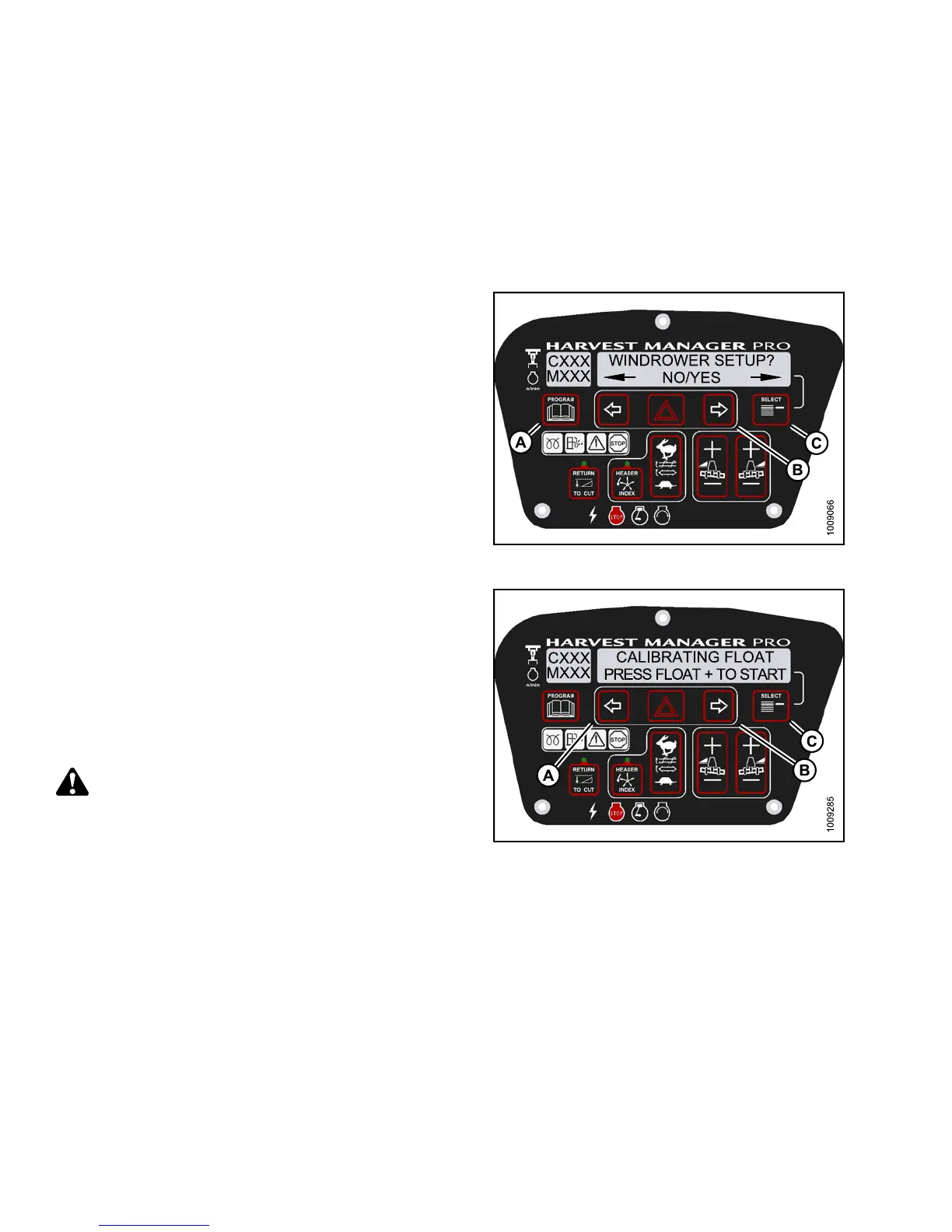
2. Press PROGR
AM (A) and SELECT (C) on cab display
module (CDM
) t o enter Programmin g Mode.
• WINDROWER S
ETUP? is displayed on the
upper line.
3. Press SELE
CT (C) until CALIBRATE SENSORS? is
displayed
on the upper line.
•NO/YESisd
isplayed on the lower line.
Figure 3.93: M155 CDM Programming Buttons
4. Press ri
ght (B) arro w to select Yes. Press SELECT (C).
•TOCALIB
RATE SELECT is displayed in upper line.
5. Press le
ft (A) or right (B) arrow until HEADER FLOAT
is displ
ayed on the lower line. Press SELECT (C).
•CALIBR
ATING FLOAT is displayed on the
upper l
ine.
•PRESSF
LOAT + TO START is displayed on the
lower
line.
CAUTION
Check to be sure a ll bystanders have cleared the area.
Figure 3.94: M155 Header Float
147649 100 Revision A



 To Next Page