OPERATOR’S STATION
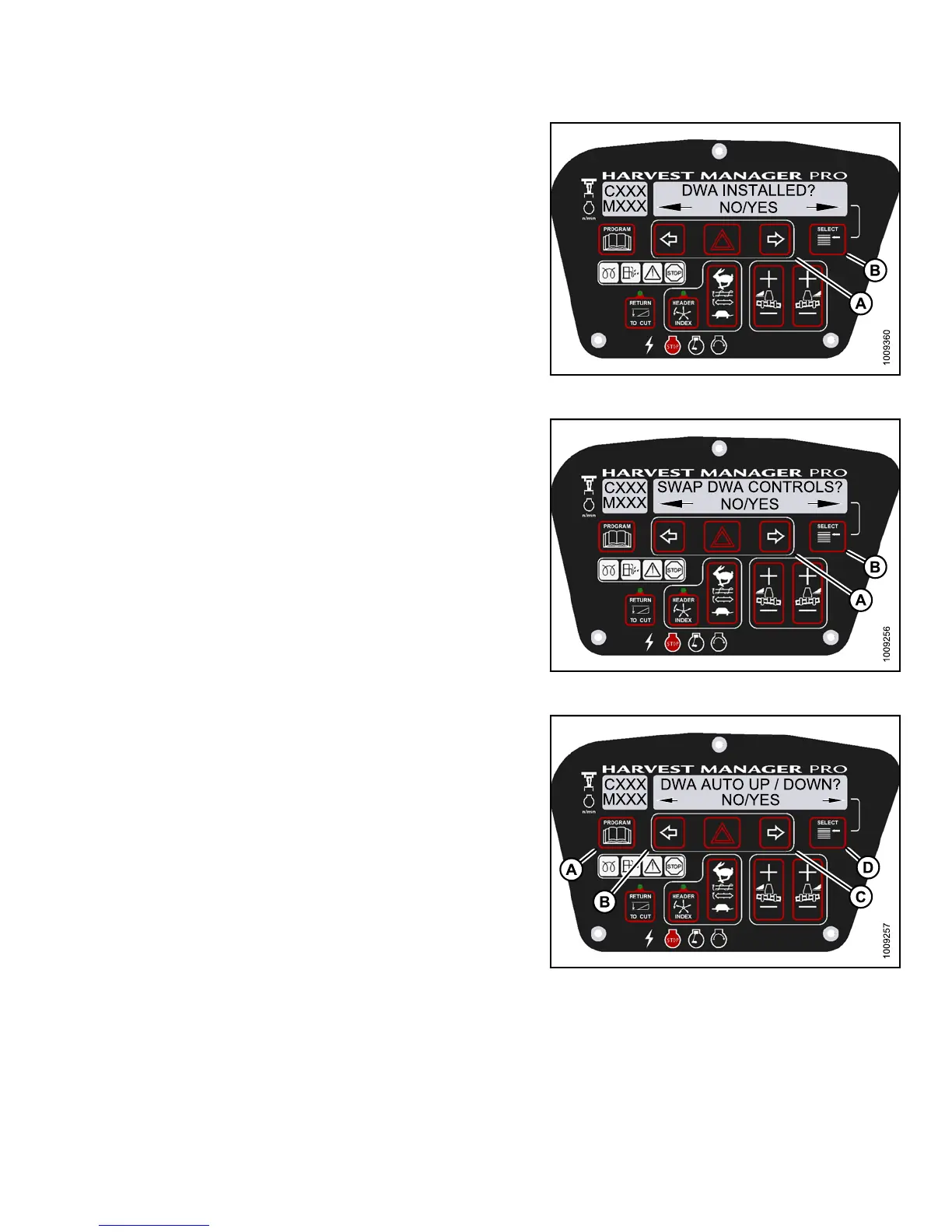
4. Press SELECT (B) until DWA INSTALLED? is
displayed on the upper line.
• NO/YES is displayed on the lower line .
5. Press right (A) arrow to select YES. Press SELECT (B).
Figure 3.11
6: M155 DWA Controls
6. SWAP DWA CONTROLS? is display ed on the
upper line.
• NO/YES is displayed on the lower line .
NOTE:
This step
swaps the DWA controls from the
console s
witch to the ground speed lever (GSL)
reel fore
-aft buttons.
Figure 3.117: M155 DWA Controls
7. Press r
ight (C) arrow to select YES. Press
SELECT
(D).
•DWAAUT
O UP/DOWN ? is displayed on the
upper l
ine.
•NO/YE
S is displayed on the lower line.
NOTE:
If the Operator selects YES, the DWA Auto-Up
function will be activated by the GSL Reel
Fore-Aft button.
8. Press right (C) arrow to select YES. Press
SELECT (D).
9. Press PRO GRAM to exit Prog ramming Mode or
press SELECT to proceed to next WINDROWER
SETUP action.
Figure 3.118: M155 DWA A uto Up/Down
147649
1
11
Revision A



 To Next Page