OPERATOR’S STATION
1. Turn ignition key to RUN , or start the eng ine.
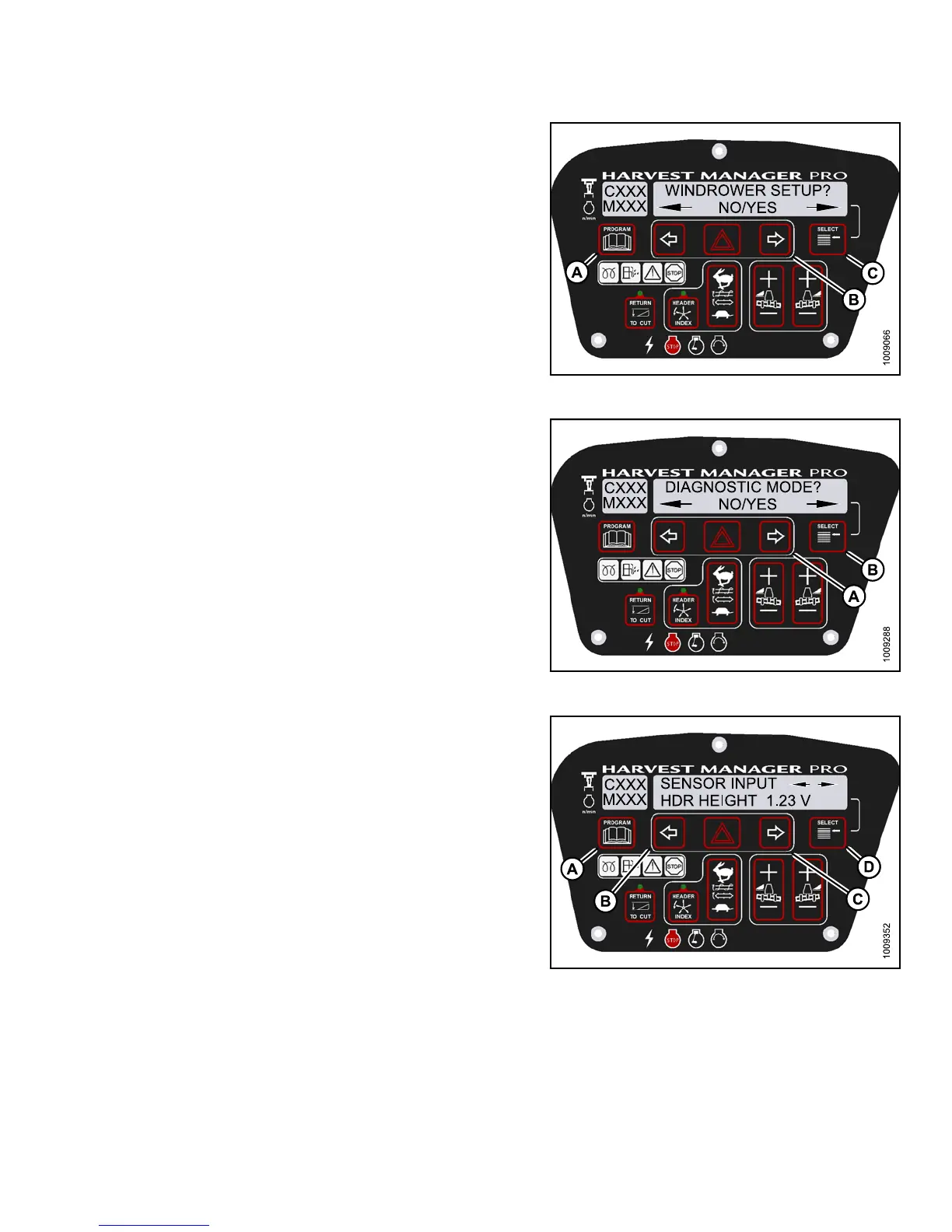
2. Press PROGRAM (A) and SELECT (C) on cab display
module (CDM) to enter Programming Mode.
• WINDROWER SETUP? is displayed on the
upper line.
• NO/YES is displayed on the lower line .
Figure 3.165: M155 CDM Programming Buttons
3. Press SELECT (B) until DIAGNOSTIC MODE? is
displayed on the upper line.
• NO/YES is displayed on the lower line .
4. Press right (A) arrow to select YES. Press SELECT (B).
• VIEW ERR OR CODES? is displayed on the
upper line.
5. Press SELECT (B) until READ SENSOR SETUP? is
displayed on the upper line.
• NO/YES is displayed on the lower line .
Figure 3
.166: M155 Diagnostic Functions
6. Press right (C) arrow to select Yes. Press SELECT (D).
• SENSOR INPUT is displayed on the upper line.
• HDR HEIGHT 1.23 V is displayed on the lower line.
7. Press left (B) or right (C) arrow to cycle between
individual sensor readers.
8. Press SELECT (D) to skip to EXIT READ
SENSORS? selection.
Figure 3.167: M155 Header Sensors
9. Pre
ss right arrow to select YES. Press SELECT.
10. Pre
ss PROGRAM to exit Programming Mode or press
SEL
ECT to proceed to next DIAGNOSTIC MODE.
147649 133 Revision A



 To Next Page